



 Resources
 Feature overview
 browser
 2026-04-23 11:22
For sellers engaged in cross-border e-commerce, there is an unavoidable challenge—account environment security. Among them, Canvas fingerprint detection is a very critical part of risk control.
Nowadays, mainstream cross-border e-commerce platforms no longer rely solely on IP addresses. Instead, they use a complete set of browser fingerprinting mechanisms to identify your device.
Since Canvas fingerprint detection is so difficult to deal with, is there any way to reduce the risk? Next, let’s go through it in detail.

1. What is Canvas fingerprint detection?
Canvas fingerprint detection is a technology that identifies devices based on browser rendering behavior. It is also a part of browser fingerprinting.
Many people mistakenly think that changing the IP or switching browsers is enough. In reality, modern platform risk control goes far beyond IP—it evaluates your entire browser environment to determine whether you are the “same person.”
2. Why must cross-border e-commerce pay attention to this?
Platforms like Amazon, eBay, and Shopee are highly sensitive to multi-account operations. Their systems identify you based on the following factors:
• IP address
• Device information
• Browser environment
• Fingerprint data such as Canvas and WebGL
In other words, even if you change your IP, if your Canvas fingerprint remains the same, the platform can still recognize you. This is why many sellers run into problems.
3. How to prevent Canvas fingerprint detection? 4 practical methods
Method 1: Use fingerprint browsers to isolate environments
This is currently the most recommended and stable method. It allows you to create an independent browser environment for each account.
Including: Canvas fingerprint, User-Agent, resolution, timezone, fonts, WebGL parameters.
The core advantage of the ToDetect browser detection tool is reducing browser fingerprint detection risks, making it ideal for cross-border e-commerce and multi-account operations.
Method 2: Avoid using regular browsers + plugins for spoofing
Many people initially use Chrome with modification plugins, such as changing UA or timezone.
The problem is that plugins do not fully modify the environment, and Canvas fingerprints are difficult to truly change, making it easy to be flagged as an “abnormal environment.”
👉 Practical advice: If you are still using plugins to modify your environment, consider upgrading your approach as soon as possible, otherwise the account risk is high.
Method 3: Use clean IPs and avoid environment conflicts
Canvas fingerprinting is only part of browser fingerprint detection; IP is equally important. If you are using:
• Shared IPs or IPs with problematic history
• Or IPs that do not match your browser environment
Then even if your Canvas setup is perfect, you may still be flagged by risk control systems.
👉 For example: using a US IP while your browser timezone is set to Asia—this obvious mismatch can easily trigger alerts.
👉 Correct approach: use dedicated proxy IPs, ensure the IP region matches the account registration region, and keep browser environment consistent with IP logic.
Method 4: One account per environment to avoid cross-contamination
This is often overlooked but extremely important. Even if you use a fingerprint browser, if:
• Multiple accounts share one environment
• Or you frequently switch accounts
• Or improper operations cause cookie confusion
They may still be identified as linked accounts. Therefore, it is recommended to:
• Bind each account to an independent browser environment
• Do not mix configurations
• Regularly back up environments
• Do not log into multiple accounts in the same window
This can be understood as replicating the “one person, one device” logic at the browser level.
4. Recommendations for using the ToDetect fingerprint detection tool
The core value of ToDetect lies in “reducing browser fingerprint detection risk.”
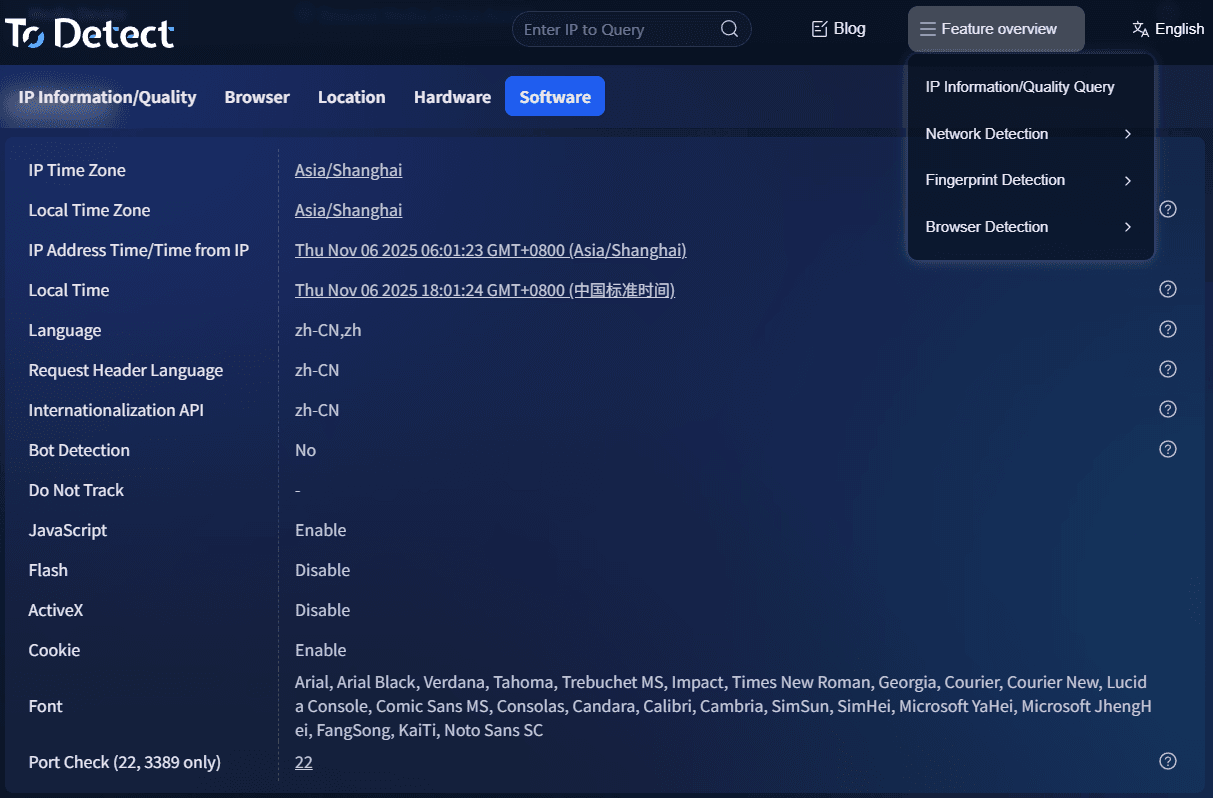
Usage is crucial:
□ Do not frequently rebuild environments (it appears unnatural)
□ Keep the initial environment as stable as possible
□ Use with stable IPs
□ Simulate real user behavior (avoid mechanical operations)
□ Otherwise, even the best tools cannot fix “abnormal behavioral traces.”
5. Common questions about Canvas fingerprint detection in cross-border e-commerce
1. Can Canvas fingerprint detection really identify multiple accounts?
Yes, and with high accuracy. Browser fingerprinting does not rely only on IP—it evaluates the entire browser environment.
Even if you change your IP, if the Canvas fingerprint remains the same, platforms can still determine that the accounts are linked.
👉 Simply put: IP is the “address,” while Canvas fingerprint is more like an “ID card.”
2. Can proxy IPs bypass Canvas fingerprint detection?
No, not by themselves. Many people think changing IP is enough, but in reality: IP solves network-level issues, while Canvas fingerprinting is device-level identification.
If the browser environment remains unchanged, Canvas fingerprinting can still identify you.
👉 The correct approach is: IP + browser environment + behavior must all align.
3. Are fingerprint browsers (like Bit Browser) really necessary?
If you operate multiple accounts, they are essentially a necessity. Their role is to:
Build independent browser environments, isolate fingerprint data across accounts, and reduce detection risks.
👉 Suitable for: Amazon sellers, independent site operators, and social media account managers.
4. Why do accounts still get banned even with fingerprint browsers?
In most cases, it’s not the tool—it’s how it’s used.
Examples include: multiple accounts using the same IP, frequent environment changes, abnormal behavior (bulk or automated actions), and mismatched environment parameters and IP regions.
👉 Key point: Canvas fingerprint detection is only part of risk control—the platform evaluates overall behavior models.
Summary
Dealing with Canvas and overall browser fingerprint detection is essentially about making each account’s browser environment clean, independent, and logically consistent.
Whether you use fingerprint browsers or tools like ToDetect, success depends on details such as environment isolation, IP matching, and user behavior.
If you are already running multiple cross-border e-commerce accounts, it’s best to establish this system as early as possible. If you are just getting started, building a solid foundation from the beginning is even more important.