



 Resources
 Feature overview

 browser
 2026-06-05 10:20
When a browser becomes slower over time, many people immediately assume that their computer is outdated or that the internet connection is the problem. In reality, the hidden factor is often something that is easy to overlook—browser extensions.
These extensions may seem like simple tools for translation, screenshots, ad blocking, or productivity enhancement. While they are undoubtedly convenient, they can quietly alter your browser environment and even introduce privacy risks.
In this article, we'll explore the benefits of browser extension detection, the hidden risks it can help uncover, and how to address the security concerns associated with browser extensions.

1. Why Is Browser Extension Detection Important?
Many users view extensions as harmless tools and focus only on whether they are useful. However, some extensions may request excessive permissions, such as access to browsing history, monitoring page inputs, or even uploading data in the background.
This is particularly important for cross-border businesses, as many data leaks are not caused by hackers but by overly permissive browser extensions.
2. What Hidden Risks Can Extension Security Detection Reveal?
1. Excessive Permissions and Permission Abuse
This is one of the most common issues. Some extensions request broad permissions during installation, such as "Read and change all website data," "Access browsing history," or "Manage downloads."
These permissions often exceed what is necessary for the extension's intended functionality. Security detection can identify such excessive permission requests and help users recognize potential abuse risks.
2. Hidden Data Collection and User Behavior Tracking
Some extensions may not appear malicious but can silently record browsing activity, search queries, click behavior, and even portions of user input before sending the data to remote servers.
Such behavior is almost impossible to detect manually. Extension security analysis can combine network traffic inspection, permission monitoring, and behavioral analysis to identify these hidden tracking extensions.
3. Malicious Code and Script Injection Risks
Some extensions from unverified sources may contain code for ad injection, page hijacking, or script manipulation.
Security detection tools typically analyze extension behavior to identify suspicious DOM manipulation, remote script loading, and communication with unknown domains, helping determine whether malicious code is present.
4. Supply Chain and Update Risks
Some extensions may be safe initially but later get acquired, transferred to new developers, or updated with new data collection mechanisms. These changes are often difficult for users to notice.
By comparing extension behavior across versions, security detection can identify unusual permission changes introduced through updates and help prevent silent data harvesting.
3. Browser Extension Types and Risk Levels
| Extension Type | Common Purpose | Potential Risks | Recommended Risk Level |
|---|---|---|---|
| Ad Blockers | Block ads and improve browsing experience | May hijack ad requests or replace affiliate links | Medium |
| Shopping & Price Comparison Extensions | Price tracking and coupon recommendations | May collect shopping behavior data | Medium |
| Developer Tool Extensions | Web debugging and packet analysis | High permissions may expose local debugging data | Medium-High |
| Proxy Extensions | Change IP addresses and access restricted websites | Traffic logging and insufficient encryption risks | High |
| AI Assistant Extensions | Content generation, translation, and writing assistance | May upload webpage content to cloud services | Medium-High |
| Unknown Source Extensions | Extensions downloaded outside official stores | Malicious code injection and data theft | High Risk |
4. Browser Fingerprinting: A More Hidden Threat
Browser fingerprinting is a technique that creates a unique identifier based on your device information, including installed extensions, fonts, screen resolution, and system settings.
The more extensions you install, the more unique your browser fingerprint becomes. For advertisers, cross-border e-commerce operators, and social media managers, this can increase the likelihood of account association and platform risk controls.
Therefore, reducing unnecessary extensions and optimizing extension configurations is also a way to improve browser fingerprint privacy.
5. ToDetect and Extension Security Analysis
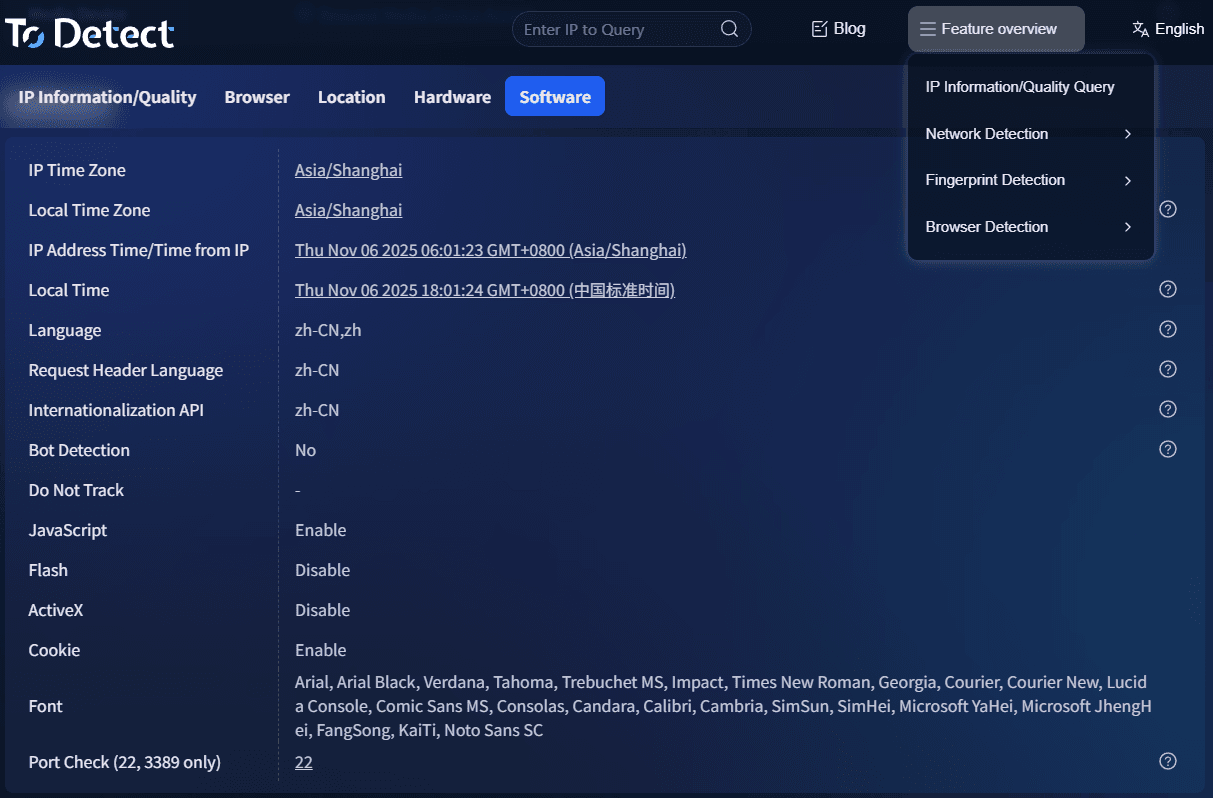
Platforms like ToDetect combine browser extension analysis with browser fingerprint assessment. In addition to detecting installed extensions, they can also evaluate:
• Whether current extensions affect fingerprint stability
• Whether extension combinations create risky behavioral patterns
• Whether the browser environment exposes excessive identifiable information
For users managing multiple accounts, running international advertising campaigns, or conducting large-scale data collection, these tools can provide significant value.
6. Who Should Perform Extension Security Checks?
Regular users who frequently install productivity tools should review their extensions regularly, as excessive installations can hide suspicious behaviors or unnecessary data collection.
• Cross-border e-commerce and independent website operators.
• Social media managers operating multiple accounts.
• Digital advertisers and traffic acquisition professionals.
• Corporate IT security teams responsible for protecting internal systems and sensitive business data.
7. How to Build Safer Extension Usage Habits?
Beyond using security tools, good habits are equally important:
First, keep only the extensions you truly need. Many extensions are installed for one-time use but continue to retain permissions indefinitely.
Second, perform regular browser extension audits and remove unused or untrusted extensions.
Finally, carefully review permission requests, especially those involving access to all website data, clipboard contents, or browsing history.
Conclusion
The purpose of browser extension detection is to turn invisible risks into visible insights. Through extension security analysis, users can determine which extensions are safe to keep and which should be removed.
Whether you're an everyday user, a cross-border seller, or a social media operator, regularly using ToDetect for browser extension checks can help make your browsing environment more secure and predictable.
By combining browser extension detection with security analysis, users can reduce hidden risks, improve browser management, and prevent personal information from being silently collected and exploited.
