


 Resources
 Feature overview
Beware These High-Risk Browser Extensions That Millions Use Daily
 Ganesh
 2026-01-27 03:51


Installing browser extensions has become an indispensable part of many people’s daily internet use. Whether it’s improving work efficiency, blocking ads, or enhancing the browsing experience, all kinds of extensions keep emerging.
But have you ever thought that these seemingly “useful” little tools might actually be collecting your private data behind the scenes, or even tracking your browsing behavior?
Next, we’ll take a detailed look at which browser extensions are considered high-risk, and how to perform browser extension checks to better protect your online privacy and security.
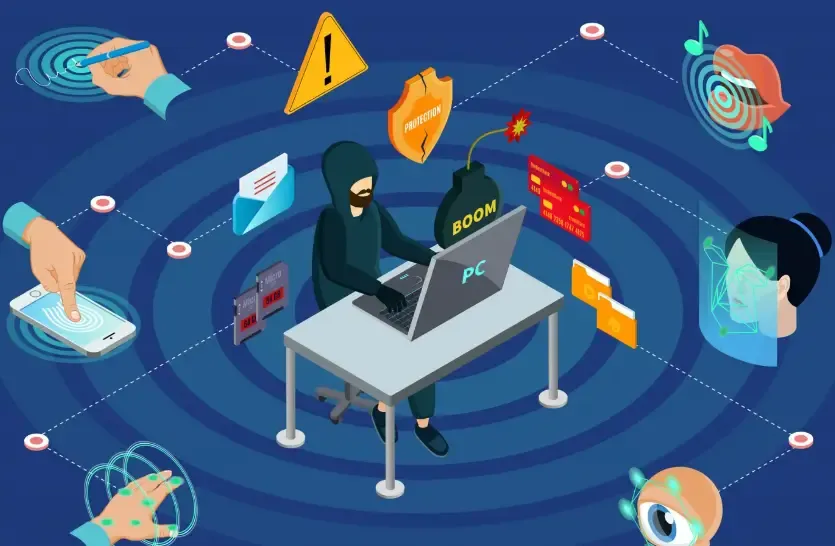
I. Are Browser Extensions Really Safe?
Browser extensions are indeed convenient, but behind that convenience, your privacy and data may be quietly collected. Especially for some popular free extensions, they often secretly access your browsing history, account information, and may even affect your computer’s performance.
Before installing any extension, it’s recommended to perform a simple browser extension check to understand its source, permissions, and whether it has security vulnerabilities. Many security companies and tools provide such detection services to help you judge whether an extension is trustworthy.
II. Which Browser Extensions Are High Risk?
When it comes to high-risk extensions, many people assume that only niche plugins are dangerous. In fact, quite a few popular extensions also carry privacy or security risks.
| Extension Type | Risk Characteristics | Specific Risk Examples | Recommended Action |
|---|---|---|---|
| Free VPN Extensions | Data collection, traffic monitoring | Logging IP addresses and browsing history, possibly selling data | Choose well-known paid VPNs and avoid random free extensions |
| Ad Blockers (Unknown Sources) | Ad injection, traffic hijacking | Embedding malicious ads, monitoring online activity | Use officially verified extensions and keep them updated |
| Video Downloader Extensions | Account data leakage | Stealing login information from YouTube, Bilibili, etc. | Download only from trusted sources and check reviews before installing |
| Shopping Price Comparison Extensions | Browsing behavior tracking | Recording shopping habits and account details | Use built-in e-commerce features instead of third-party plugins |
| Browser Customization / Enhancement Extensions | Settings tampering, ad injection | Changing homepage or search engine, downloading malware | Install fewer, clean regularly, and monitor update logs |
| Unknown Password Manager Extensions | Password leakage | Uploading account credentials to third-party servers | Use extensions from reputable security vendors and enable 2FA |
| Social Media Helper Extensions | Privacy leakage | Accessing chat records and friend lists | Avoid installing social extensions from unknown sources |
As shown in the table, almost every type of extension carries potential risks, especially those with excessive permissions, infrequent updates, or unknown origins.
To reduce risks, in addition to browser extension checks and security measures, you can also use browser fingerprint detection tools (such as the ToDetect Fingerprint Checker) to see whether installed extensions increase the uniqueness of your browser fingerprint. This makes it easier to identify which extensions may make you more traceable.
III. Why Should You Care About Browser Fingerprints?
When talking about security, we can’t ignore a newer concept — browser fingerprint detection.
A browser fingerprint is a unique identifier generated from your browser and device information (such as screen resolution, operating system, fonts, and installed extensions) to track user behavior.
Simply put, even if you don’t log in to any account, you can still be “recognized” online. Many high-risk extensions increase fingerprint uniqueness, making your online activities easier to track.
IV. How to Check for Risky Browser Extensions Yourself?
We recommend the ToDetect Fingerprint Checker, which can help you:
• Check extension permissions: Avoid granting excessive permissions, such as access to all website data.
• Keep extensions updated: Outdated or rarely updated extensions are more vulnerable to attacks.
• Use secure browsers or safe mode: Some browsers have built-in security checks to automatically identify high-risk extensions.
V. Browser Extension Detection Daily Protection Tips
• Control the number of extensions: Keep only what you really need.
• Choose extensions from reputable vendors: Big-name developers usually offer better security.
• Regularly clear browser data: Cache, cookies, and history are common sources of privacy leaks.
• Enable browser security settings: Block third-party cookies and limit site permissions.
• Review update logs: Check whether security vulnerabilities have been fixed.
Summary
Browser extensions do make our online experience more convenient, but the hidden risks behind that convenience should not be ignored.
By regularly performing browser extension checks, paying attention to extension security, and using browser fingerprint detection tools such as the ToDetect Fingerprint Checker, you can clearly identify which extensions may be exposing you to risks and remove or replace them in time.
Cybersecurity is no small matter. Developing the habit of checking extensions and browser fingerprints is far better than regretting it after a problem occurs.
 AD
AD


