


 Resources
 Feature overview
Is Your Browser Extension Safe? How to Check If It's Being Flagged by Platforms
 bonnie
 2026-01-07 05:56


In daily internet use and work, we often rely on various browser extensions to improve efficiency. However, because some extensions have relatively high permissions, they may expose browser environment information, which can then be used by platforms to identify your identity and behavior.
This article will help you understand why browser extensions are easy to track, how to determine whether an extension poses tracking risks, and recommend practical extension detection tools to help you easily identify and prevent related risks.

I.Browser Extensions — Why Are They Easy to Track?
Browser extensions have more permissions than ordinary web pages, such as accessing page content, modifying network requests, and reading browser environment information.
These permissions make extensions themselves an important marker for identifying user identity.
In addition, the presence, number, types of extensions, and the way they are combined can form a unique environment fingerprint.
Platforms and risk-control systems use these characteristics to determine account security and detect risks such as multi-account associations.
II. Common Extension Tracking Methods
1. Extension Fingerprints
Extensions leave behind unique code, variables, or request headers in the browser. This information can be captured by websites or risk-control systems to detect whether an extension is present.
2. Background Data Reporting
Some extensions periodically send user behavior, visited URLs, and browser information to developers or third-party servers. Once combined with account behavior, this data can easily form a continuous user profile.
3. Extension Combination Characteristics
The types and number of installed extensions, as well as their combinations, can all serve as identifiers. Unusual extension combinations are likely to raise platform alerts.
III. How to Determine Whether Browser Extensions Are Being Tracked?
1. Check Extension Permissions
Open the browser’s extension management page and focus on extension permissions. If an extension requests permissions far beyond its functional needs—such as access to all website data and constant background activity—it poses a higher risk.
2. Observe Abnormal Network Requests
Use browser developer tools (Network panel) to monitor whether extensions frequently send data to unfamiliar servers, especially when there is no user interaction.
3. Changes in Account Status
If login verification decreases or risk-control warnings are reduced after uninstalling or disabling an extension, it may indicate that the extension was involved in environment identification and tracking.
IV. Recommended Browser Extension Detection Tools
Manually checking extension risks is time-consuming and labor-intensive. Professional tools provide a more efficient and comprehensive way to assess potential risks.
• ToDetect’s Browser Extension Detection Feature
• One-click detection of enabled browser extensions
• Quick identification of abnormal and hidden extensions
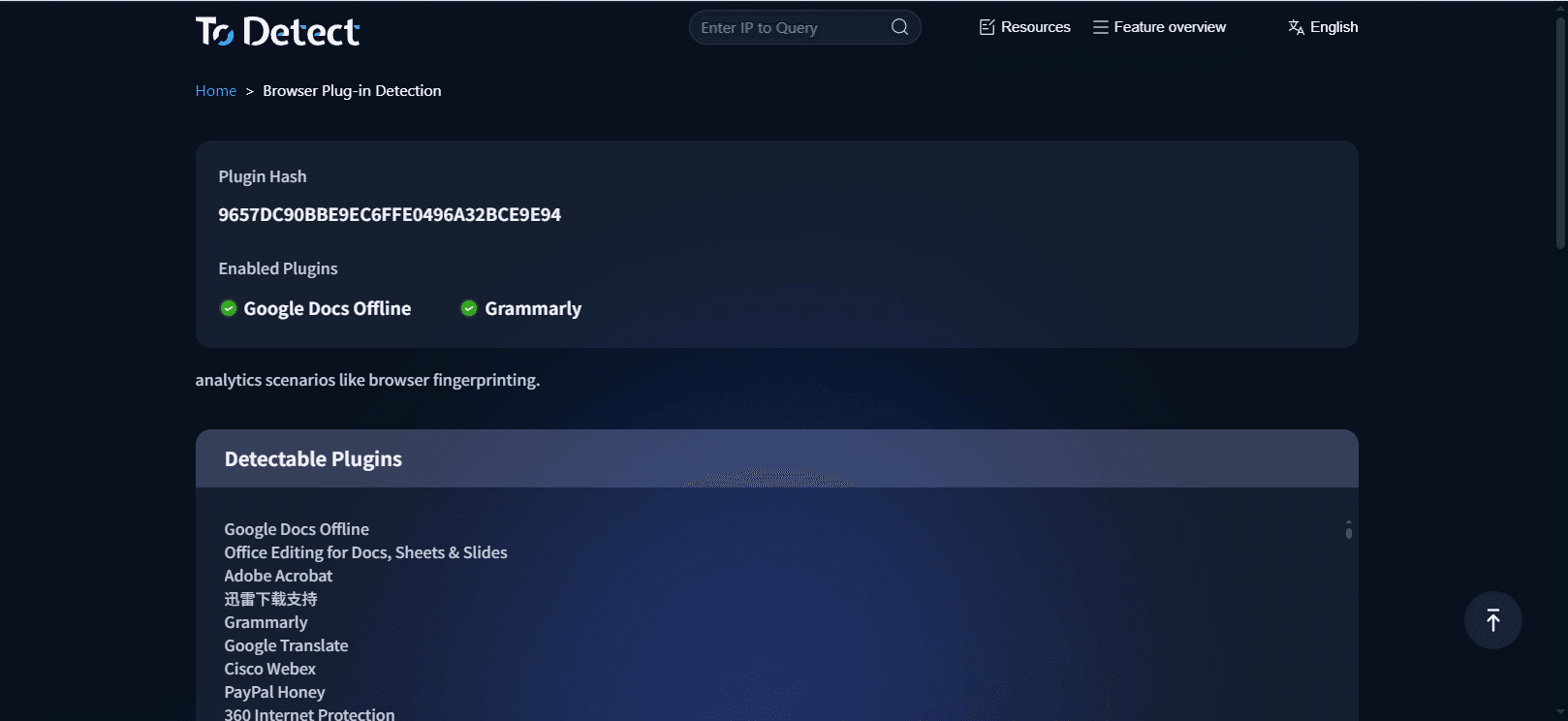
At the same time, ToDetect integrates multiple browser security detection features to comprehensively evaluate the browser environment.
By using this platform, you can quickly determine whether extension-related risks exist in your current environment and effectively avoid account restrictions caused by extension issues.
V. How to Reduce Extension Tracking Risks?
• Streamline extensions and keep only those that are necessary.
• Use different browser configurations for different account environments to avoid cross-contamination of extension fingerprints.
• After changing extensions, use detection tools to reassess residual data and the overall environment.
VI.Browser Extension Detection — Frequently Asked Questions
1. Can Incognito (Private) Mode Prevent Extension Tracking?
Incognito mode usually disables most extensions, but if you manually allow extensions to run in private mode, tracking may still occur.
2. Do Browser Extensions Affect Performance?
Some extensions consume significant memory and CPU resources, causing browsers to slow down or lag. It is recommended to regularly remove unused extensions to maintain smooth performance.
Conclusion
While browser extensions bring convenience, they can also become potential security risks for your accounts. Learning to identify extension tracking risks and promptly checking and cleaning them up is essential to better protect your accounts and privacy. With professional tools like ToDetect, you can easily understand your browser’s security status and avoid unnecessary risks.
 AD
AD


