


 Resources
 Feature overview
One-click DNS Leak Test: Find the Most Accurate Check Entry
 bonnie
 2026-01-16 06:22


DNS leakage is a commonly overlooked yet critically important privacy risk. Did you know that even when using a virtual private network or a proxy, your real browsing activity may still be exposed if DNS requests are not properly protected?
This article will help you fully understand DNS leakage and show you how to use ToDetect to check for DNS leaks with one click.
1. What Is DNS Leakage?
DNS works like the internet’s phone book. When you enter a website address in your browser, DNS translates the domain name into an IP address so your device can connect to the target server correctly.
However, DNS requests are usually sent in plain text. If they are not encrypted or routed through a secure channel, they may be monitored or tampered with by ISPs, third-party providers, or even hackers.
DNS leakage occurs when your DNS requests are not sent through a secure channel but are instead handled directly by your local ISP or an unintended DNS server.
Even if you use a virtual private network to hide your IP address, DNS requests can still reveal your real browsing behavior and location, putting your privacy at risk.
2. What Are the Risks of DNS Leakage?
1. Privacy Exposure:
DNS requests show which websites you visit, allowing ISPs and third parties to track your browsing habits.
2. Location Exposure:
Your real geographic location can be inferred from DNS requests.
3. Security Threats:
DNS leakage increases the risk of DNS spoofing and man-in-the-middle attacks, potentially forcing you to access malicious websites.
4. Account and Business Risks:
For cross-border e-commerce operators and overseas businesses, DNS leakage may trigger platform risk controls and increase the likelihood of account suspension.
3. How to Check for DNS Leakage with One Click?
Simply visit the ToDetect DNS leak testing page to start the check with one click.
As shown below, the test results will indicate whether your DNS requests are protected.
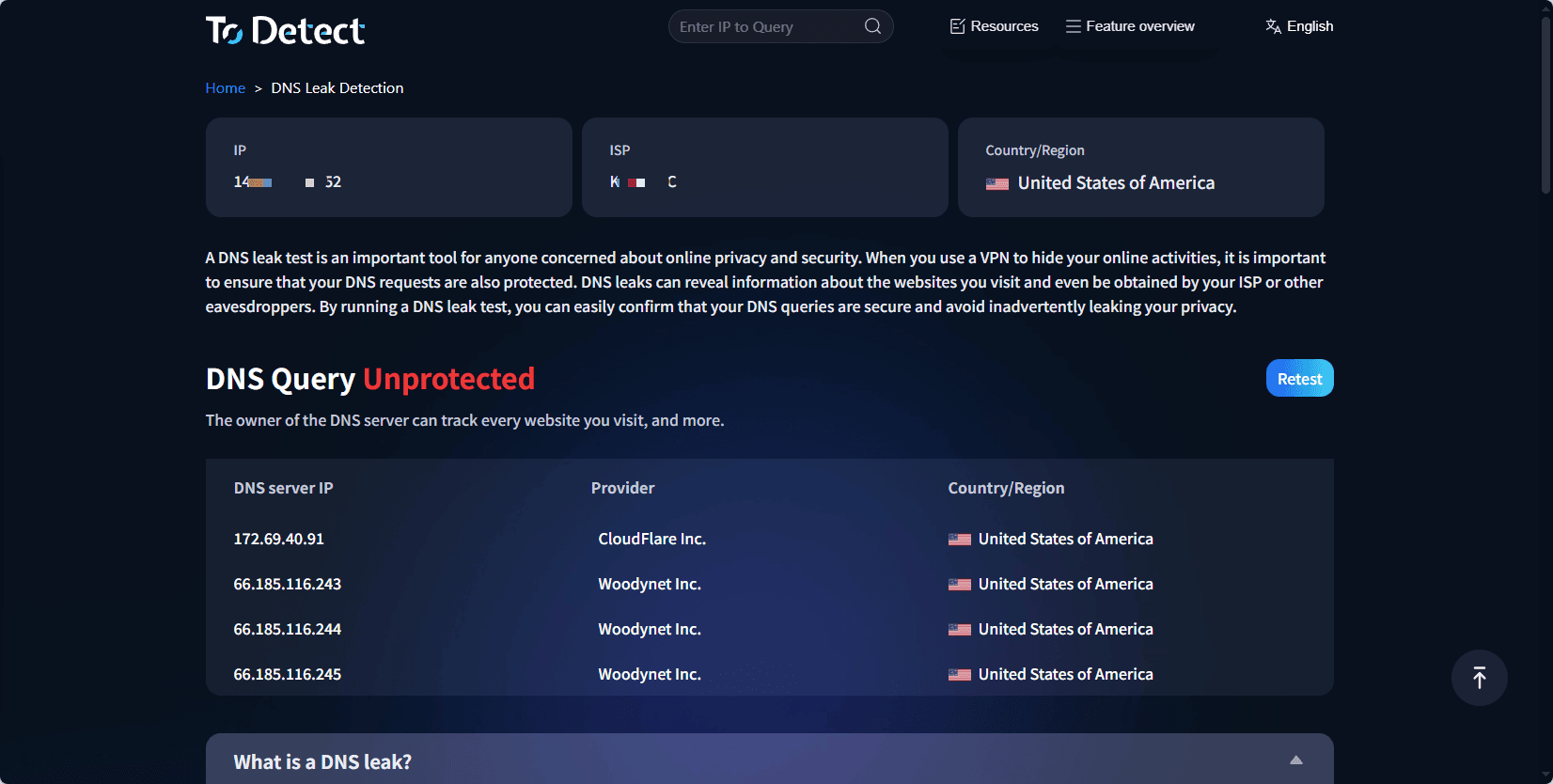
The test results not only show whether DNS leakage exists, but also provide detailed information such as your IP address, network provider, DNS server ownership, and geographic location.
The process is extremely simple and requires no software installation. Everything is done through a web interface, making it easy for users of all technical levels—from everyday users to professional operators—to quickly obtain accurate results.
4. How to Fix DNS Leakage?
1. Configure Dedicated DNS Servers
Manually set reliable public DNS servers in your system, such as Cloudflare (1.1.1.1) or Google DNS (8.8.8.8).
2. Enable Encrypted DNS Protocols (DoH or DoT)
DNS over HTTPS (DoH) and DNS over TLS (DoT) encrypt DNS requests to improve security.
3. Regularly Recheck DNS Status
Use tools like ToDetect for ongoing monitoring to promptly identify and fix new DNS leakage risks.
Conclusion
DNS leakage is a highly dangerous privacy vulnerability that many people overlook. For cross-border operators who need to protect identity and business security, preventing DNS leakage is a critical step in safeguarding accounts.
With the DNS leak detection tool provided by ToDetect, you can easily perform a one-click test and accurately understand your DNS security status.
By combining effective remediation measures, you can completely eliminate DNS leakage risks and ensure true protection for your online activities and accounts.
 AD
AD


