


 Resources
 Feature overview
What is Browser Fingerprinting? Learn to Identify Common Types Fast
 browser
 2026-02-03 04:15


Did you know? Every time you visit a website, open an e-commerce platform, or log into social media, you leave behind a unique digital fingerprint.
These are not your real fingerprints but unique characteristics generated by a combination of your browser, system, and network environment, also known as a browser fingerprint.
This article will help you understand the most common types of browser fingerprints, teach you how to quickly identify risks, and create a cleaner and safer online environment.
1. What is a Browser Fingerprint
A browser fingerprint is a set of characteristics automatically exposed by your browser and device when visiting websites.
It includes browser version, language settings, fonts, Canvas rendering, WebGL, system information, IP, timezone, and other multi-dimensional data.
Because everyone uses different combinations of devices, systems, browsers, and network environments, the resulting browser fingerprint is highly unique.
2. Common Types of Browser Fingerprints
1. User-Agent Fingerprint
This is the most basic type of browser fingerprint, typically including the browser type (e.g., Chrome, Firefox), engine version, operating system (Windows, macOS, Android, iOS), and device architecture (x64, arm).
Common issues include mismatched UA and OS, or outdated UA versions that do not follow logical browser versioning.
2. Canvas Fingerprint
Canvas shows unique texture characteristics when the browser renders graphics. Different GPUs, drivers, and systems produce different Canvas data.
Canvas anomalies are common in anti-fingerprinting software, virtual machine environments, or devices with spoofed graphics cards.
3. WebGL Fingerprint
WebGL is mainly used for 3D graphics rendering in the browser and is a key fingerprint monitored by risk control systems.
Platforms can obtain GPU model, manufacturer, graphics driver version, and renderer version through WebGL.
4. Fonts Fingerprint
Different systems have different numbers of built-in fonts and font combinations. Common risks include:
• Windows-specific fonts appearing on macOS
• Unreasonable number of fonts
• Abnormal changes in font lists
5. Timezone / Language Fingerprint
Many risk control systems use these parameters to check if a user is truly from a certain region. Common anomalies include:
• Language set to Chinese but timezone shows as the U.S.
• Timezone does not match the country of the current IP
• Timezone changes frequently, showing characteristics of a simulated environment
6. Screen Resolution Fingerprint
Resolution, color depth, and zoom level can reveal device authenticity. Anomalies include:
• Resolution does not match device info, e.g., claiming MacBook but showing 1366×768 low-end parameters
• Resolution indicates a virtual machine environment
• Window size shows overly standardized values, such as 800×600 or 1024×768, common script defaults
7. WebRTC / IP Leak Fingerprint
WebRTC can leak local and public IPs, which is a key method for risk control against proxies or virtual networks.
Common risks include:
• Public IP does not match WebRTC IP
• WebRTC leaks the real internal IP
• Using a proxy cannot effectively hide the local IP
8. Network Type Fingerprint (IP Information)
IP is one of the most critical and sensitive identifiers for account security. Information includes IP type, ISP, location, ASN, spam score, and whether it is a proxy exit.
3. Quickly Identify with Online Browser Detection Tools
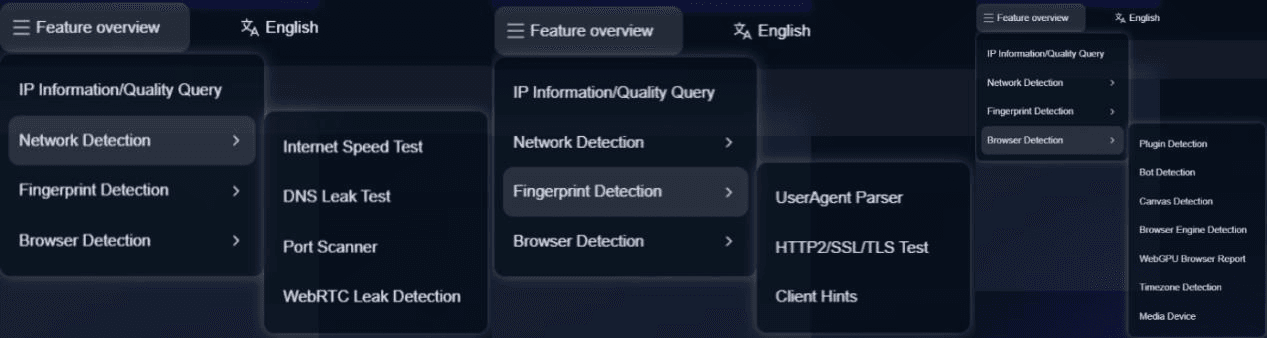
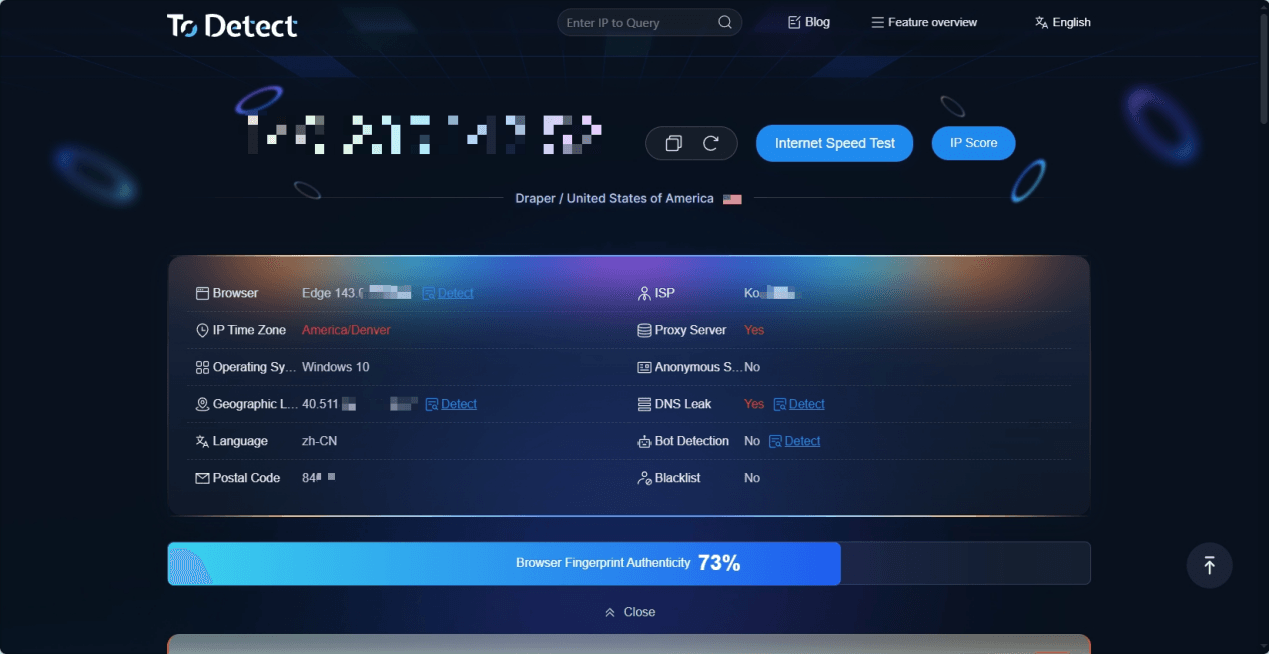
If you want to quickly check browser fingerprint information, you can use the ToDetect Browser Fingerprint Detection Tool.
No plugins are required, just open the webpage and it will automatically scan your current browser environment.
You can directly view key indicators including User-Agent, Canvas, WebGL, fonts, timezone, screen resolution, WebRTC IP leaks, and network type.
Three Key Focus Points:
1. Check if parameters match
Language, timezone, OS, User-Agent, GPU info, and resolution — any inconsistencies are risk signals.
2. Ensure network cleanliness
Check if the IP is a proxy, virtual network, or shared pool, and whether WebRTC leaks your real IP, as these affect security.
3. Check fingerprint stability
Rapid changes in Canvas, WebGL, fonts, or resolution are considered abnormal by platforms and may trigger risk controls.
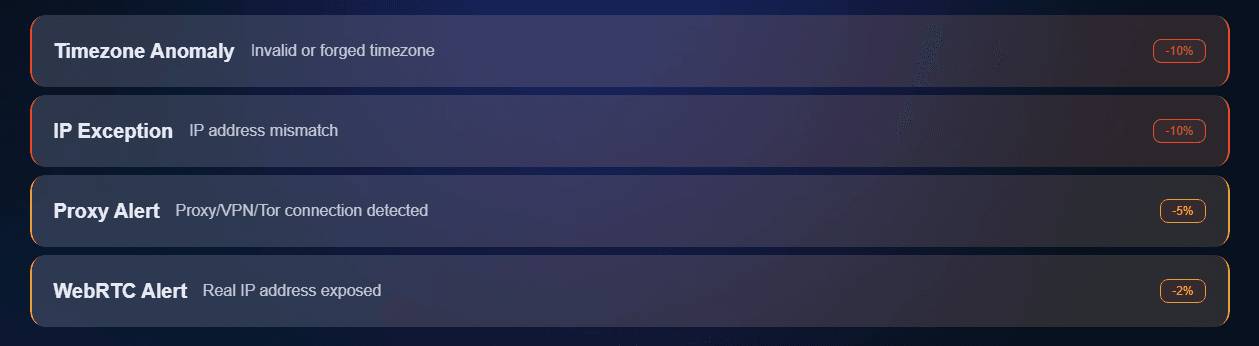
Using ToDetect results, you can quickly determine if your environment is safe and take appropriate measures.
Conclusion
Understanding browser fingerprints is the first step in ensuring account security.
Master common fingerprint types, identify key risks, check if fingerprints are clean and consistent, and regularly use tools like ToDetect to monitor them.
This can effectively reduce account linkage, store risk, login verification issues, and account bans.
 AD
AD


