


 Resources
 Feature overview
Which Browser Fingerprint Sites Protect Your Privacy?
 Alani
Alani 2025-12-25 06:06


In the age of the internet, our online activities are constantly being tracked, and browser fingerprints are one of the key tracking methods. They collect device information, browser configurations, fonts, plugins, and other data to create an almost unique "digital identity" for users.
So, which browser fingerprint testing websites can help protect our online privacy? Let's follow the ToDetect team and take a closer look!
1. What is browser fingerprint testing?
Browser fingerprint testing is a technique that analyzes the characteristics of your browser and device, including:
Screen resolution
Browser type and version
Installed fonts, plugins, and time zone
Canvas, WebRTC, and more
With this information, websites can identify and track users, even if you clear cookies or use incognito mode.
2. Popular Browser Fingerprint Testing Sites in 2026
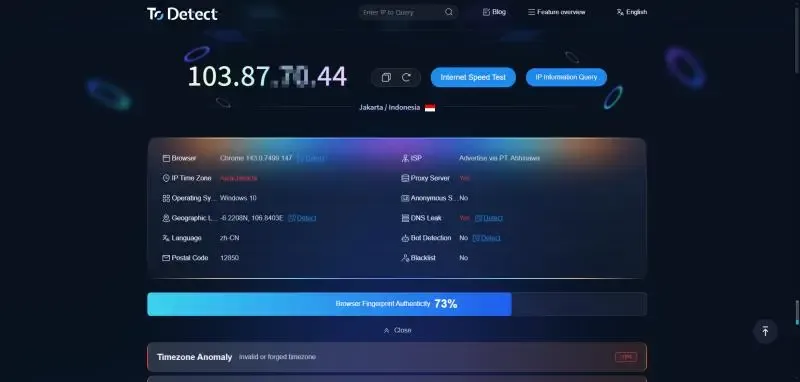
1. ToDetect — Comprehensive Browser Fingerprint Testing
Official Website : https://www.todetect.net/
Main Features:
Supports comprehensive fingerprint testing including device information, browser type, fonts, plugins, Canvas, WebRTC, and more
Real-time detection of IP status, DNS leaks, WebRTC leaks, generating detailed analysis reports
For multi-account management, it can analyze IP status to prevent account bans caused by IP correlation
Suitable for:
Users managing multiple accounts (e-commerce, social media marketing, etc.)
Users needing to check if IPs are flagged
Users wanting to verify browser configurations and fingerprint uniqueness
Advantages: Free to use, no download required, one-click report generation
2. BrowserLeaks
Official Website : https://browserleaks.com
Main Features:
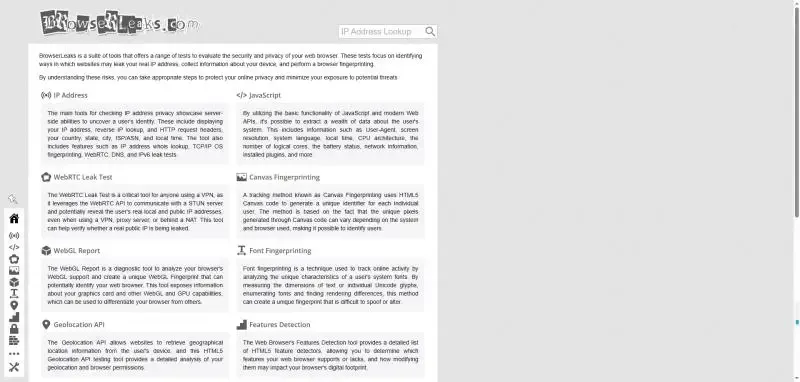
Directly tests whether proxies or private modes leak information
Provides detailed browser vulnerability and fingerprint tests including fonts, media, WebRTC, Canvas, and more
Suitable for:
Advanced users, privacy researchers
Users needing to test multi-account safe operation environments
Advantages: Comprehensive testing coverage
Limitations: Reports contain a lot of data, requiring some technical knowledge to understand
3. AmIUnique
Official Website : https://amiunique.org
Main Features:
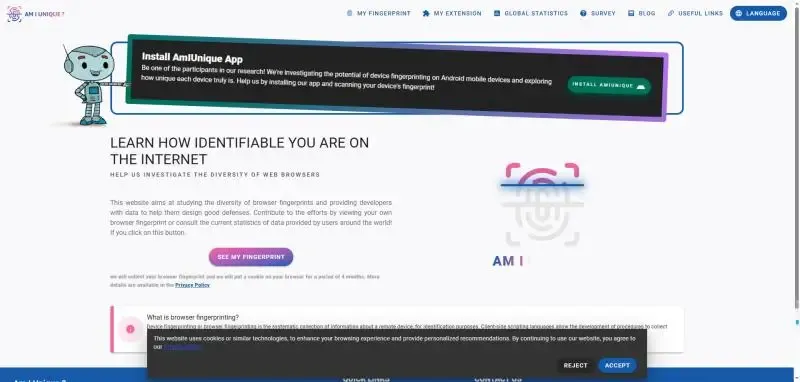
Compares browser fingerprints against a global database to evaluate uniqueness
Provides detailed fingerprint data fields (fonts, plugins, time zone, Canvas fingerprint, etc.)
Allows downloading fingerprint reports for analysis
Suitable for:
Users interested in fingerprint uniqueness and cross-device tracking
Advantages: Provides statistical analysis of fingerprint data, high research value
Limitations: More technical, reports may be difficult for general users to interpret
Comparison of Popular Fingerprint Testing Sites:
| Website | Detection Depth | Usability | Suitable For | Advantages |
|---|---|---|---|---|
| ToDetect | High | High | Multi-account managers, privacy-conscious users | Detailed reports with protection suggestions |
| AmIUnique | High | Medium | Researchers, technical users | Strong fingerprint statistics and analysis |
| BrowserLeaks | High | Medium | Advanced users | Comprehensive testing coverage |
4. How ToDetect Enhances Privacy Protection
ToDetect works without any downloads. Here's how to use it:
1. Visit the testing website: open ToDetect
2. Wait for the test results
5. Conclusion
Browser fingerprint testing is an essential tool for protecting online privacy. With ToDetect, users can clearly understand their privacy risks and take targeted measures to reduce the likelihood of being tracked.
Frequently Asked Questions (FAQ)
1. Is using browser fingerprint testing websites safe?
Most testing websites do not collect sensitive information. The detection process runs locally or securely online, and users only need to visit the website without downloading any software.
2. Do regular users need to check their browser fingerprints?
Yes, even if you don't manage multiple accounts, browser fingerprints can reveal your browsing behavior and device information. Testing helps you understand your identifiability and take simple measures to protect your privacy.
3. How does ToDetect improve privacy protection?
ToDetect quickly detects browser and device fingerprint information, checks for WebRTC, DNS, and IP leaks, and provides actionable recommendations such as disabling WebRTC, using isolated browser environments, or stable proxies to reduce tracking risks.
 AD
AD


