


 Resources
 Feature overview
What Is Cloaking and How to Set It Up with Cloaking.House
 Charles
 2026-01-28 09:21


In modern performance marketing, cloaking has become an essential tool for advertisers working with strict moderation systems such as Facebook Ads, Google Ads, TikTok, and other traffic sources. Automated bots, manual reviewers, and constant policy updates make it increasingly difficult to scale campaigns safely.
In this article, we’ll explain what cloaking is, why advertisers use it, and how to set it up step by step using Cloaking.House as an example.
What Is Cloaking?
Cloaking is a traffic-filtering technology that shows different content to different types of visitors based on predefined rules.
Most commonly, cloaking is used to:
• Show a white page (safe content) to ad platform moderators and bots
• Show a target offer or landing page to real users
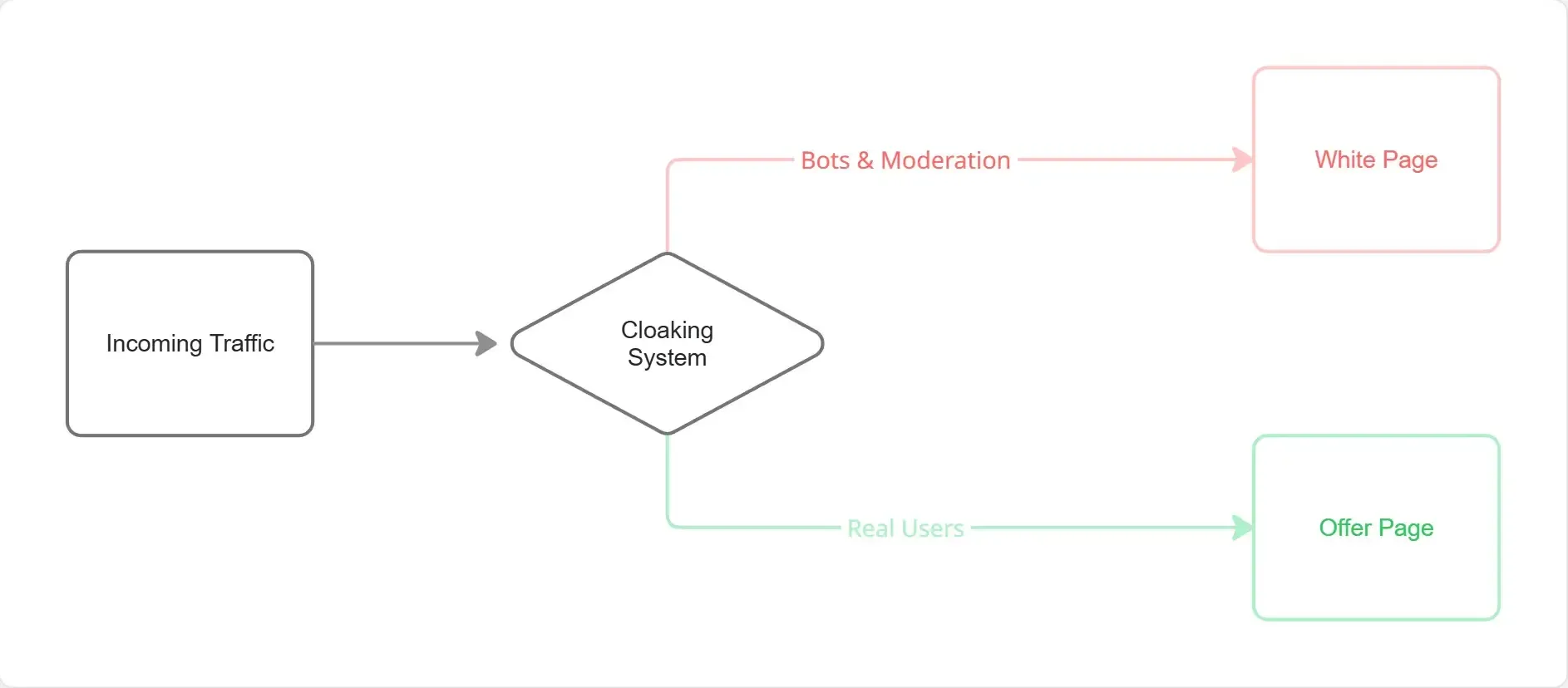
This allows advertisers to protect campaigns from unnecessary disapprovals, account bans, and wasted ad spend caused by automated checks.
How Cloaking Works
When a user clicks your ad:
• The request goes through a cloaking system
• The system analyzes the visitor (IP, device, OS, behavior, headers, etc.)
• Based on rules and ML-based detection, the visitor is classified as:
Moderator / Bot → sees a white page
Real User → sees the main offer
Cloaking.House automates this process and continuously updates detection logic.
Why Use Cloaking.House?
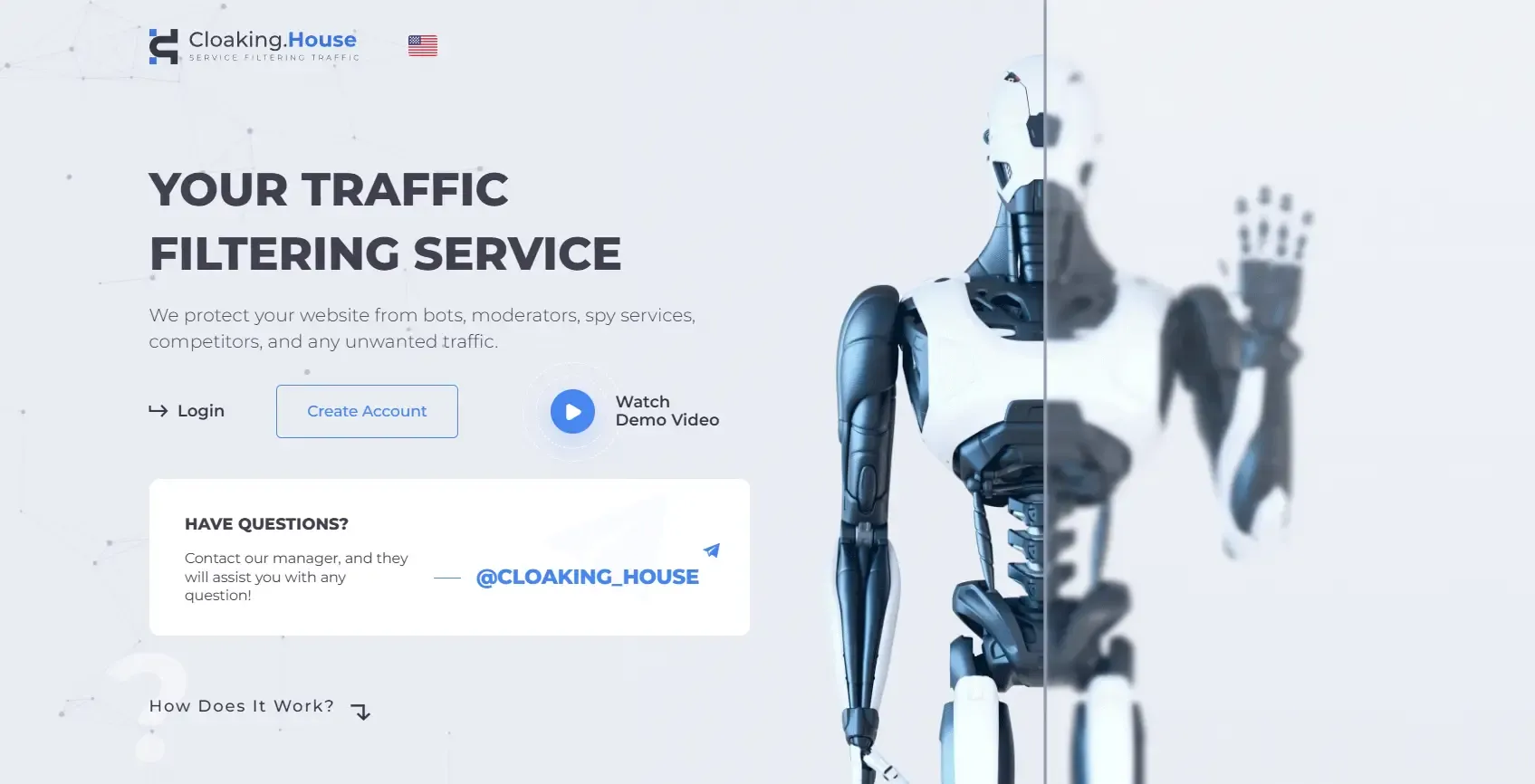
Cloaking.House is a professional cloaking platform designed for scalable and long-term ad campaigns.
Key advantages:
✅AI white page generator
✅ Machine-learning–based bot and moderator detection
✅ Support for Facebook, Google, TikTok, Bing, and more
✅ Flexible filters (IP, GEO, OS, device, language, ISP)
✅ High-performance infrastructure
✅ Detailed logs and testing tools
✅ Easy setup without coding
Step-by-Step: How to Set Up Cloaking with Cloaking.House
Step 1: Create a white page
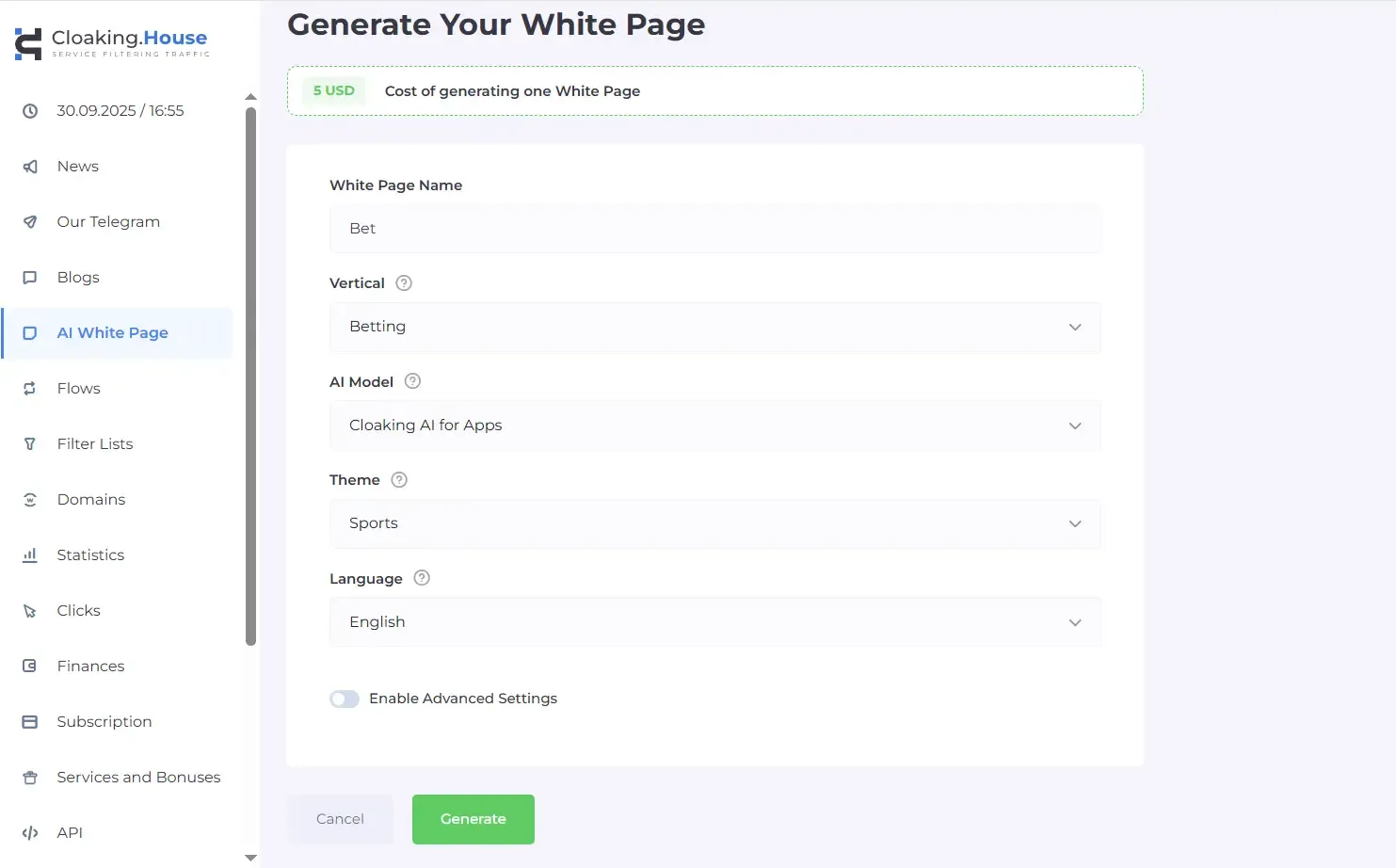
Cloaking.House includes a built-in white page generator, allowing you to create a clean, policy-safe page directly inside the service.
You can generate a ready-to-use white page in just a few clicks — no external tools required.
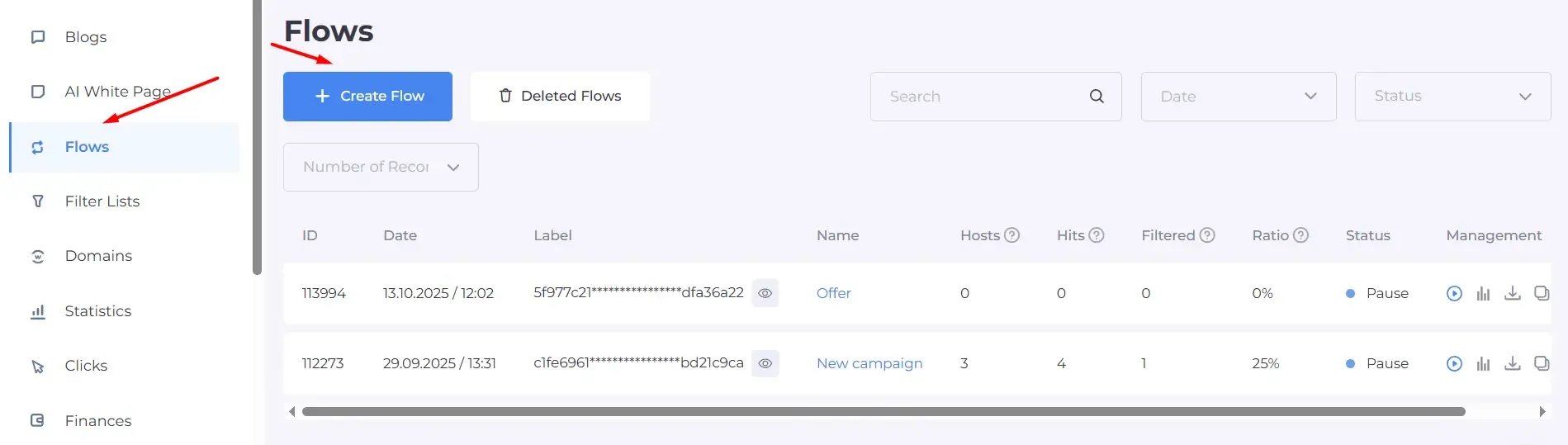
Step 2: Create a Flow
After logging into Cloaking.House:
• Create a new Flow
• Assign a flow name for easier tracking
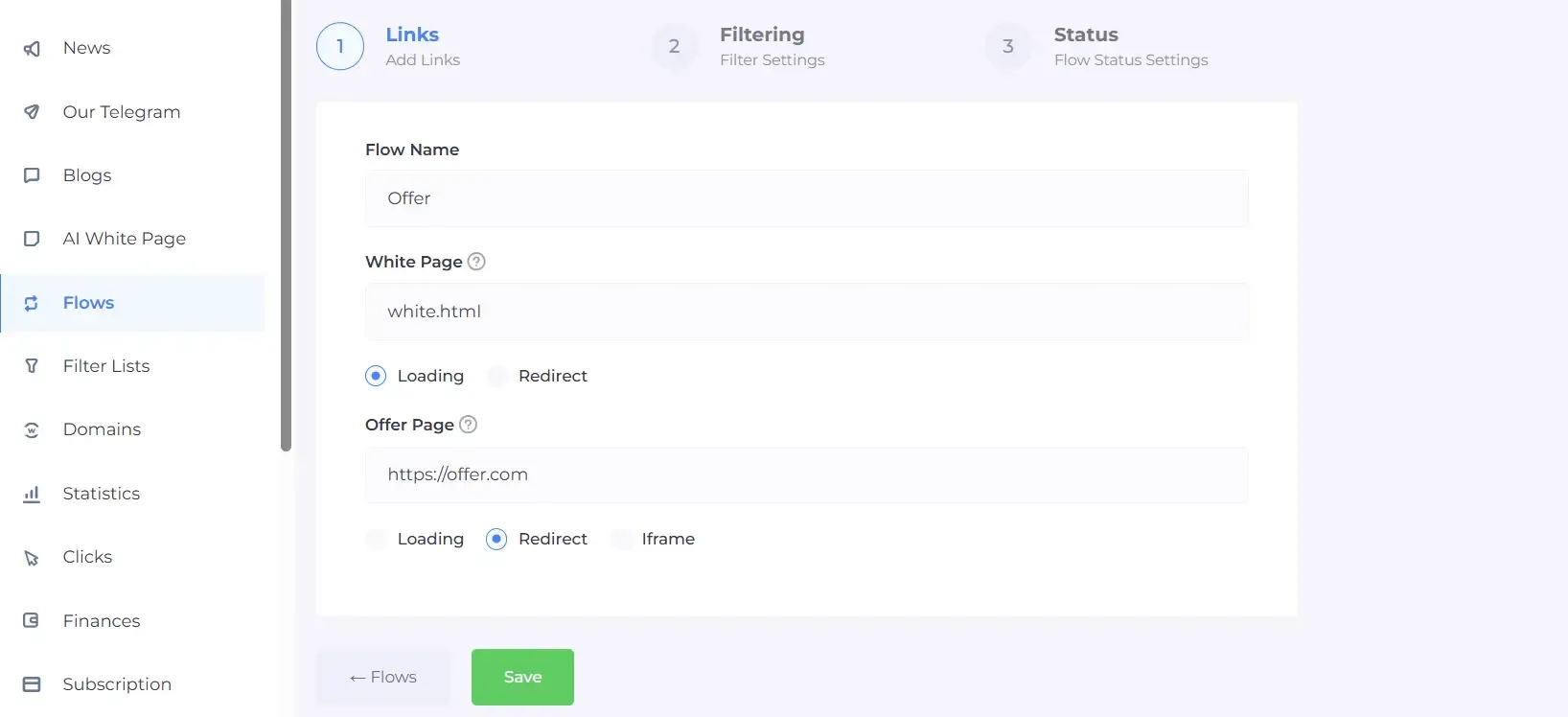
Step 3: Add Your Pages
You will need two pages:
• White Page – a clean, policy-safe page for moderators
Here you need to specify your renamed white page file (in our case, white.html) and enable page loading.
• Offer Page – the page you want real users to see.
Simply specify the offer URL and select redirect.
Step 4: Configure Filters
Cloaking.House allows you to filter traffic by:
• Country / GEO
• Device type (mobile, desktop)
• OS (iOS, Android, Windows, macOS)
• Language
• IP
• Browser
• Referrer
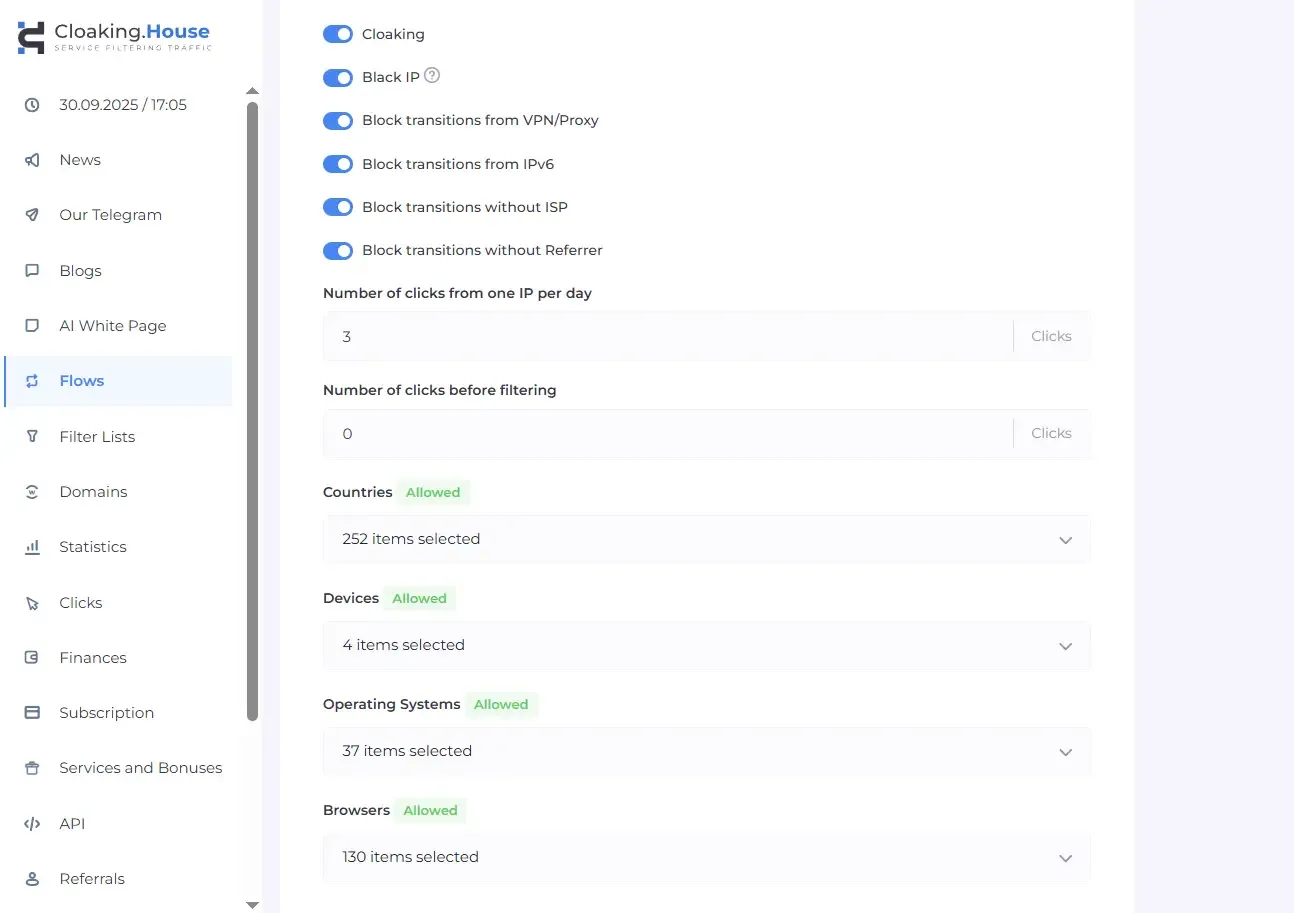
You can keep default settings or fine-tune them based on your strategy.
Step 5: Activate flow and Monitor
Once live:
• Monitor logs and traffic statistics
• Track allowed vs blocked visits
• Adjust filters if needed
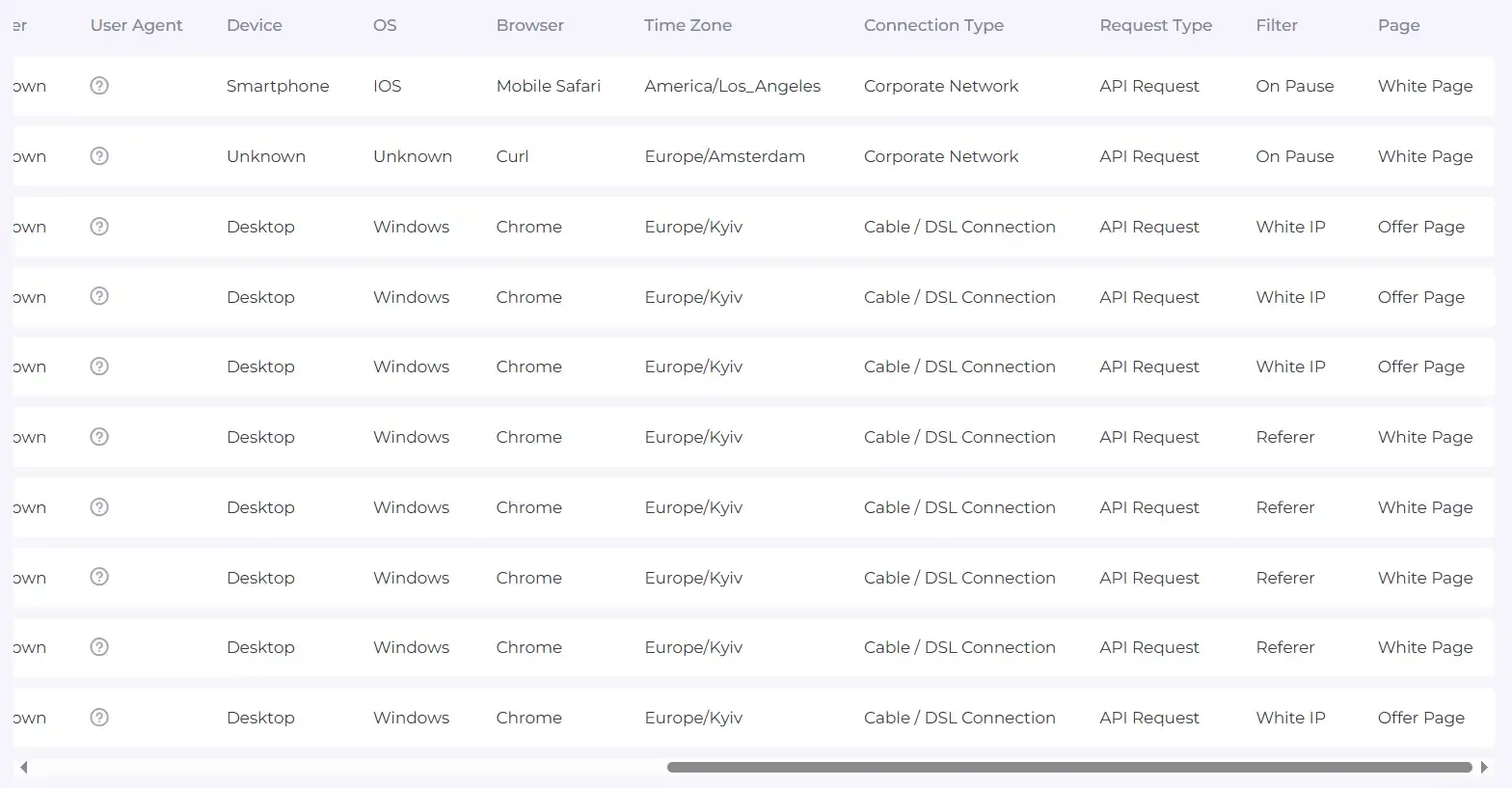
Cloaking.House provides real-time insights to help maintain campaign stability.
Common Cloaking Setup Mistakes
Avoid these errors:
• Using low-quality or reused ad accounts
• Poorly made white pages
• Incorrect GEO or language filters
• Launching without proper testing
• Sending mixed or suspicious traffic
A correct setup is just as important as the cloaking tool itself.
Final Thoughts
Cloaking is a crucial part of any paid traffic strategy, helping protect ad accounts, reduce moderation risks, and ensure campaign stability. With Cloaking.House, you get a reliable solution to use cloaking effectively and safely.
All new users receive a 7-day free trial and an exclusive 30% discount with promo code CROWNSOFT— start securing and scaling your campaigns using Cloaking.House today.
 AD
AD


