


 Resources
 Feature overview
Dolphin (Anty) Browser Profiles: How to Configure a Fingerprint and Verify It with Todetect Analysis
 Alani
Alani 2026-03-02 10:01


Multi-accounting is not fraud or deception. For many online professionals, it is a necessity. Multi-accounting is commonly used by:
• Affiliate marketers;
• Media buyers and performance marketers;
• SMM specialists and digital marketers;
• E-commerce teams;
• Crypto users and traders;
• Bonus hunters.
However, in order to register multiple accounts and minimize the risk of bans, you need to create multiple digital fingerprints (also known as browser fingerprints or FPs).
Each fingerprint represents a separate digital identity.
Using VPNs or proxies alone is not enough to create a new digital identity.
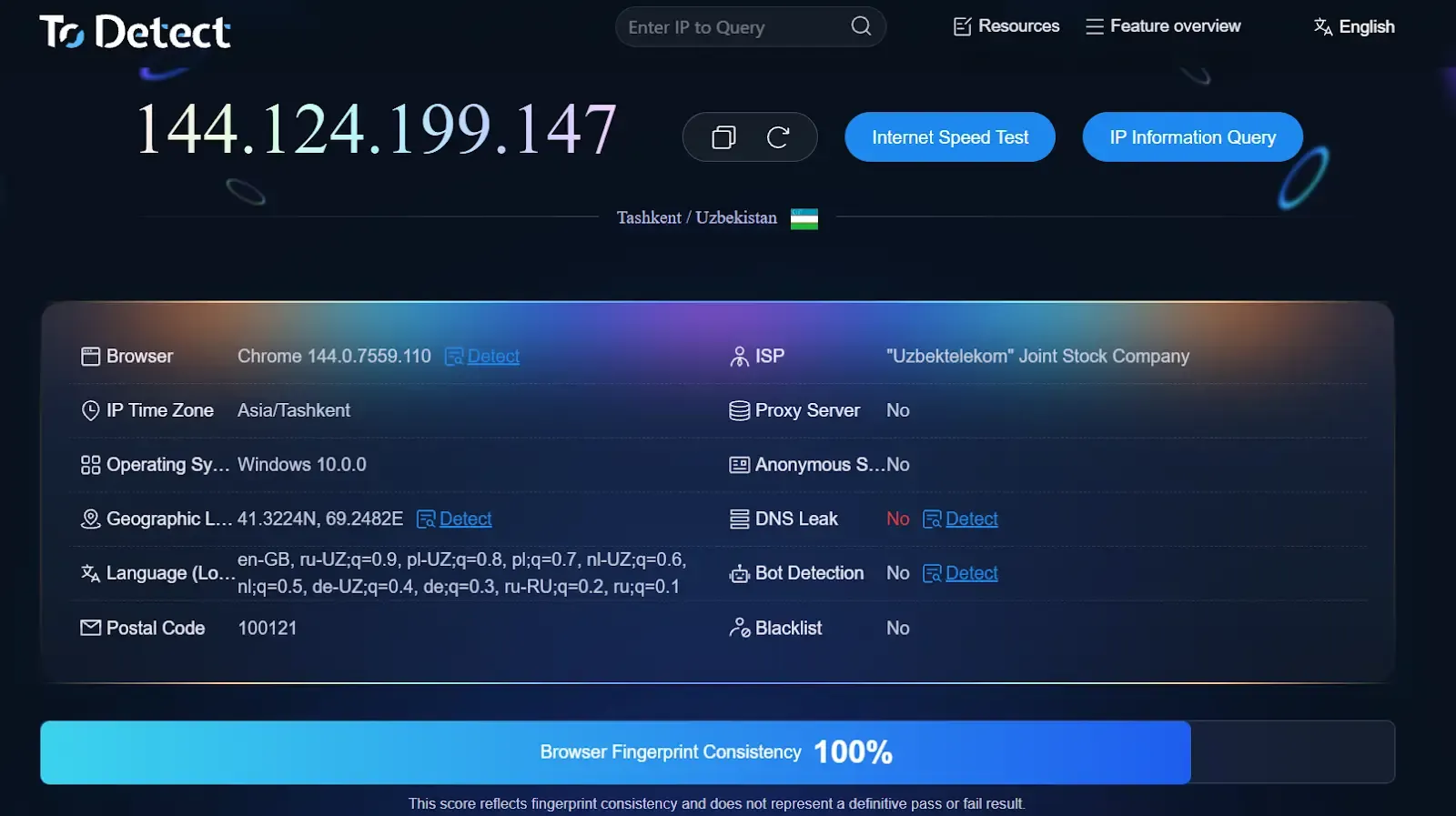
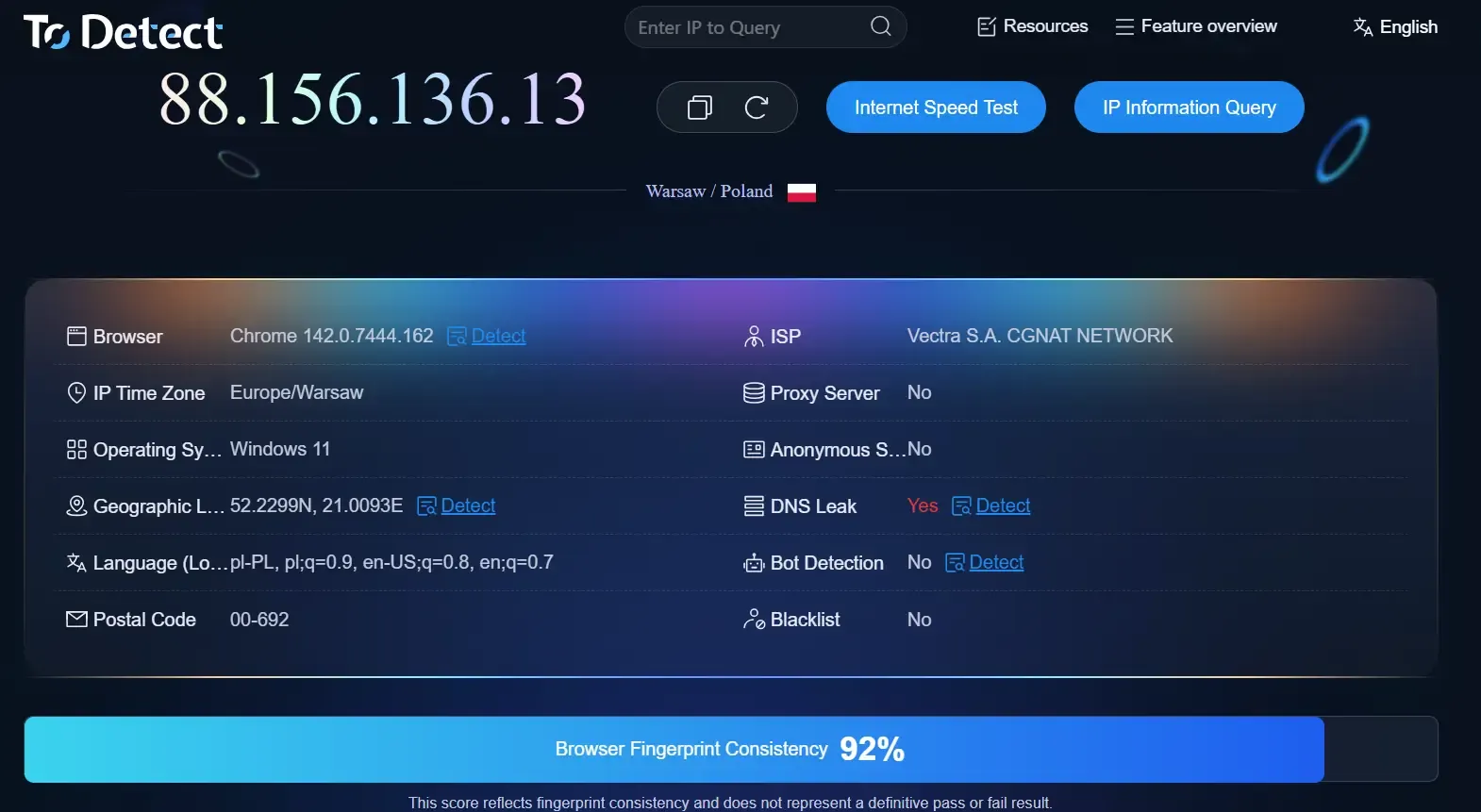
Example of a real fingerprint.
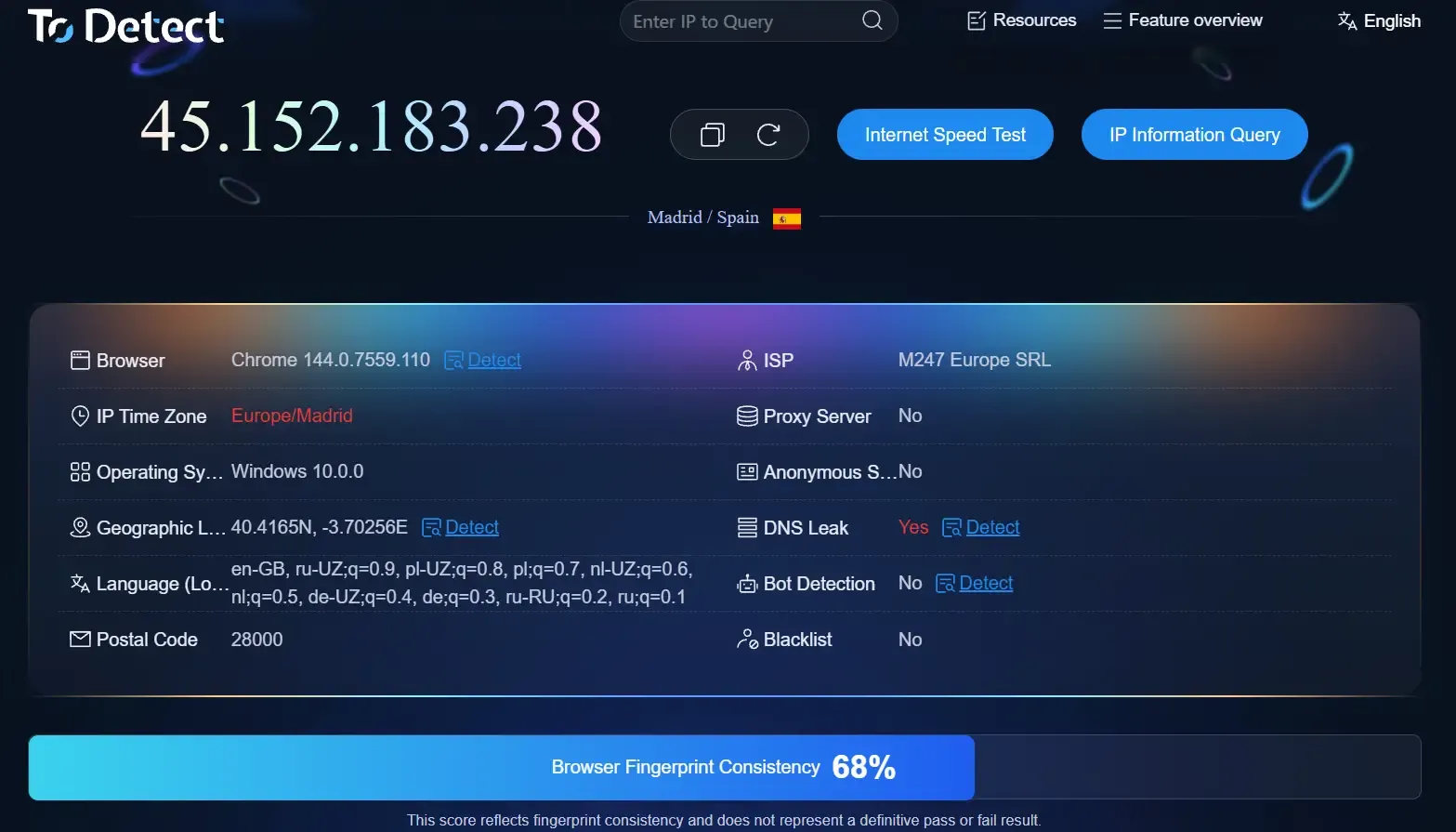
Example of using a VPN on the same device.
Your fingerprint is constantly being analyzed. Websites do not simply scan your browser and device — they evaluate the consistency of all parameters combined.
For example, if a VPN shows a European IP address while your system time corresponds to Asia, anti-fraud systems may flag this as suspicious.
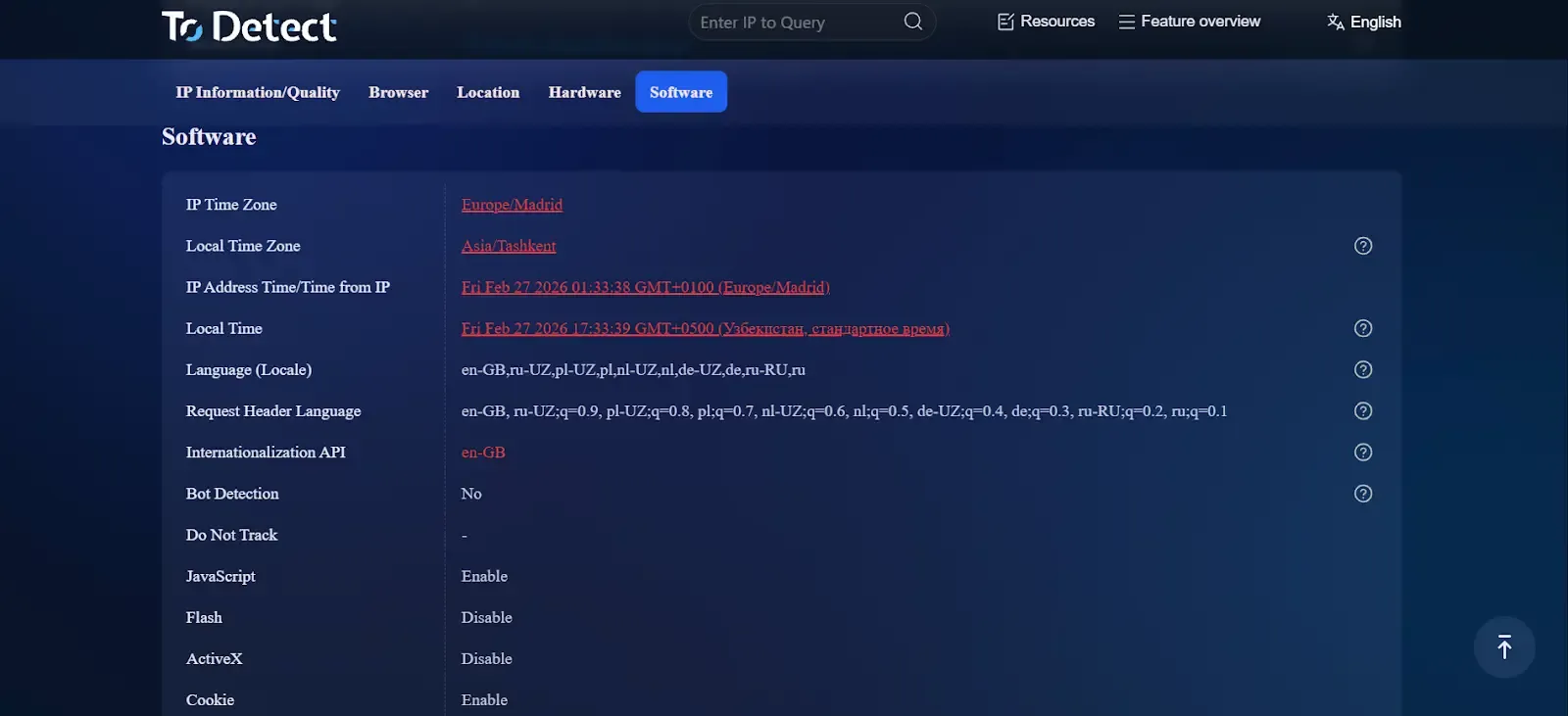
Only an anti-detect browser is the way not just to create a new fingerprint, but to make it look natural. Here is how a fingerprint looks when generated from the same device, but through an anti-detect browser with high-quality proxies.
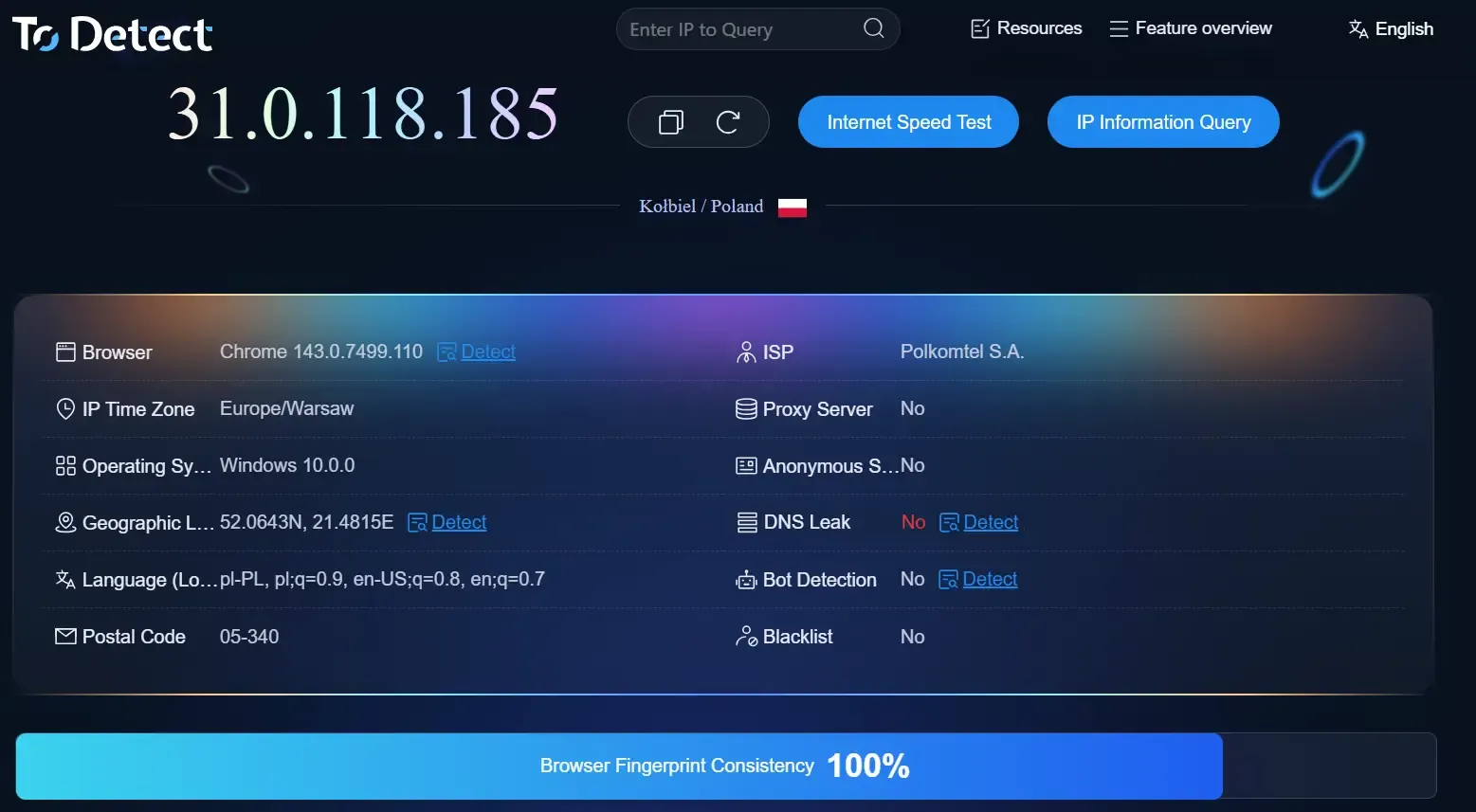
Example of using an anti-detect browser + high-quality proxies on the same device.
When using an anti-detect browser, the system time is aligned with the proxy settings, ensuring overall consistency.
What Is an Anti-Detect Browser?
An anti-detect browser is a software solution that allows you to modify the entire fingerprint, rather than masking only the IP address, User-Agent, or individual parameters separately.
The core functionality of an anti-detect browser is based on browser profiles (also referred to simply as profiles). Each profile presents a specific set of fingerprint parameters to websites, effectively acting as a separate digital identity.
In the workspace interface, profiles are displayed as a list. When you launch a profile, it opens as a separate browser instance with its own unique fingerprint.
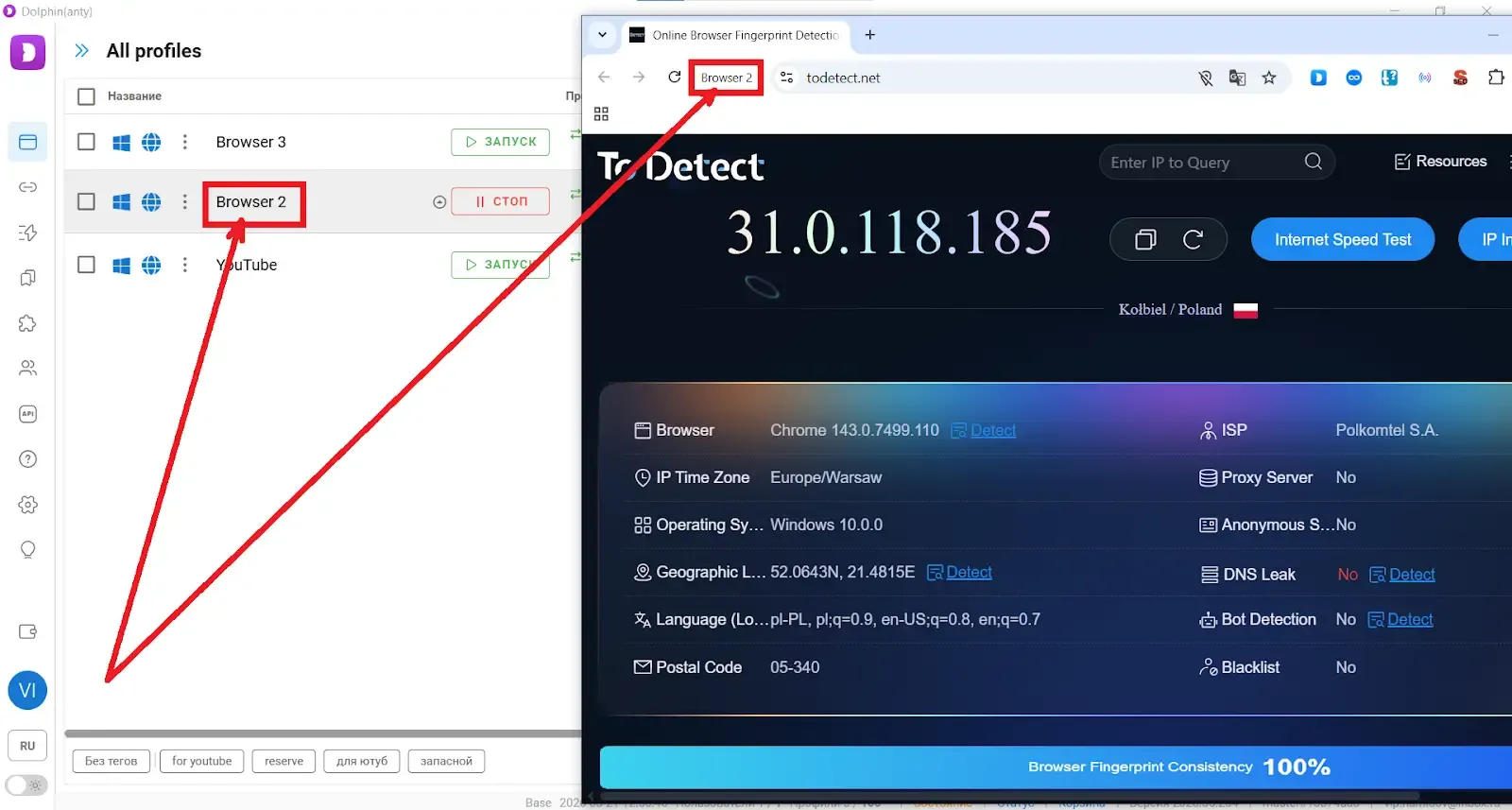
An anti-detect browser works as follows:
• You create a browser profile. During profile creation, you select the operating system and assign a proxy;
• The system then adjusts the User-Agent and core fingerprint parameters to match your selection;
• At the same time, the proxy settings are automatically synchronized with language preferences, system time, and the displayed physical location of your device;
• The selected operating system is also aligned with hardware-related parameters such as CPU, GPU, and other device characteristics.
You can create as many profiles as needed, which means you can generate virtually unlimited unique digital identities.
Important: an anti-detect browser does not mask your IP address by itself. Without proxies, multi-accounting is not possible.
How to Configure a Fingerprint Using Dolphin Anty as an Example?
Why Dolphin Anty? Because it uses fingerprints based on real user data. When you create a profile and select an operating system and a proxy, Dolphin Anty automatically matches them with the most suitable fingerprint from its database. This is exactly why Todetect Analysis often shows Consistency 100% when profiles are configured correctly.
If you set up a profile properly in Dolphin Anty, it can serve as a benchmark for fingerprint quality and is well-suited for multi-accounting. That is why this anti-detect browser is a good example for learning the fundamentals of digital fingerprint configuration.
Proxy Selection Is the Foundation of a High-Quality Fingerprint
The first step is choosing high-quality proxies. Residential proxies are not listed as data center IP ranges. Instead, they route traffic through IP addresses of real users. As a result, websites do not see obvious signs of IP substitution.
If you use low-quality proxies, the fingerprint Consistency score in Todetect may drop below 100%, even if you are using Dolphin Anty.
In other words, fingerprint quality depends not only on the anti-detect browser itself, but also on the quality and relevance of the proxy infrastructure you connect to the profile.
How to Choose a Good Proxy? Choosing a high-quality proxy is actually quite simple. When creating a browser profile in Dolphin Anty, you can select one of the built-in proxy providers available inside the platform.
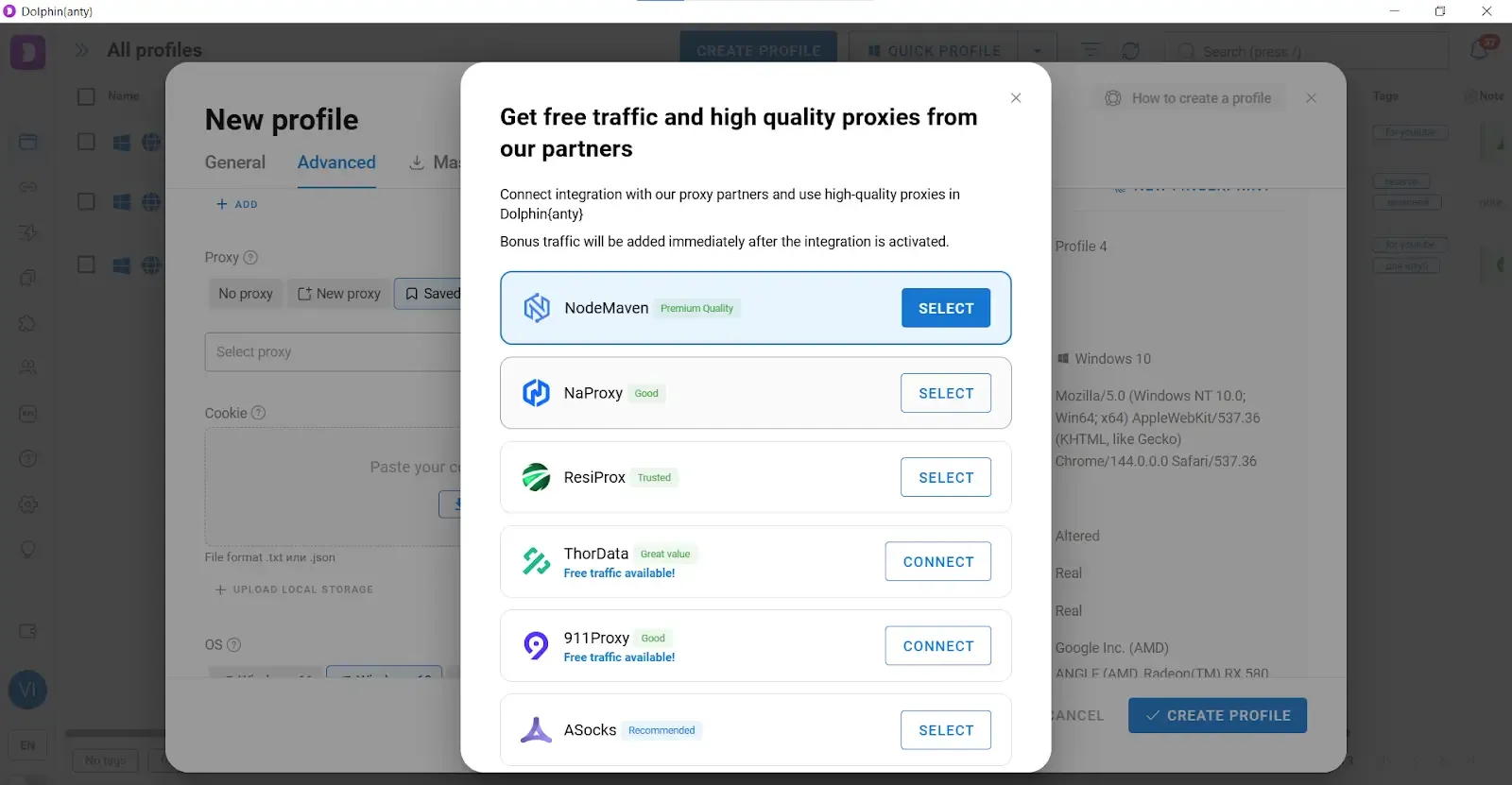
Many of these providers offer a free trial traffic volume. The process looks like this:
• Select a provider;
• Request or activate the free test traffic;
• Connect the proxy to your browser profile;
• Open the Todetect website through that profile and check the Consistency score.
If the Consistency score is low, test proxies from another provider.
This approach allows you to evaluate proxy quality in practice, rather than relying solely on marketing claims.
Use Cookies
Major platforms analyze your cookies. A complete absence of cookies may look suspicious, since almost every real user accumulates them over time. To add cookies to your profile, use the built-in import function and upload files in .txt or .json format.
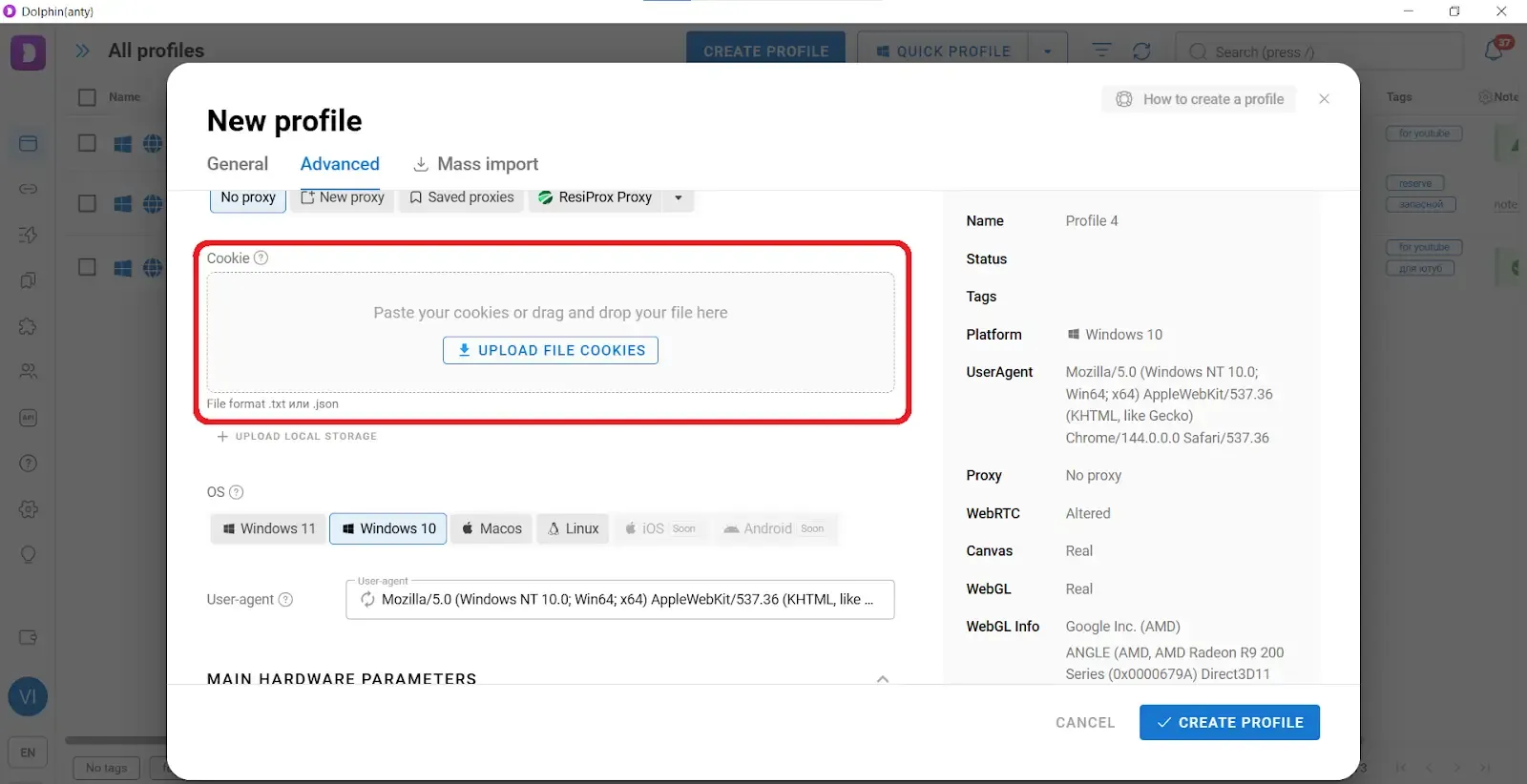
If you do not have a ready-made cookie file, use the built-in cookie robot in Dolphin Anty. First, create a browser profile. Then hover over it and select the cookie robot option.
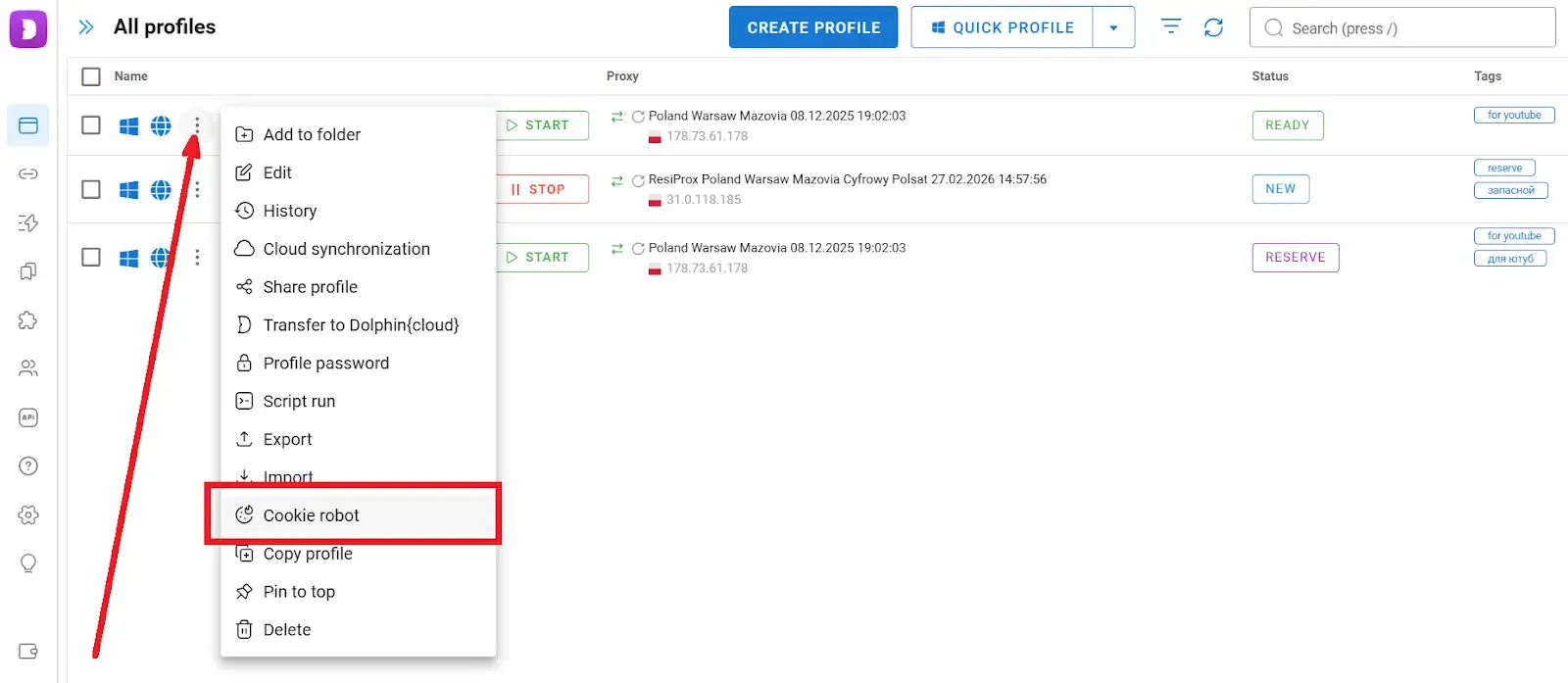
After clicking this button, you will be taken to a form where you can add links to websites from which the robot will collect cookies.
When choosing source websites, use platforms that are typical for the region of your proxy. This way, your cookie set will look natural and trustworthy to anti-fraud systems.
Use Your Real Operating System
If your device runs on Windows 11, keep the same OS when creating a profile, or select Windows 10.
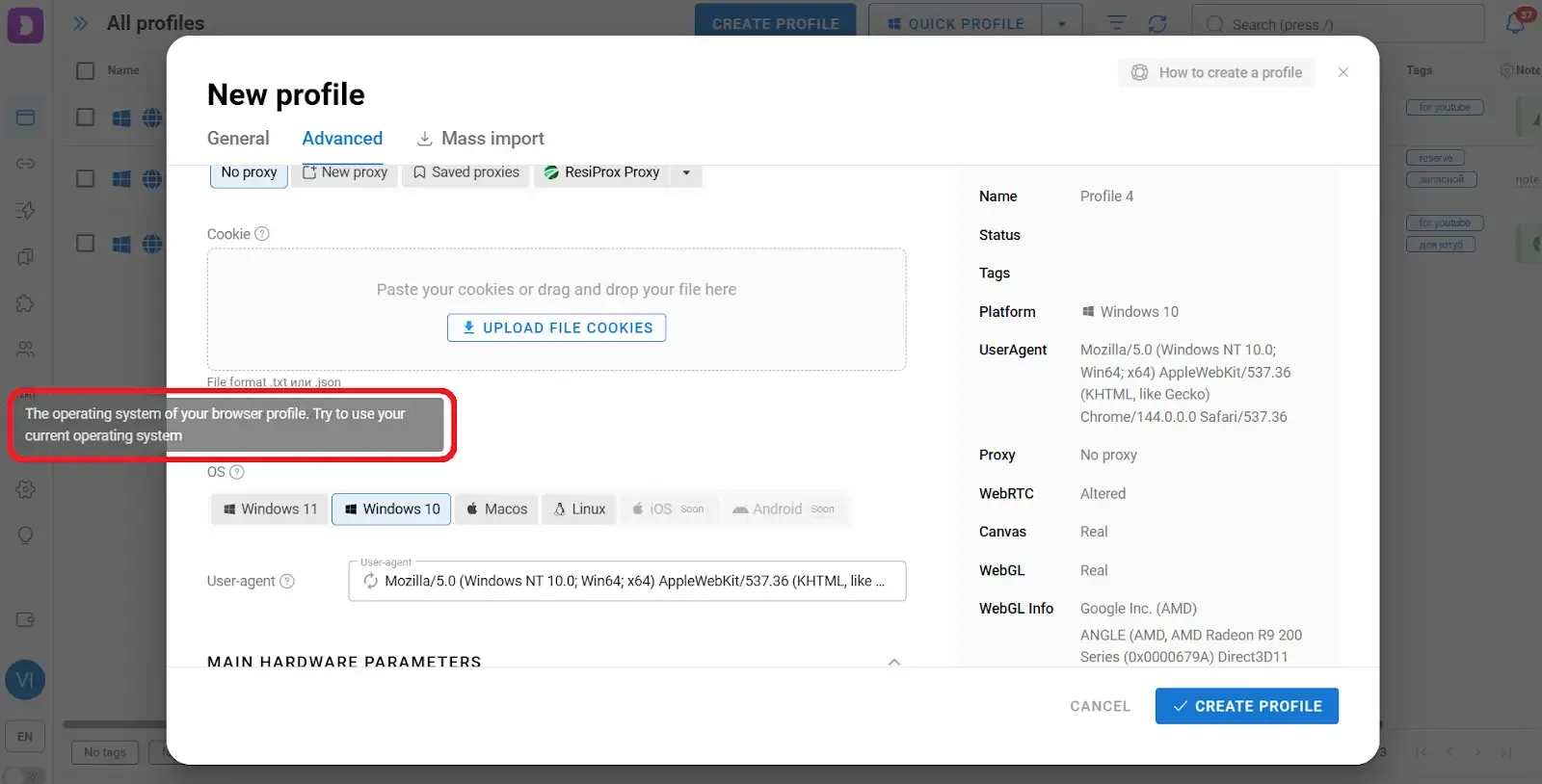
Yes, an anti-detect browser can modify operating system information within the digital fingerprint. However, websites identify your operating system not only through declared OS data, but also through browser fonts, hardware parameters, and other indirect signals.
If you select a different operating system than the one actually running on your device, discrepancies may appear between the reported OS information and its indirect indicators.
Common Mistakes When Using an Anti-Detect Browser
In addition to the parameters mentioned above, there are several important rules you should follow to avoid getting flagged by websites.
One Proxy for Multiple Profiles
If you use a single proxy port for multiple browser profiles, anti-fraud systems can easily link those digital identities together. As a result, you may receive account restrictions — or even a permanent ban. The core rule remains simple: one profile = one proxy.
Copy-Pasting Login Credentials
When you log into an account and paste a copied username and password, this may look suspicious. While this alone is unlikely to trigger an immediate restriction, combined with other suspicious signals, it can increase your risk score in anti-fraud systems.
Dolphin Anty includes a feature called Smart Paste. When you paste copied text using Smart Paste, it is entered at a randomized typing speed, simulating manual keyboard input.
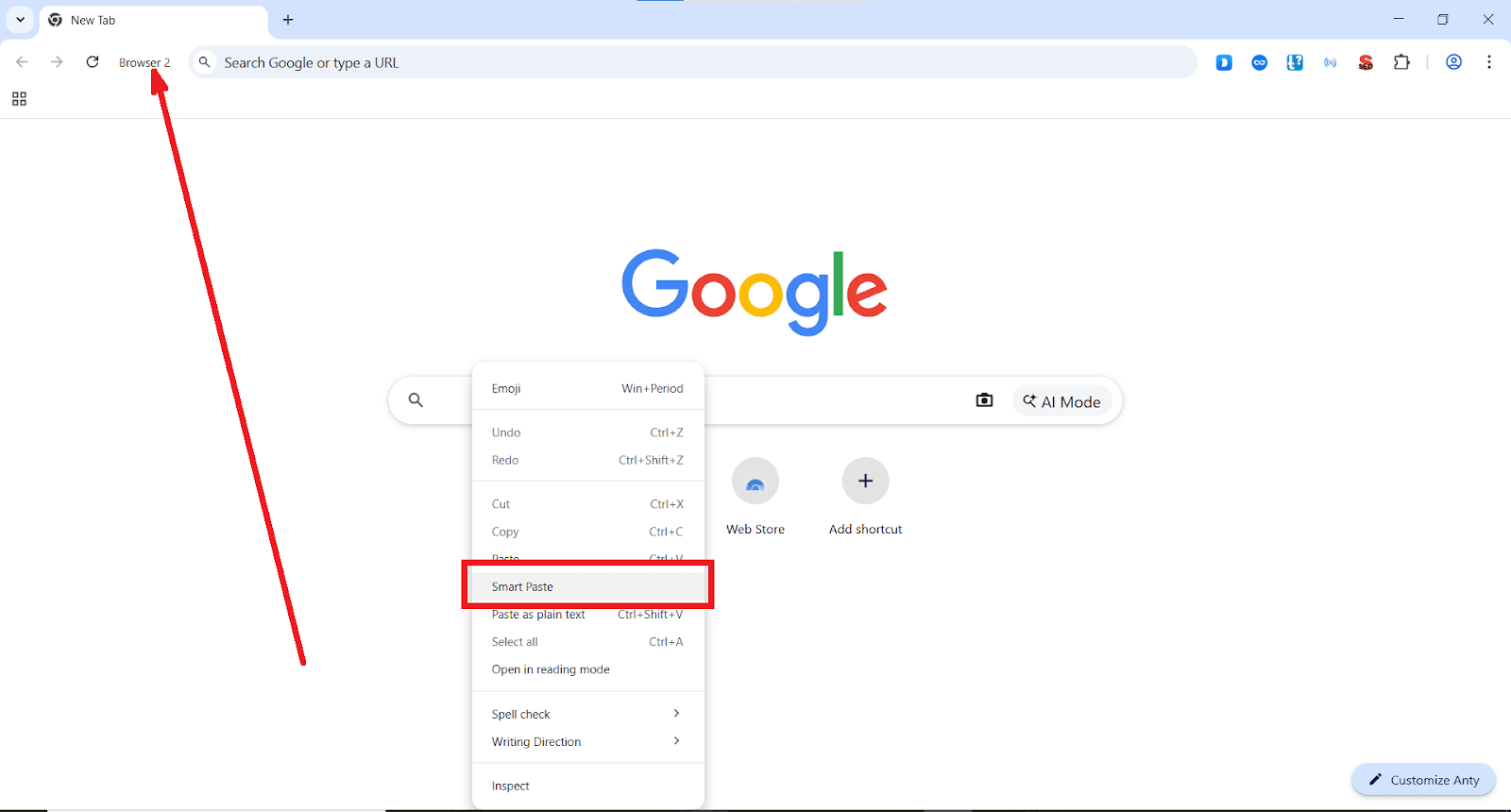
Logging Into All Accounts at the Same Time
If you log into multiple accounts at nearly the same time every day, anti-fraud systems may start monitoring your activity more closely. When a group of accounts is consistently active only during the same narrow time window, this pattern can look artificial. It is better to vary login times and simulate natural user behavior.
Using Mismatched Payment Methods
You may have a perfect fingerprint and high-quality proxies, but anti-fraud systems evaluate much more than that. They also analyze:
• login behavior;
• typing patterns;
• payment methods.
A typical anti-fraud trigger would be the following scenario: You create a profile configured for Poland, but the card used for payments is issued in Brazil, requires 3D Secure verification, and belongs to a high-risk BIN range.
Consistency must extend beyond fingerprints for multi-accounting — it must include behavior and payment logic as well.
Conclusion
An anti-detect browser combined with proxies — is the basic minimum required for multi-accounting. A high-quality solution like Dolphin Anty can properly modify your digital fingerprint and ensure high consistency. As a result, anti-fraud systems are far less likely to consider your fingerprint suspicious.
At the same time, an anti-detect browser is not a 100% guarantee of protection. Multi-accounting relies not only on fingerprint configuration, but also on proxy quality, cookies, payment methods, and realistic user behavior.
To get started with multi-accounting, download Dolphin Anty from the official website. For testing purposes, you can use the free plan, which includes up to 5 browser profiles.
 AD
AD


