



 Resources
 Feature overview

 Alani
Alani 2026-05-12 11:42
In cross-border operations and social media matrix business today, there is a very “mystical” problem: even when the browser environment looks identical, why do accounts still get banned?
Even more exaggerated cases: sometimes a newly registered account gets restricted or triggered for verification before any real action is taken.
In this article, we’ll explain why accounts are still detected and banned even when browser environments appear consistent, and how to use Proxy Helper dynamic proxy solutions for proper isolation.
1. Why does “consistent browser environment” still get banned?
Many people interpret “consistent browser environment” only at a superficial level, such as:
• Same Chrome version
• Same operating system (Windows / Mac)
• Same proxy IP
• Same cookie strategy
However, modern platform risk control no longer relies on such simple signals. Instead, it depends on deeper identification methods, namely browser fingerprint detection.
2. What does Browser Fingerprint Detection actually check?
Browser fingerprint detection can be understood as a system performing a “full inspection” of your device and generating a unique identification code.
Common detection dimensions include:
• User-Agent (browser type and version)
• Canvas fingerprint
• WebGL rendering characteristics
• Font list
• Resolution, timezone, language
• Plugin information
• Hardware parameters (GPU, CPU logical features)
Even if you change your IP, if these fingerprint characteristics remain highly consistent, the system will still identify you as the same environment.
That is why many people experience this: “IP changed, browser reopened, but the account is still linked or even banned.”
3. Why multi-account operation in the same environment triggers risk control more easily
In real scenarios such as matrix operations, ad testing, or cross-border store management, many users operate multiple accounts on one computer.
Even if each account uses separate browser windows, clears cookies, and uses different proxy IPs, if the browser fingerprint remains nearly identical,
the platform will still assume these accounts belong to the same operator. This is the key pitfall many users face.
4. Browser Risk Control Signal Comparison Table (Practical Version)
| Risk Trigger Signal | Platform Detection Dimension | Common Behavior | Optimization Strategy |
|---|---|---|---|
| Account linkage risk | Login behavior + fingerprint consistency + IP history | Multiple accounts flagged, traffic limiting | Account isolation + layered environment management |
| Device duplication detection | Canvas / WebGL / font fingerprint repetition | New accounts instantly banned or flagged | Increase fingerprint diversity |
| Network instability | Frequent IP switching / unstable ASN | Frequent verification, risk popups | Stable proxy strategy + reduce IP hopping |
| Behavior anomaly | Click patterns, action path modeling | Ad rejection, account throttling | Simulate real user behavior rhythm |
| Environment leakage | WebRTC / timezone / DNS exposure | Account flagged without actions | Standardize environment leak handling |
5. What is Proxy Helper used for?
Proxy Helper is not just a proxy tool, but a “browser proxy management solution”, with core functions including:
• Assigning independent proxies to different tabs/accounts
• Achieving IP-level isolation
• Reducing correlation through different browser environments
In automation or multi-account scenarios, Proxy Helper is often used as a basic isolation tool.
6. Key Proxy Helper settings (many users get this wrong)
Many users still get banned even after using Proxy Helper because their configuration is incomplete.
1. Don’t just change IP, build “environment layers”
You should aim for:
• Different proxies for different accounts
• Isolated browser profiles
• Avoid shared cache and local storage
2. Use “fixed binding” in Proxy Helper
One account = one proxy configuration.
Avoid frequently switching the same proxy across multiple accounts to prevent rapid IP hopping.
3. Use fingerprint isolation tools together
Proxy Helper alone is not enough; browser fingerprint isolation is also required.
For example: Canvas spoofing, randomized WebGL parameters, and simulated system environments.
Otherwise, fingerprint detection will still identify the same environment.
7. Why tools like ToDetect are becoming more important
Many users now use ToDetect browser detection tools to test environments in advance.
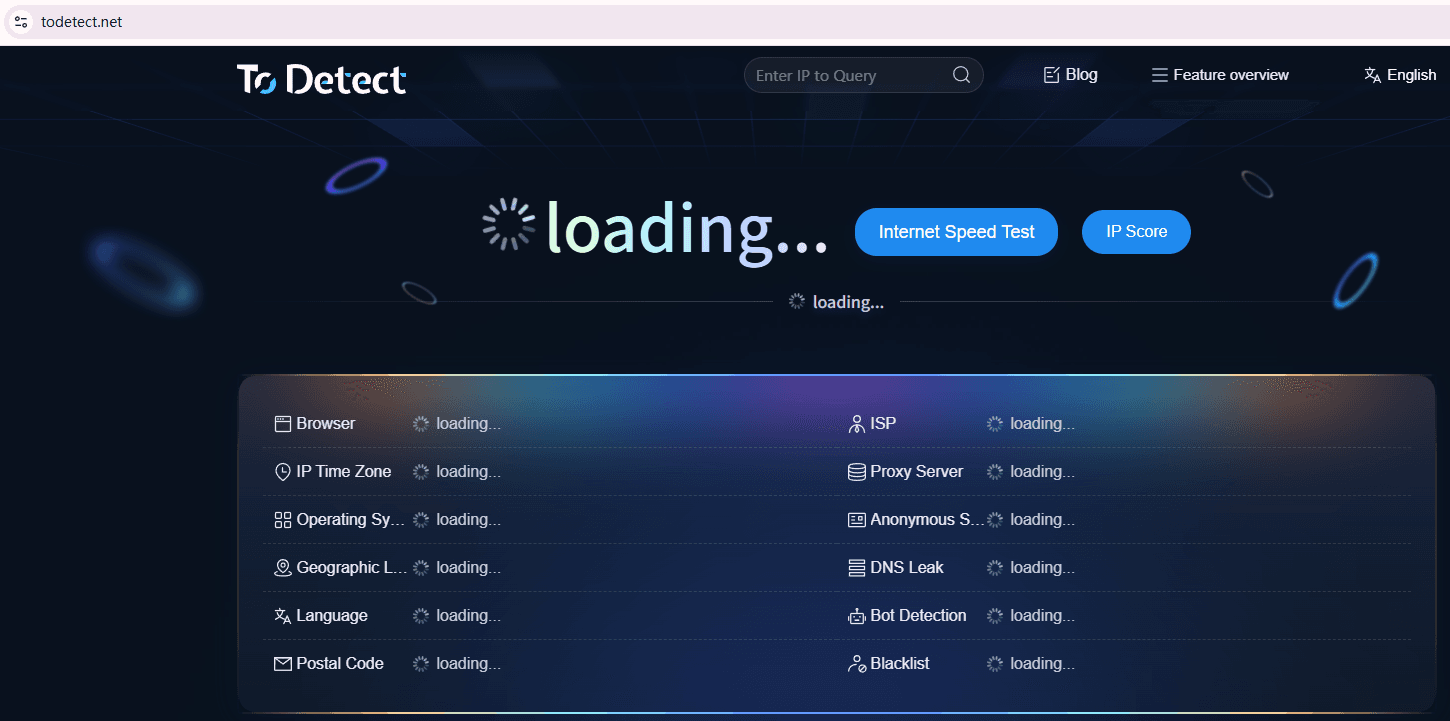
It simulates the platform’s risk-control perspective and helps evaluate whether your device profile is clean. With ToDetect, you can check:
• Whether the browser fingerprint is unique
• Whether environment duplication risk exists
• Whether proxy IP leaks real information
• Whether WebRTC exposes real address
This step is critical because it helps detect hidden correlation risks in advance.
8. Practical approach: building a relatively safe browser environment
1. Environment separation
Each account uses an independent browser profile, cache, cookies, and LocalStorage
2. Proxy isolation
Use Proxy Helper for IP assignment: one account one IP
3. Fingerprint differentiation
Different resolution, language/timezone, Canvas/WebGL characteristics
4. Pre-detection
Use ToDetect to verify environment consistency and avoid homogeneous fingerprint batches
9. FAQ: common browser environment issues
1. Why do accounts still get banned after changing IP and clearing cache?
The main reason is that platforms now rely on browser fingerprint detection rather than just IP or cookies.
Even if IP changes, if Canvas, WebGL, and font-related fingerprint signals remain consistent, the system can still identify the same behavior pattern and trigger risk control.
2. Proxy Helper is set up, why are accounts still linked?
Most likely because isolation is incomplete.
For example, multiple accounts sharing the same browser environment, identical fingerprints, or reused proxy IPs.
Proxy Helper only solves IP-level isolation; without separating browser environments, correlation still occurs.
3. ToDetect shows “normal”, why are accounts still banned?
ToDetect only performs basic environment checks. Platform risk models are more complex and also evaluate behavior patterns, login rhythm, and historical data.
Even if everything looks “normal”, batch-like behavior patterns can still trigger bans.
Summary
Ultimately, platforms don’t care whether you changed the environment—they care whether your environment looks like a real independent user.
The core of identifying “whether it is the same person” lies in browser fingerprint detection + behavior models + environment consistency analysis.
If you are doing multi-account operations or cross-border business, instead of constantly fixing bans afterward, it is better to properly isolate your browser environment from the beginning.
