


 Resources
 Feature overview
Temporary Email? Verify Your Privacy First
 Alani
Alani 2025-12-23 03:01


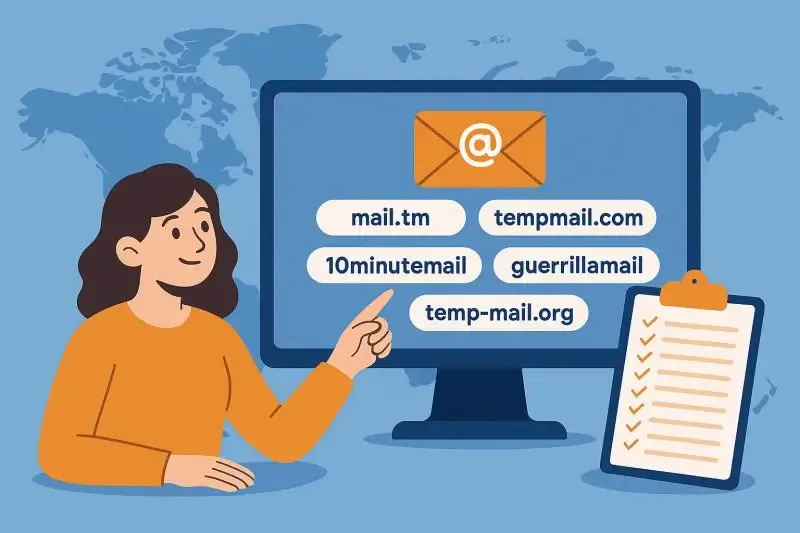
Temporary email (Temp Mail) is commonly used in scenarios such as website registration, free trial redemption, and avoiding spam emails. Many people hold the belief that: using a non-real email = sufficient anonymity, meaning others will never be able to track them down.
But is this really the case? In practical usage, many issues like account bans, registration failures, and frequent blocking are not actually caused by the email itself, but rather by the fact that your anonymous information has already been exposed.
Before using a temporary email, what you really should check are the following 3 key pieces of information. If even one of these is "exposed", the significance of using a temporary email will be greatly diminished.
1. Is Your Browser Fingerprint "Unique and Stable"?
Even if you change your email address and IP address, many websites can still identify that "it's still you operating". The reason for this lies in browser fingerprinting.
Browser fingerprints typically include:
Operating system, browser version
Canvas / WebGL fingerprints
Fonts, screen resolution, time zone, language settings, etc.
If your fingerprint:
Is used for frequent registrations in a short period of time
Is shared across multiple accounts
Does not match the IP location
Then a temporary email will not be able to help you achieve true anonymity.
High-Risk Scenarios:
Repeatedly generating different temporary emails for registration using the same browser
Using the same device environment for multiple accounts
Abnormal browser fingerprint (determined as automated operation)
Recommended Checkpoints:
Whether the fingerprint can be stably identified
Whether it matches the current IP address
Whether there is "fingerprint conflict" or duplication
2. Has Your IP Address Been "Flagged"?
A temporary email can only hide your email identity, but it cannot conceal your IP address. Moreover, in the risk control systems of most websites, the weight of IP addresses far exceeds that of email addresses.
Commonly Overlooked Issues Include:
Using public proxies, free IP addresses, etc.
The IP address has previously been used for mass registration or abuse
The IP address is flagged as a data center or anonymous proxy
All these situations will directly lead to:
Temporary email registration failure
Frequent requirement for verification codes
Restricted functionality immediately after registration
Frequent account registrations within a short period of time
Correct Practices:
Before using a temporary email, you should first confirm:
IP type (Residential / Data Center)
Whether it is identified as a proxy
Core Principle:
Temporary Email + Low-Quality IP = High-Risk Operation
3. Are DNS and Network Paths Leaking Real Information?
Many users overlook a very hidden yet crucial issue when using temporary emails: DNS leakage
Even if you have already:
Used a proxy or changed your IP address
If DNS requests still go through the local network, websites can still infer your real network environment through the DNS resolution path.
Risks Posed by DNS Leakage:
Exposing the real country or region
Conflicting with browser language and time zone settings
Increasing the risk score in the risk control system
How to Determine if DNS Leakage Exists
Whether the DNS server is consistent with the IP location
Whether local ISP DNS servers appear
Whether IPv6 is not properly handled
Many registration failures are not caused by the email, but by the fact that DNS has already "betrayed you".
Why Is Using Only a Temporary Email Often Insufficient?
From a risk control perspective, a complete anonymity system usually includes:
| Anonymity Level | Solvable by Temporary Email Alone? |
|---|---|
| Email Identity | ✅ Yes |
| IP Identification | ❌ No |
| Browser Fingerprint | ❌ No |
| Network Path | ❌ No |
A temporary email is only the outermost layer of this system. If the underlying information is not properly concealed, it will instead easily trigger the platform's risk control mechanisms, leading to higher risks.
Correct Usage Sequence: First Detect the IP, Then Generate the Temporary Email
To detect an IP address, we need to use third-party IP detection tools, such as ToDetect, Whoer, BrowserScan, etc. Taking ToDetect IP Check as an example:
1. Go to the official ToDetect website and find the IP detection tool
2. Enter the IP address you want to detect, or simply wait for the automatic result
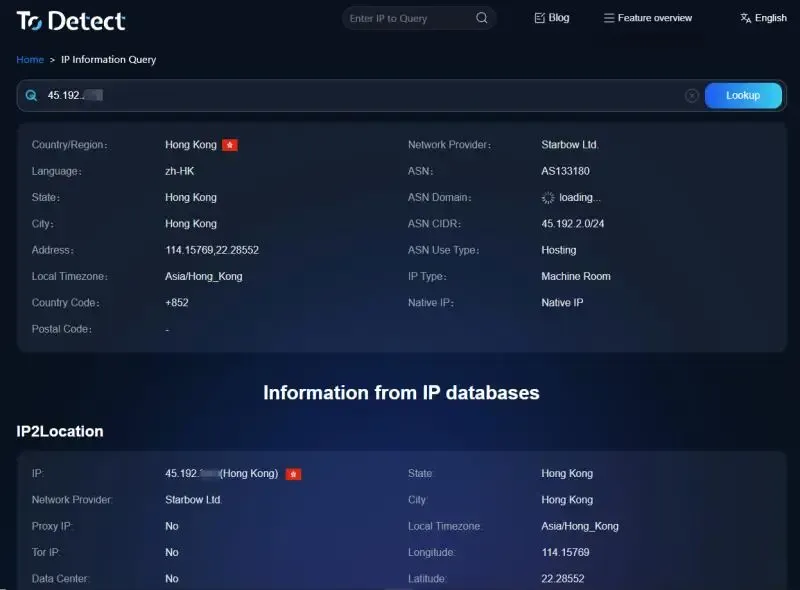
3. ToDetect will automatically detect your current IP address and then provide a comprehensive scoring mechanism
Frequently Asked Questions (FAQ)
Q1: Will IP detection expose my privacy?
Regular IP detection tools (such as ToDetect) only detect the information you have already exposed to websites and will not collect additional private data from you. Essentially, it just shows you in advance what websites can already see.
Q2: Is using a temporary email always safe? Will it be identified by websites?
Using a temporary email is not illegal in itself, nor will it necessarily lead to an account ban. However, its safety depends on your overall anonymous environment. If there are abnormalities in your IP address, browser fingerprint, DNS, or other information, websites can still identify and restrict your operations even if you use a brand-new temporary email.
Q3: Do ordinary users need to detect their IP addresses?
If you only occasionally register on a regular website, the risk is relatively low. However, if you are involved in multiple scenarios (multi-account operations, cross-border activities, overseas website registration, etc.), then IP detection is very necessary.
Conclusion: Don't Rush to Use a Temporary Email – First "Clarify" Your Anonymous Environment
Many people think that changing to a temporary email can solve all problems. But the truth is quite the opposite: the email is only superficial information. What really determines the risk are the IP address, fingerprint, and network path. Before using a temporary email, you must check your IP address, DNS, and other information using a browser fingerprint detection tool like ToDetect. Only then can the temporary email play its true role.
 AD
AD


