


 Resources
 Feature overview
What is a Temporary Email? How is it Different from a Corporate Email?
 browser
 2025-12-23 06:44


In our daily work, we may frequently use various types of email services: corporate email, personal email, temporary email, and so on. Especially with the rise of temporary email, many users have raised questions: What is the difference between it and corporate email? In what scenarios should each be used? Below, the editorial team at ToDetect will provide a detailed analysis for you.

1. What is Temporary Email?
Temporary Email (also known as Disposable Email) is a short-term email service. Its core characteristics include:
1. Usable Without Registration
Users can directly generate an email address without providing real identity information or a mobile phone number.
2. Automatic Expiration
Temporary emails usually expire within a few minutes to several hours, and the emails in the mailbox cannot be accessed after expiration.
3. Spam Prevention
Temporary emails are mainly used for website registration, claiming free trials, or downloading resources, to avoid personal email inboxes being flooded with spam.
| In short, temporary email is a convenient, short-term email tool, suitable for temporary registration or protecting the security of personal email accounts.
2. What is Corporate Email?
Corporate Email is an official work email provided by enterprises to their employees, usually using the company's domain name. Its main characteristics include:
1. Official Identity Authentication
Corporate emails are uniformly managed by the enterprise's IT department, have company-authenticated identities, and are usually used for internal communication and external business transactions.
2. Professional Image
Using a corporate email can enhance the professionalism and credibility of business communication, making customers more trusting.
3. Long-Term Usage
Corporate emails do not expire in the short term and may only be deactivated when an employee resigns or is transferred within the enterprise.
| Corporate email is a long-term, official, and managed email tool, suitable for daily enterprise operations and external communication.
3. Core Differences Between Temporary Email and Corporate Email
| Feature | Temporary Email | Corporate Email |
|---|---|---|
| Usage Period | Short-term (a few minutes to several hours) | Long-term (aligned with employee's tenure) |
| Registration Method | No real-name verification required, generated quickly | Uniquely created by the enterprise, real-name verification required |
| Functions | Mainly receiving emails and preventing spam | Full send/receive, calendar management, archiving, and security control |
| Security | Anonymous by itself, but vulnerable to IP/DNS leaks | Data managed by the enterprise with high security |
| Professionalism | Temporary, anonymous, and informal | Official, professional, and credible |
| Applicable Scenarios | Website registration, free trials, resource downloads, short-term projects | Internal enterprise communication, customer contact, business operations |
4. Scenario Comparison
Applicable Scenarios for Temporary Email:
Registering on test websites or applications to avoid personal inboxes being flooded with spam
Scenarios requiring short-term anonymity
Temporary projects or temporary account operations
Applicable Scenarios for Corporate Email:
Internal enterprise collaboration and project management
Enhancing enterprise image and credibility
Official external business communication (with customers, partners, etc.)
5. Selection Recommendations
For short-term one-time use only: Temporary email is sufficient, as it is convenient and fast, and can prevent spam;
For long-term communication needs: It is recommended to use corporate email to ensure professionalism and security.
6. Conclusion
Temporary email and corporate email serve different audiences and have different functions. Temporary email focuses on speed, anonymity, and convenience; while corporate email emphasizes long-term usage, security, and professionalism.
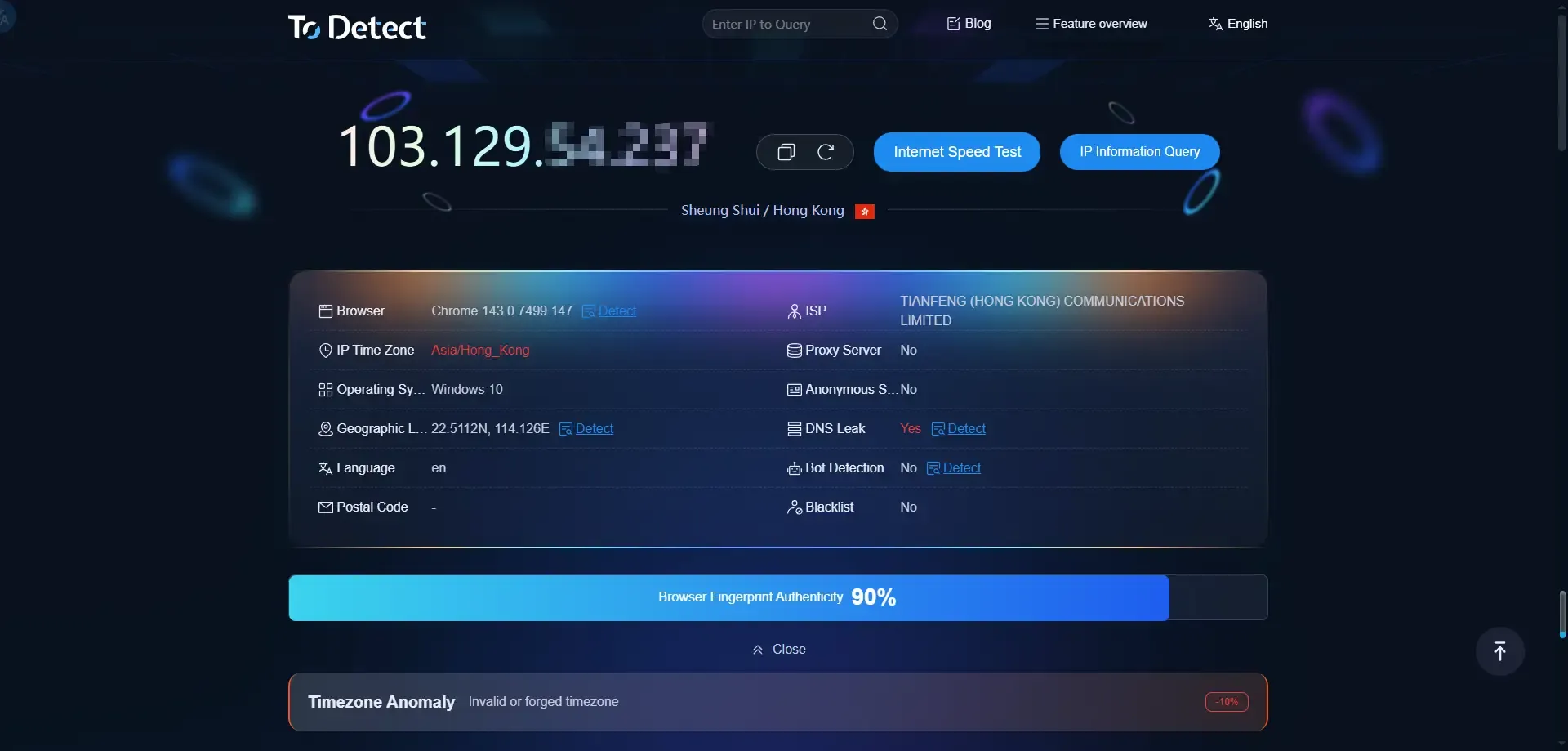
However, whether you are using temporary email or corporate email, it is best to first check for IP or DNS leaks before use. This way, you can avoid being identified by target websites, which could lead to account bans or restrictions. The ToDetect browser fingerprint checking tool allows you to perform one-click checks for IP, DNS, Canvas, and WebRTC leaks. It requires no downloads and is accessible online, ensuring the security of your email usage.
7. FAQ
Q1: Will temporary emails be blocked by corporate email systems?
In most cases, they will not be directly blocked, but there is a risk. Some enterprise systems or anti-spam services can identify common temporary email domains and block their registration or incoming emails.
Q2: Can corporate email be used for short-term testing or anonymous registration?
Not appropriate. Corporate email is an official email, and all operations are recorded by the enterprise. Using corporate email for short-term testing or anonymous operations may lead to identity leakage or information confusion; temporary email is more suitable for such scenarios.
Q3: Can temporary email be used to receive sensitive information?
Not recommended. Temporary email has limited security, and the content in the mailbox may be leaked or become inaccessible after expiration. For sensitive information, corporate email should be used instead.
 AD
AD


