



 Resources
 Feature overview

 Ganesh
 2026-05-19 10:13
Many people who are just starting with cross-border e-commerce or social media operations often encounter issues such as IP restrictions, account risk controls, and unstable login environments.
Simply put, whether your IP is “clean” or not largely determines the security ceiling of your account. That’s why “IP purity detection” has become extremely important.
Today, let’s break down how to properly test IP purity, which useful IP purity detection websites are worth using, and the core methods for determining whether an IP is truly stable and safe.

1. What Is IP Purity? Why Should You Check It?
IP purity refers to whether the historical usage of an IP address is “clean.” If an IP has previously been heavily used for activities such as:
• Bulk account registrations
• Crawlers or API scraping
• Frequent switching between countries
• Appearing in blacklists or proxy pools
Then that IP is generally considered a “dirty IP” with high risk.
On the other hand, residential broadband, mobile network IPs, or long-term stable residential IPs usually have much higher purity.
Especially in scenarios such as cross-border e-commerce (Amazon / eBay / Shopee), Facebook or Google Ads campaigns, and TikTok account matrix operations, IP quality directly impacts account security.
2. How to Perform IP Purity Detection ? Focus on These 5 Core Factors
1. IP Blacklist Status
The most basic step is checking whether the IP has appeared in blacklists such as spam databases or email blacklists. If it has a record, the IP quality is likely poor.
2. IP Type Identification (Critical)
IPs are generally divided into three categories:
• Residential IP ✔ Best option
• Datacenter IP ⚠ Medium risk
• Proxy IP ❌ High risk — many so-called “high-quality proxies” are actually datacenter IPs and are easily detected.
3. Stability of Geolocation
If an IP appears in the United States today, Japan tomorrow, and Europe the next day, that’s an obvious anomaly. This kind of “jumping IP” is highly sensitive to risk control systems.
4. Browser Fingerprint Matching (Very Important)
Browser fingerprint detection usually includes parameters such as timezone, fonts, Canvas fingerprint, WebRTC information, and screen resolution.
If the IP is located in the United States but the browser fingerprint appears to be from Asia, this “environment mismatch” can also trigger account risk controls.
5. Whether the IP Is Shared
Some IPs are shared among multiple users, which is extremely risky for advertising platforms and e-commerce platforms.
3. Recommended IP Purity Detection Websites (Useful Tools)
The following are some commonly used detection tools that can be combined together:
1. ToDetect (Recommended)
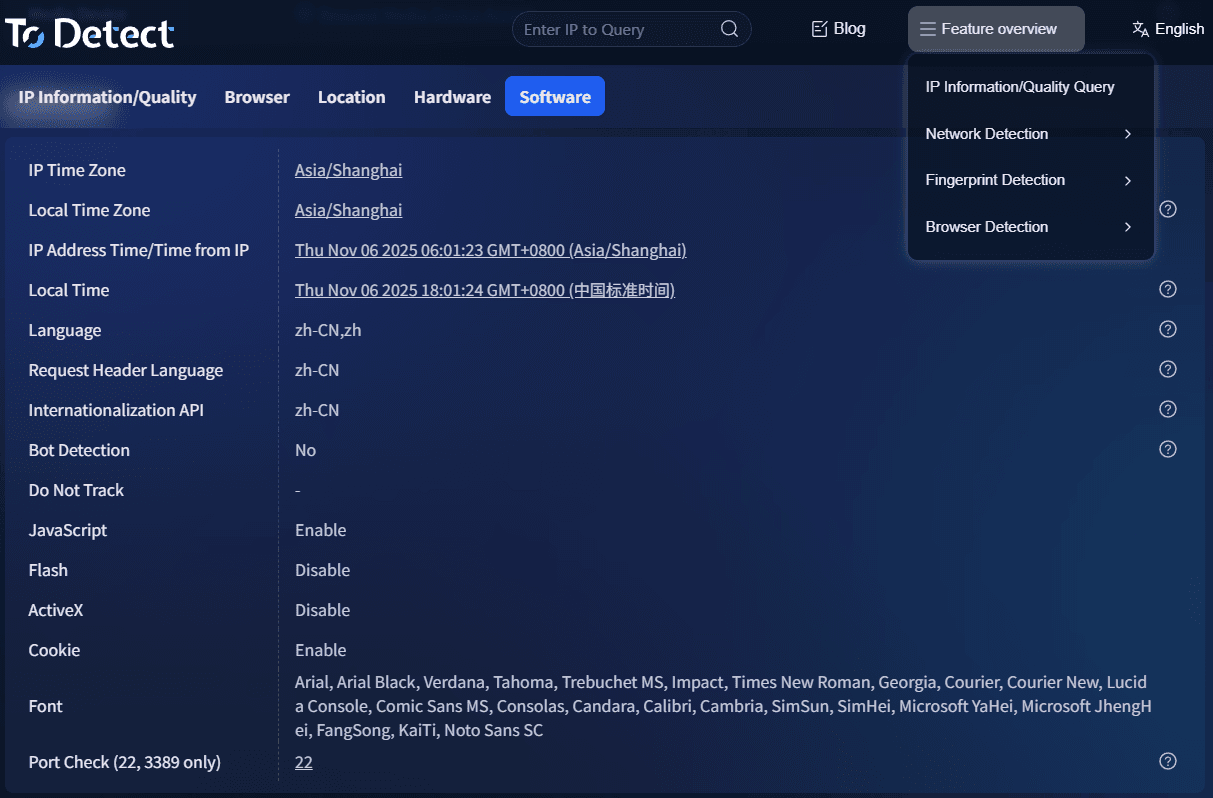
ToDetect is widely used in the cross-border business industry, mainly because it:
• Detects IP environment quality
• Supports browser fingerprint detection
• Identifies proxy risks
• Simulates real browsing environments for analysis
It is especially suitable for account operations and pre-advertising environment checks, making basic IP quality verification very convenient.
2. IPinfo / IP Database Tools
These tools are mainly used to check IP geolocation, ASN organizations, and whether the IP belongs to a datacenter, making them ideal for background IP investigations.
3. Blacklist Detection Websites (Spamhaus, etc.)
These are used to determine whether an IP has been abused before, especially in email marketing or crawler-related scenarios.
4. Browser Fingerprint Detection Tools
These tools focus on checking environmental consistency alongside the IP. Even if the IP is “clean,” abnormal browser fingerprints can still trigger platform risk controls.
4. IP Purity Core Evaluation Criteria Table
| Detection Dimension | Normal / High-Quality Performance | Risky / Low-Quality Performance | Actual Business Impact | Recommended Solution |
|---|---|---|---|---|
| IP Usage History | Long-term stable usage with few records | Frequently changed or shared by multiple users | More likely to trigger platform security verification | Prioritize dedicated residential IPs |
| Network Ownership Type | Residential broadband / mobile network | Datacenter / server room IP | Advertising accounts may face traffic restrictions | Avoid datacenter IPs whenever possible |
| Geolocation Consistency | Country/city remains consistent over time | Frequent cross-country changes | Abnormal account environment detection | Use a fixed region consistently |
| Risk Database Records | No blacklist records | Flagged in spam or abuse databases | High failure rate in email or ad campaigns | Replace the IP or re-test it |
| Browser Environment Matching | IP matches timezone/language | Fingerprint conflicts with IP region | Triggers risk control or CAPTCHA verification | Use fingerprint browsers for environment consistency |
| Sharing Level | Used exclusively by one user | Shared proxy pool IP | High account association risk | Use dedicated IPs or private lines |
5. Practical Workflow for IP Purity Detection (Step by Step)
If you don’t want to get overwhelmed by various tools, you can simply follow this process:
Step 1: Check the IP type. First confirm whether it is a residential IP or a datacenter IP — this is the foundation.
Step 2: Check blacklist records. If the IP has been blacklisted before, eliminate it immediately.
Step 3: Perform browser fingerprint detection.
Use ToDetect to verify environmental consistency. Focus on whether the IP region matches the timezone, whether WebRTC leaks the real IP, and whether the Canvas fingerprint appears abnormal.
Step 4: Evaluate the overall IP purity level.
A simple classification can generally be made like this:
⭐⭐⭐⭐ High-Purity IP: Residential IP + No blacklist history + Consistent fingerprint
⭐⭐⭐ Medium-Level IP: Datacenter IP but not contaminated
⭐ Risky IP: Proxy IP / Shared IP / Abnormal IP switching
6. Common Misconceptions About IP Purity Detection
Misconception 1: “If the IP can access websites, it must be clean.” → Wrong. Internet access does not mean the IP has not been polluted.
Misconception 2: “Expensive proxies equal high-quality IPs.” → Not necessarily. Many are simply overpriced datacenter IPs.
Misconception 3: “Only the IP matters, not the browser environment.” → Modern platform risk control systems evaluate both “IP + fingerprint” together.
7. IP Purity Check FAQ
1. If an IP can browse the internet normally, does that mean it’s clean?
Not necessarily. Being able to access the internet only means the network is functional. IP purity detection also checks whether the IP has been blacklisted, whether it is a datacenter IP, and whether it has been abused by multiple users.
2. Why do different detection tools show different results for the same IP?
This is a common confusion. The main reason is that each platform uses different databases. Some update frequently, while others rely on more basic datasets.
When checking IP quality, don’t rely on a single tool. It’s best to cross-check by reviewing IP type, blacklist status, and historical usage records together.
3. Are residential IPs always safer than datacenter IPs?
Generally yes, but not absolutely. Residential IPs naturally have higher credibility, but if they are abused or shared by many users, they can still become risky.
The real key is not just the IP type itself, but the overall IP purity detection results combined with the usage history.
4. Is it necessary to perform IP purity detection before every account operation?
If you are involved in cross-border e-commerce, ad campaigns, or multi-account operations, it is recommended to always check before critical operations.
Especially before using a new IP, changing devices, or bulk registering accounts, using an IP purity detection website to screen risks can greatly reduce the probability of account issues.
Conclusion
Anyone who has worked in cross-border e-commerce or social media account operations knows that many “unexplained problems” are actually caused by poor IP purity and unstable network environments.
Whether an IP is clean or not determines whether your account can survive long-term. Even with excellent accounts and creative materials, a contaminated IP can still trigger restrictions or risk controls.
The ToDetect integrated detection platform helps you quickly determine whether your current environment is secure, reducing trial-and-error costs while saving time, money, and unnecessary mistakes.
