



 Resources
 Feature overview

 Ganesh
 2026-05-22 10:50
Many people involved in cross-border business and account operations encounter this issue: their account information is correct and their actions seem normal, yet registration fails, login attempts trigger errors, or the account is directly blocked by risk control systems.
In fact, IP status directly affects account security and success rates. For example, an IP may be flagged as a proxy or data center IP, added to blacklist databases, or assigned a low reputation score.
Today, we've compiled a complete step-by-step guide—from online IP lookup and IP blacklist checks to reputation score analysis—to help you quickly determine whether an IP is "safe and usable."

1. What Is an Abnormal IP Quality? Understand the Basics First
Abnormal IP quality generally means the IP has been marked as high-risk (for example, used for spam registrations or fake traffic), added to blacklist databases, or assigned a very low reputation score.
Many people overlook the fact that an IP address is not only about "internet access"—it is also a key factor platforms use to determine whether you are a legitimate user. For example:
• Frequent account registrations from the same IP → triggers risk control
• Data center IPs accessing e-commerce platforms → restrictions applied
• Proxy IPs with a bad history → direct access denial
Step 1: Use an Online IP Lookup Tool for Basic Detection
The first and most basic step is to perform an online IP lookup.
• You can check: IP geolocation (country/city), ISP provider (telecom/data center/cloud service), whether it is a residential IP or data center IP, and the network type.
• You can also verify: whether the proxy is a genuine residential IP, whether the IP location is inconsistent ("geo mismatch"), and whether the traffic source appears normal.
👉 Tip: If the IP location differs significantly from the actual operating environment, stay cautious. Such IPs are more likely to trigger risk control systems.
Step 2: IP Quality Detection (Core Step)
Many people fail at this stage. In reality, this is where IP quality analysis happens. Simply put, the lower the IP quality, the lower the account survival rate.
IP quality usually depends on factors such as: whether it is a proxy, whether it belongs to a cloud server, whether it is shared by many users, and whether it has a history of suspicious behavior. If you are involved in cross-border e-commerce, social media marketing, ad campaigns, or bulk account management, IP quality almost determines your success rate.
Step 3: IP Blacklist Check (Critical Risk Screening)
Next comes the key operation—IP blacklist checking.
• IP blacklists usually come from: mail server blacklists (Spam databases), security vendor risk databases, community-reported IP pools, and anti-fraud systems.
• Common signs of a blacklisted IP include: direct website access denial, excessive CAPTCHA verification requests, frequent login failures, and advertising account bans.
It is recommended to check multiple blacklist sources. Don't only focus on whether the IP is listed—also pay attention to the risk level. Some IPs may not be officially blacklisted yet but are already marked as "suspicious," which also requires caution.
Step 4: IP Reputation Score Detection (Often Ignored but Very Important)
More and more platforms are now using "scoring systems," also known as IP reputation scores.
Think of it as a "credit score" for IPs—the lower the score, the higher the risk. IP reputation analysis considers historical access behavior, involvement in spam activities, frequent switching patterns, and associations with malicious activities.
Generally:
• Above 80 points: relatively safe
• 50–80 points: medium risk
• Below 50 points: high-risk IP
If you are operating long-term projects, it is recommended to prioritize high-reputation IPs.
Step 5: Browser Fingerprint Detection (Essential Companion Check)
Checking the IP alone is not enough. You should also analyze browser fingerprints, including operating system version, browser type, screen resolution, fonts and language settings, and WebGL / Canvas characteristics.
Many risk control systems evaluate "IP + fingerprint" together. This means that even if your IP is clean, an abnormal fingerprint may still lead to account bans. In practice, IP detection and fingerprint analysis must be performed together.
7. Recommended Practical Tool: ToDetect Workflow
ToDetect integrates several critical dimensions into one intuitive platform. Here's how you can use it:
Step 1: Enter the IP address. Simply paste the IP you want to check.

Step 2: View basic IP information, including location, ISP provider, and network type.
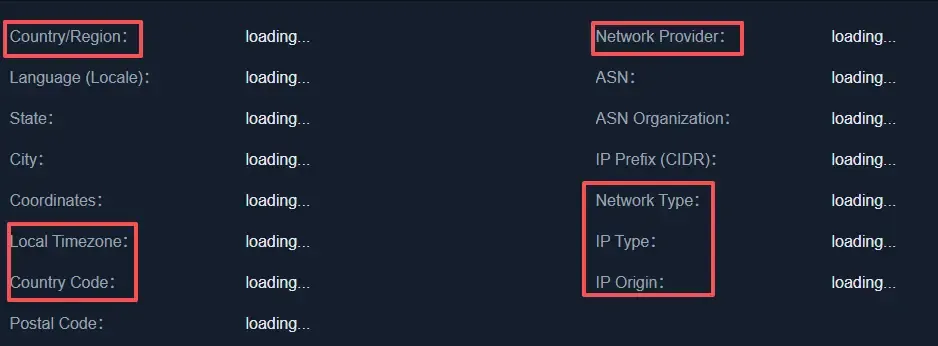
Step 3: Check the IP quality score. The system will provide risk level indicators.
Step 4: Review IP blacklist results. You can instantly see whether the IP is blacklisted.
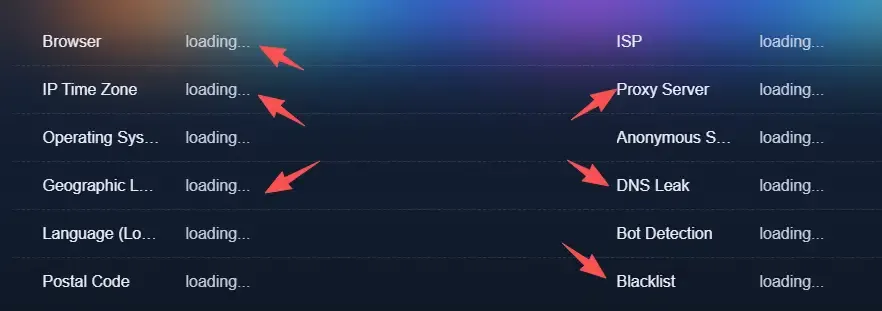
Step 5: Browser fingerprint analysis. Detect whether the current environment is "clean."
The advantage of this all-in-one tool is that you don't need to switch between multiple websites, making the process more efficient and convenient.
8. IP Quality Detection FAQ
1. Does an abnormal IP always lead to account bans?
Not necessarily. An abnormal IP is more of a "risk signal" rather than a direct punishment trigger. Platforms usually combine IP data with behavioral analysis. If a blacklisted IP is combined with suspicious actions, the probability of account suspension increases significantly.
2. Are free IPs and proxy IPs safe?
Most free IPs are not very secure because they are widely shared and come from mixed sources, making them easy to label as "shared high-risk IPs."
Proxy IPs also vary in quality. In practice, the key is not whether the IP is free or paid, but whether it is clean and free from historical risk records.
3. Is changing the IP enough to stay safe?
Not necessarily. Many platforms now use multidimensional risk control systems, where the IP is only one factor. Even after changing the IP, if the browser fingerprint, device environment, and behavior patterns remain unchanged, you may still be identified as the same user.
4. Should companies regularly perform IP checks?
Absolutely, especially for cross-border e-commerce businesses or multi-account operations. Regular IP quality and reputation checks help identify problematic IPs early and prevent large-scale account impacts.
5. Is it normal for blacklist results to differ across platforms?
Yes. Different security vendors and databases update at different frequencies. Some platforms update faster, while others may lag behind.
Therefore, it is recommended not to rely on a single tool. Cross-checking results from multiple blacklist databases will provide more accurate evaluations.
Conclusion
IP quality detection is extremely important. Anyone involved in cross-border business or social media matrix operations knows that whether an IP is clean directly affects the success of future operations.
Modern risk control systems are becoming increasingly intelligent. It's no longer enough to simply "switch IPs." Many issues you assume are account-related are actually caused by problematic IP environments holding you back.
Regularly performing online IP quality checks can significantly improve operational efficiency and help you avoid many unnecessary pitfalls.
