


 Resources
 Feature overview
Why Is Mobile Speed Slower Than PC? How to Test True Speed Online?
 Charles
 2026-02-11 03:57


Have you ever encountered this situation: on the same network, the speed test results on your phone and computer are very different? The phone shows 30 Mbps, while the computer reaches 80 Mbps, leaving you confused.
Is there a problem with the internet speed, or is the testing tool inaccurate? In fact, there are several scientific reasons behind this.
Today, let’s talk about why speed test results differ between phones and computers, which result is more reliable, and a few quick tips to help you understand the reasons behind these differences so you won’t be misled by speed tests again.
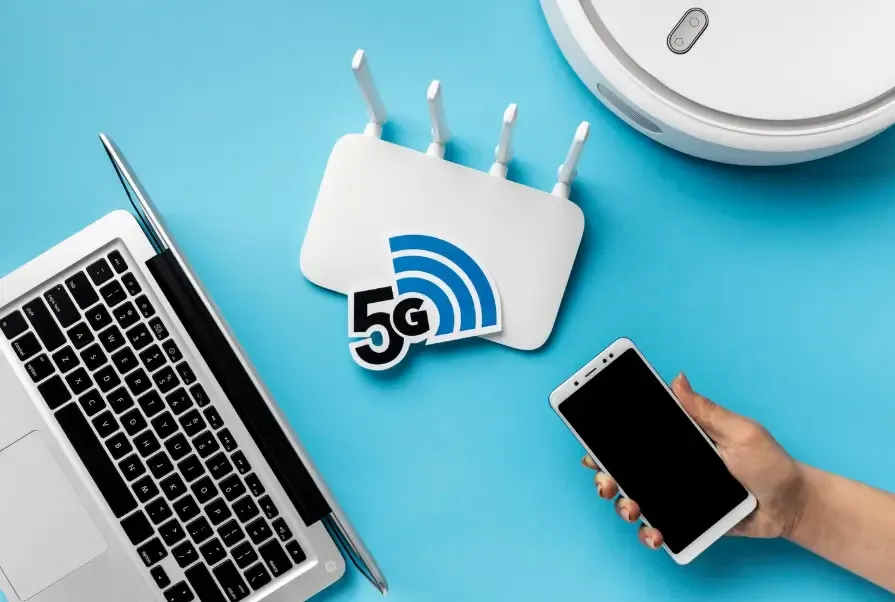
1. Why Are Phone and Computer Bandwidth Speed Tests Different?
First, it’s important to understand one thing: phones and computers differ in hardware, network access methods, and system optimization, so their speed test results will naturally vary.
1. Hardware Differences
The wireless network card in a phone and the network card in a computer can differ significantly in performance. For example, your phone may only support the 802.11n Wi-Fi standard, while your computer supports 802.11ac or Wi-Fi 6. This directly affects the maximum achievable speed.
2. Different Network Access Methods
• Phone: Usually connects via Wi-Fi or 4G/5G. Signal quality is heavily affected by the environment—for example, being far from the router or blocked by walls can lower the test results.
• Computer: Often uses a wired connection (Ethernet directly connected to the router), which is more stable, so the test results are naturally higher.
3. System and Background Process Differences
Phones usually run many background apps, such as social media or video apps, which may consume bandwidth silently. Computers may also have background downloads, but they are usually easier to monitor and stop.
4. Differences in Speed Test Tools
Different speed test tools use different algorithms, so the results may vary. Some measure peak speed, while others measure average speed. Even the distance to the test server can affect the outcome.
2. How to Tell Which Speed Test Result Is More Reliable?
1. Prefer Using a Computer for Online Broadband Speed Tests
Computers usually have stronger network cards and more stable connections. Especially with a wired connection, the measured bandwidth is close to your actual broadband speed.
It’s recommended to use professional online speed test tools such as Speedtest and Fast.com.
2. Pay Attention to the Environment When Testing on a Phone
If you must use a phone, stay close to the router to reduce signal interference.
Close background apps to ensure the phone is in a “clean” state.
3. Use Multiple Speed Test Tools for Cross-Verification
Sometimes a single tool may have server congestion or algorithm differences. Using multiple tools for comparison will give results closer to the real speed.
It’s recommended to try browser-based speed test tools so both phone and computer can test using the same server, reducing differences.
3. Another Way to Test Your Network: ToDetect Browser Fingerprint Tool
Browser Fingerprint Detection
• A browser fingerprint is a technique that identifies device characteristics using browser and system information.
• During speed testing, if you use a fingerprint detection tool, it can show your browser, device, and network configuration, helping you understand why phone and computer test results differ.
ToDetect Fingerprint Lookup Tool
• It can check device fingerprint information, including operating system, browser type, and network latency.
• With it, you can discover differences in how phones and computers access the network. For example, a phone’s browser speed limit or proxy may affect test results.
4. Practical Tips to Make Your Network Speed Tests More Accurate
• Use a wired computer connection for testing whenever possible
This is the closest to your real broadband speed, especially when comparing results.
• Keep the network environment stable
Close other devices and applications during testing to avoid bandwidth usage.
• Use reliable speed test tools
Whether on a phone or computer, it’s recommended to use professional online broadband speed test tools.
For browser-based tests, you can combine fingerprint detection with the ToDetect tool for more scientific results.
• Run multiple tests and take the average
A single test is not reliable. Running multiple tests and averaging the results better reflects the real network condition.
Summary
It’s normal for phone and computer speed test results to differ. The reasons include hardware differences, network access methods, background processes, and variations in speed test tools.
To get more reliable speed data, prioritize online broadband testing on a wired computer, and combine it with the ToDetect fingerprint tool to better reflect your actual network performance.
Speed tests are only a reference—stable and smooth internet experience is what truly matters. Next time you see a big difference between phone and computer results, don’t panic. Follow these methods and you’ll quickly discover your real network speed.
 AD
AD


