



 Resources
 Feature overview

 Ganesh
 2026-07-06 11:45
Platform risk control is becoming increasingly sensitive. The same device, the same batch of IPs, or even abnormal network fluctuations can lead to traffic throttling, and in severe cases, accounts being flagged as high-risk.
Therefore, before officially building an account matrix, it is very necessary to ensure the workflow of IP lookup tools and proxy IP detection is properly established.
Next, we will break down how online IP lookup tools are used, as well as the complete logic of social media matrix risk control detection, so you can apply it directly in real operations.

1. Why IP Detection Is Essential for Social Media Matrix Operations
If you log into an account in your home country in the morning and suddenly switch to an overseas IP in the afternoon, combined with frequent account switching on the same device, platforms will easily classify this as abnormal behavior.
This is where online IP lookup tools are needed to verify whether the current public IP is stable, whether it is a proxy or data center IP, whether it belongs to a high-risk range, and whether it has been flagged as an abnormal node.
Especially when operating matrix accounts on platforms like TikTok, Instagram, Xiaohongshu, and Facebook, IP lookup is a daily essential task.
2. How to Use the Online IP Lookup Tool ?
In fact, online IP lookup is very simple. The core process consists of three steps: check IP, assess risk, and make judgment.
Step 1: Open an online IP lookup tool and directly obtain the current public IP address of the device. You will see basic information such as IP address, location, and ISP.
Step 2: The key is not just “where the IP is located,” but whether the IP is “clean.” For example: whether it is a residential or data center IP, whether it is flagged as a proxy IP, whether it is frequently used by multiple users, or whether it appears on a blacklist.
Step 3: If you are managing social media matrix accounts, you must evaluate account safety based on IP detection results. Many people only check IP location, which is not enough. What truly affects risk control is IP quality, not IP geography.
3. Comparison Table of Common IP Risk Control Tools for Social Media Matrix Operations
| Tool / Method | Main Purpose | Advantages | Limitations | Use Case |
|---|---|---|---|---|
| Basic Online IP Lookup | Check public IP, location, ISP | Simple, fast, no registration required | Only basic info, no risk assessment | Daily quick network check |
| IP Blacklist Check | Detect whether IP is flagged | Identifies high-risk IP ranges | Delayed updates, incomplete coverage | Pre-login / pre-registration check |
| Proxy Anonymity Test | Check proxy type (high anonymity / transparent) | Filters low-quality proxies | Requires technical understanding | Pre-batch account IP screening |
| Network Consistency Check | Match IP with device fingerprint | Reduces risk triggers | Relatively complex | Long-term multi-account operations |
| Risk Scoring Tools | Comprehensive IP risk evaluation | Clear output (low/medium/high risk) | Some tools are paid | Pre-launch account screening |
| Multi-node IP Switching Test | Simulate different login environments | Detect potential ban risks early | High operational cost | Large-scale testing phase |
4. Why Proxy IP Detection Is Critical
In matrix operations, many teams use proxy IPs for batch account logins, but this is also where most problems arise.
Proxy IP detection mainly checks whether the proxy is transparent (easily detected by platforms), shared (high risk due to multiple users), or from data center IP ranges (easily flagged).
If not properly checked, using proxy IPs directly for multiple accounts may result in cascading bans—one account triggers issues, and the entire batch is affected.
That is why more and more teams perform IP screening before launching accounts.
5. The Role of ToDetect in IP Risk Control
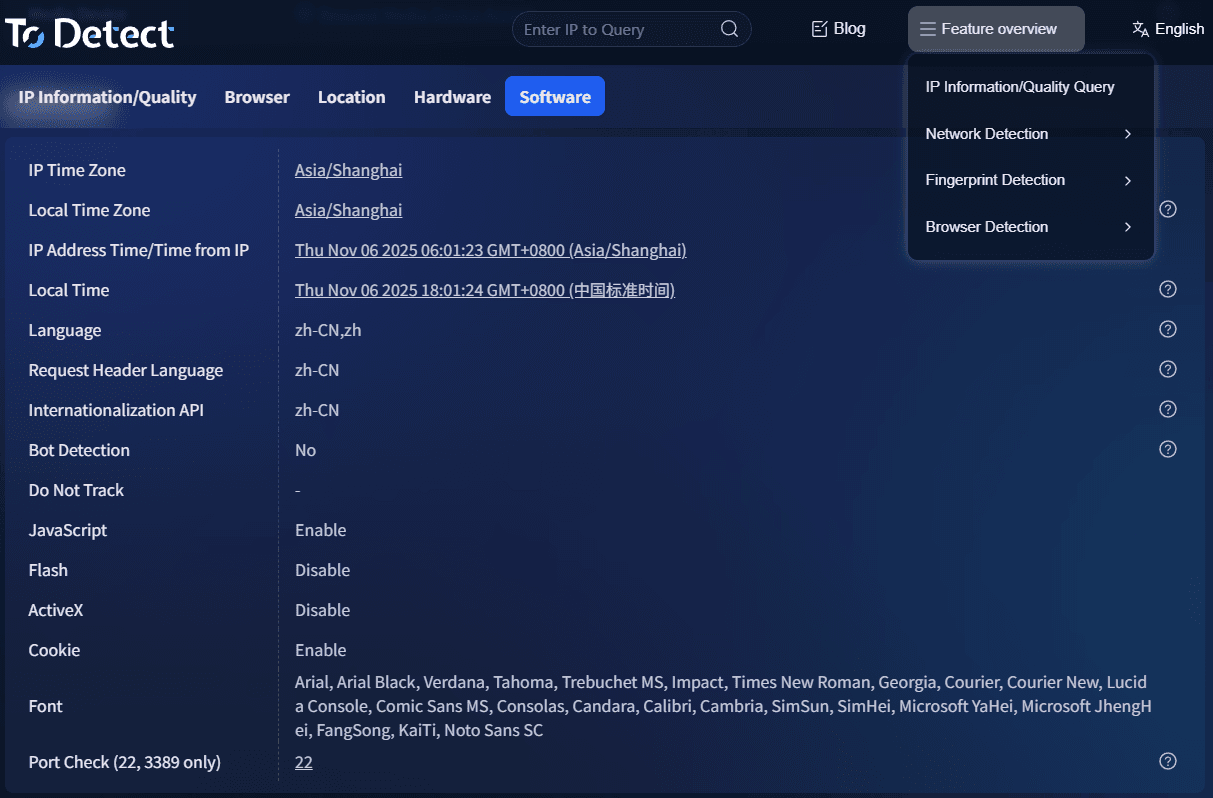
Many practitioners in matrix operations use the ToDetect platform. Its core value is not just IP lookup, but comprehensive risk evaluation, such as:
• Whether the IP is a high-risk proxy node
• Whether the current network environment is abnormal
• Whether device and IP mismatch exists
• Whether it complies with platform risk control rules
In practice, users often combine ToDetect with basic IP lookup tools: first check IP details, then perform risk scoring for a more reliable assessment.
6. Complete Workflow of Social Media Matrix Risk Control (Practical Version)
Step 1: Basic IP Lookup
Use an IP lookup tool to obtain the current public IP information and verify consistency in location, ISP, and IP type. If frequent changes are detected, stop operations and investigate.
Step 2: IP Risk Screening
Determine whether the IP belongs to proxy, data center, or high-risk ranges.
Step 3: Proxy IP Detection
Confirm whether the proxy is a high-anonymity residential IP. Low-quality or shared proxies often lead to account restrictions.
Step 4: Device + IP Matching Check
Verify whether device fingerprint and IP location are logically consistent (e.g., device in one country but IP in another).
Step 5: Simulated Login Testing
Test new IP environments using low-tier accounts first before migrating core accounts.
7. Common Questions About Online IP Lookup
1. Can online IP lookup identify individuals?
No. It generally only shows city-level location, ISP, and network type. It cannot directly identify individuals.
2. Why is IP detection necessary for social media matrix operations?
Platforms use IP behavior to judge account legitimacy. Shared or frequently changing IPs often trigger risk control.
3. Why do accounts still get banned even if proxy IP tests are normal?
Because risk also depends on behavior and environment consistency, not just IP quality.
4. Is ToDetect suitable for beginners?
Yes. It provides easy IP lookup, proxy detection, and risk scoring for beginners.
Conclusion
A sustainable account system is not about the strongest content, but the most stable environment. IP lookup and risk detection determine whether accounts survive long-term or get repeatedly banned.
As platform risk control becomes more intelligent, IP is no longer just a technical parameter but the first layer of account security.
If you are managing social media matrices, do not wait until problems occur. Make IP checks a daily routine—early prevention saves far more accounts in the long run.
