



 Resources
 Feature overview
 Ganesh
 2026-07-23 11:35
When checking their own IP address, many people often come across professional terms such as "static IP", "dynamic IP", and "data center IP", but few people truly understand the differences between them.
In fact, whether you are an ordinary user or a cross-border business, the type of IP address can directly affect account security, connection stability, and business performance. Therefore, understanding the differences between static IP, dynamic IP, and data center IP is very important.
Today, we will explain the differences between static IP and dynamic IP, why data center IPs are easier to identify, and how to determine what type of IP address you are using.
1. What Is an IP Address? Why Should You Understand IP Types ?
An IP address can be simply understood as the "network identity card" of a device on the internet. Whether it is a computer, mobile phone, or server, any device connected to the internet will have a corresponding IP address.
However, IP addresses are not all the same. Depending on the allocation method and usage scenario, they can be divided into different types. The most common types include dynamic IP, static IP, and data center IP.
Many users believe that knowing their IP address is enough, but this is not always true. The same IP address may contain different information behind it, and professional IP type detection is required for accurate identification.
2. Simple Comparison of Static IP, Dynamic IP, and Data Center IP
To better understand the differences between these three IP types, you can quickly compare them through the following table:
| Comparison Item | Static IP | Dynamic IP | Data Center IP |
|---|---|---|---|
| IP Allocation Method | Manually assigned or permanently allocated | Automatically assigned dynamically by the ISP | Provided by IDC data centers or cloud service providers |
| Main Users | Businesses, servers, remote office users | Home users and mobile network users | Website servers, cloud hosts, data service users |
| Stability Level | High, suitable for long-term fixed connections | Average, may change with network conditions | High, suitable for continuously online services |
| Network Source | Home broadband, enterprise dedicated lines, etc. | Regular ISP networks | Data center server networks |
| Core Advantages | Fixed IP, convenient for access management | Easy to obtain with lower usage costs | Large bandwidth capacity, suitable for business deployment |
| Common Applications | Remote access, enterprise systems, device management | Web browsing, video entertainment, daily internet use | Website deployment, server operation, API services |
| Identification Features | Depends on IP source and usage environment | Usually closer to ordinary user networks | Easily identified as a data center IP |
| Suitable Users | Users who need a fixed network entry point | Regular internet users | Businesses, developers, and server-related users |
3. What Is a Static IP? What Are Its Features?
A static IP, as the name suggests, is an IP address that remains fixed for a long period of time. Once a user obtains this IP, it usually stays unchanged unless the user actively changes it or the service provider makes adjustments. The biggest advantage of a static IP is stability. Static IPs mainly have the following features:
1. IP Address Remains Fixed Long-Term
A dynamic IP may change frequently, while a static IP usually does not change often. This makes it more convenient for services that require a fixed network entry point.
2. Higher Network Stability
Since the IP address does not change randomly, connection stability is usually better. Static IPs are suitable for scenarios such as servers and enterprise networks.
3. Convenient Access Control
Many companies configure IP whitelists and only allow specific IP addresses to access internal systems. If an IP changes frequently, access failures may occur. A static IP can effectively solve this problem.
However, static IPs also have some disadvantages. Compared with ordinary dynamic IPs, static IP applications usually cost more. In addition, if a fixed IP is used for a long time and becomes associated with risk, it may affect future usage.
4. What Is a Dynamic IP ? Why Do Most Home Broadband Networks Use Dynamic IPs?
A dynamic IP is an IP address automatically assigned by an internet service provider. Every time a user connects to the network, the provider may assign a different IP address.
For example, home broadband and mobile data networks usually use dynamic IPs. The main advantages of dynamic IPs are lower costs and easier management.
For ordinary internet users, activities such as watching videos, chatting, shopping, and browsing websites do not require a fixed IP address. Therefore, dynamic IPs can fully meet daily needs.
Common characteristics of dynamic IPs include: IP addresses may change periodically; users do not need to configure them manually; acquisition costs are lower; and they are suitable for normal internet access.
Frequent IP changes may cause issues such as abnormal login environments, increased website security checks, and restricted access permissions. Therefore, many businesses or professional users choose static IPs or more stable network resources.
5. What Is a Data Center IP? How Is It Different From Static IP ?
A data center IP usually refers to an IP address deployed on servers located in data centers. Examples include: cloud server IPs, VPS server IPs, website server IPs, and IDC data center outbound IPs.
These IP addresses are not generated from ordinary home networks but come from professional data centers. The biggest characteristic of data center IPs is that their network environment is significantly different from residential broadband networks.
Data center IP and static IP are not the same concept. Static IP focuses on whether the IP address is fixed, while data center IP focuses on the source of the IP address. The two can exist together or separately.
6. How to Determine What Type of IP Address You Have?
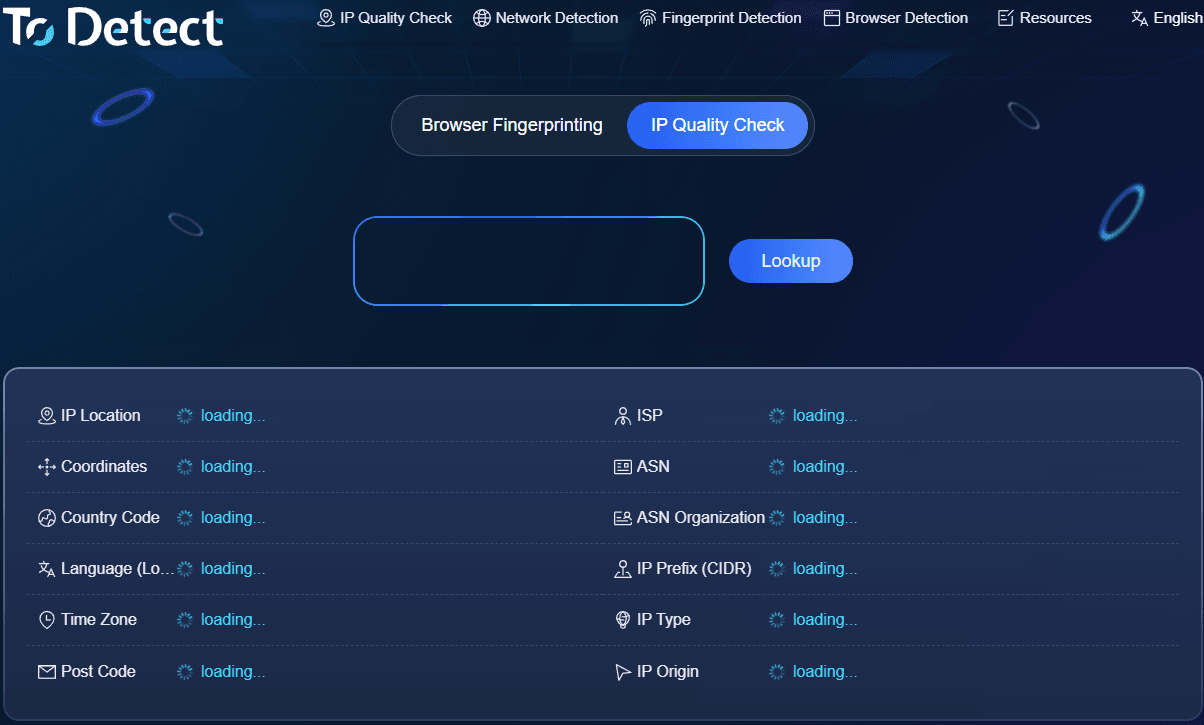
Many users want to know: "Is my IP static or dynamic?" "Is this IP a data center IP?" The easiest way is to use a professional IP detection tool:
• IP location;
• Internet service provider;
• ASN information;
• Whether it belongs to a data center;
• Whether a proxy exists;
• IP risk level.
There are many online IP lookup tools available today, but different tools may have differences in data sources and detection capabilities. If you only need to check your public IP address, a basic lookup tool may be enough. However, if you need to identify IP types, such as detecting static IPs, data center IPs, or proxy IPs, you need to choose a more comprehensive platform.
ToDetect provides professional IP detection services that can help users quickly analyze IP basic information, network attributes, and risk status. For users who need overseas business analysis or network environment evaluation, these tools can save significant time.
7. Is Static IP Detection Accurate?
It is important to note that identifying an IP type is not simply based on whether an IP address changes. Professional detection usually combines multiple data dimensions, including IP history, ISP information, network ownership, and IP database records for comprehensive analysis.
Therefore, choosing an IP detection tool with timely updated data is very important.
At the same time, users should understand that IP detection results only represent the current network attributes and cannot guarantee that the IP will never change in the future. Especially for ISP networks, changes may occur due to service adjustments, package changes, or other factors.
Conclusion
By now, everyone should have a clearer understanding of static IP, dynamic IP, and data center IP. Dynamic IPs are more suitable for ordinary daily internet usage, static IPs are better suited for business scenarios that require long-term stable connections, while data center IPs are mainly used for servers, cloud computing, and data-related services.
If you want to know which type of IP address you are using, you can use the professional IP type detection tool provided by ToDetect to perform a check and better manage your network environment.
An IP address is not just a string of numbers. It represents a network identity and access environment. Understanding your IP attributes in advance, performing proper detection, and managing your network resources can not only improve your internet experience but also help businesses and individuals better handle increasingly complex network requirements in the future.