



 Resources
 Feature overview

 Ganesh
 2026-06-26 11:31
A friend of mine who runs a cross-border e-commerce business recently purchased a new batch of proxy IPs. They had barely been configured before multiple accounts started getting suspended by the platform. Most people immediately blame poor IP quality, but in reality, the real issue is the anonymity level of the proxy IPs. If the anonymity isn't high enough, switching to more IPs won't help.
Today, let's take a closer look at proxy IP anonymity levels. How do you check them? What should you look for? Which data points are most likely to expose your proxy during an IP anonymity test? This guide will walk you through everything you need to know to verify your proxy IP from scratch.
1. How Do Websites Detect That You're Using a Proxy?
Many people assume that using a proxy IP automatically keeps them safe. In reality, modern anti-bot systems are much smarter than most people realize. They generally detect proxy usage from three major aspects.
First, they examine where the IP comes from.
Data center IPs (such as those provided by Alibaba Cloud, Tencent Cloud, AWS, or other cloud providers) are often flagged immediately. Most websites maintain extensive blacklists of known proxy IP ranges, especially those belonging to data centers. Using one of these IPs is like trying to rob a bank while wearing a police uniform—you've already attracted attention before doing anything.
Second, they analyze whether your behavior looks human.
If the same IP sends dozens of requests every second or visits pages at perfectly regular intervals, risk control systems can identify the pattern almost instantly. It's like knocking on someone's front door over and over again at high speed—it's bound to raise suspicion.
Third, they inspect your HTTP headers for proxy fingerprints.
Some proxy servers leave headers such as Via or X-Forwarded-For in HTTP requests. These headers act like fingerprints, explicitly telling the destination website that a proxy is being used.
That's why accounts often get suspended shortly after using a proxy. In many cases, it's not because you were unlucky—it's because your proxy simply doesn't provide sufficient anonymity.
2. Proxy IP Anonymity Levels Explained
Before evaluating whether your proxy is safe, you first need to understand the three common anonymity levels.
Transparent Proxy (Lowest Level)
This type of proxy hides almost nothing. Both your real IP address and the fact that you're using a proxy are exposed. The X-Forwarded-For header directly reveals your original IP address. Using this type of proxy is almost no different from not using one at all.
Anonymous Proxy (Medium Level)
This proxy hides your real IP address but still leaves evidence that you're connecting through a proxy. The website won't know who you are, but it will know you're not connecting directly.
Elite (High Anonymous) Proxy (Highest Level)
This is the type of proxy you should actually use. It hides your real IP completely and leaves no indication that a proxy is involved. To the target website, your traffic appears no different from that of a regular residential user.
3. Proxy IP Anonymity Level Comparison
| Anonymity Level | Hides Real IP | Exposes Proxy Usage | What Websites Can See | Account Suspension Risk | Typical Use Cases |
|---|---|---|---|---|---|
| Transparent Proxy | ❌ No | ❌ Yes | Your real residential IP + Via + X-Forwarded-For headers | ⭐⭐⭐⭐⭐ (Almost guaranteed to be blocked) | Rarely used because it's practically useless |
| Anonymous Proxy | ✅ Yes | ❌ Yes | Proxy server IP, but HTTP headers reveal proxy usage | ⭐⭐⭐⭐ (High risk) | Suitable only for low-security public websites |
| Elite (High Anonymous) Proxy | ✅ Completely | ✅ No | Only the proxy IP is visible, with headers identical to a normal browser | ⭐ (Very low risk unless your behavior is abnormal) | Account registration, web scraping, multi-account management |
| Disguised Elite Proxy | ✅ Yes | ⚠️ Partially | Appears to be a residential IP, but the timezone, language, or browser fingerprint doesn't match | ⭐⭐⭐ (Likely to trigger CAPTCHA or bot verification) | Looks premium but can still be detected by fingerprinting tools like ToDetect |
4. How to Check Your Proxy IP Anonymity
Want to know how "transparent" your proxy really is? Fortunately, you don't need advanced technical knowledge. Several online IP testing tools can provide the answer in just a few seconds.
Method 1: Use an Online IP Checker.
This is by far the easiest method. Configure your proxy, visit an IP detection website, and you'll receive a report within seconds showing your IP information and anonymity level.
Method 2: Use a Professional Proxy IP Detection Tool.
If you need more detailed analysis, consider using a professional proxy testing tool. Some proxy providers even include built-in testing features. For example, the IPIPGO user dashboard allows users to check anonymity level, geolocation, and response speed with one click.
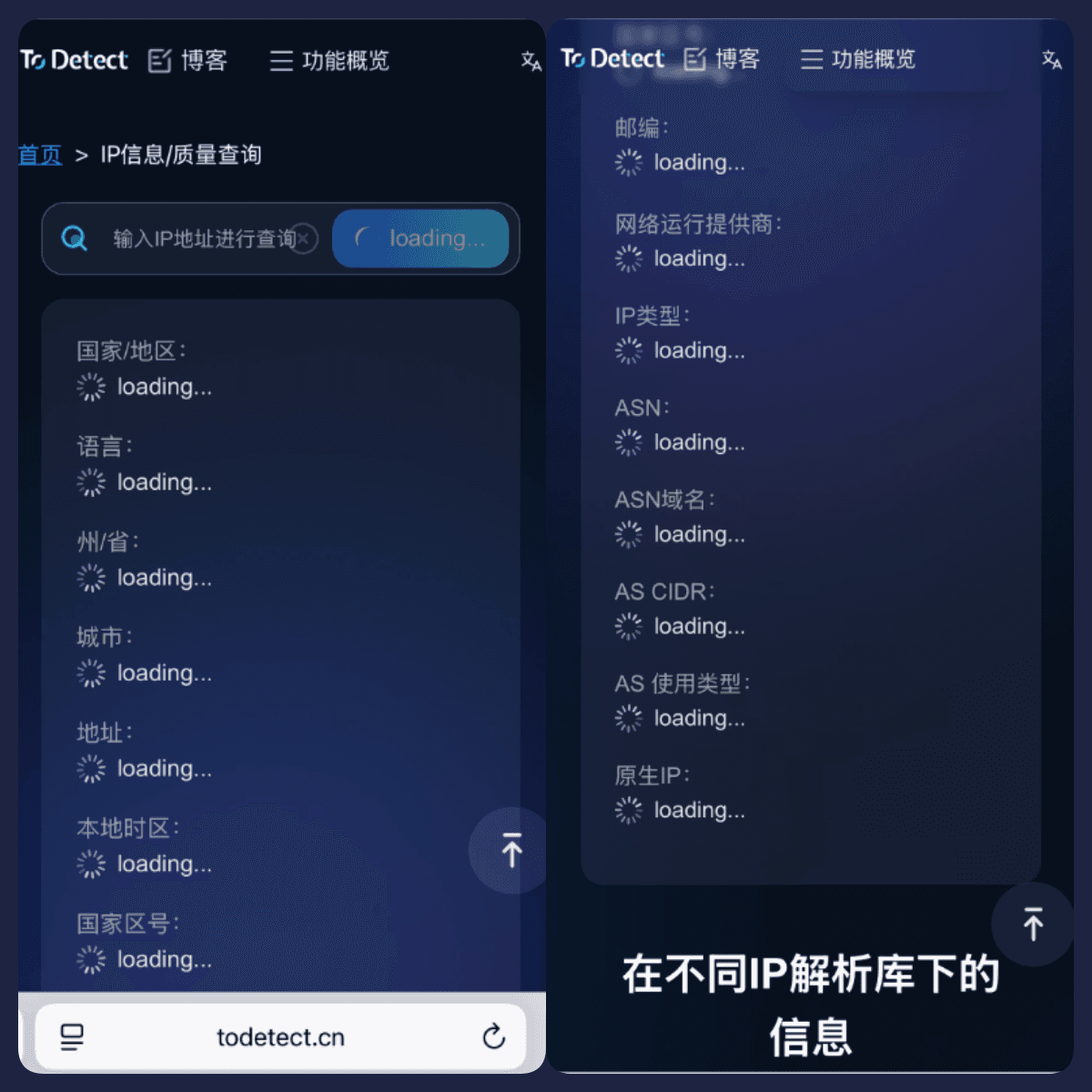
In addition, ToDetect is a professional browser fingerprint detection platform. It not only checks your IP and proxy status but also analyzes WebRTC leaks, Canvas fingerprinting, DNS leaks, and many other browser fingerprinting indicators.
In short, ToDetect doesn't just evaluate whether your IP is secure—it checks whether your entire browser environment could expose your identity. This is especially valuable for users managing multiple accounts or preventing account linkage.
Method 3: Inspect HTTP Headers Manually.
If you have some technical knowledge, you can examine these HTTP header fields directly:
• REMOTE_ADDR: It should display the proxy server's IP address.
• HTTP_VIA: If this field exists, your proxy usage has been exposed.
• HTTP_X_FORWARDED_FOR: If your real IP appears here, you're using a transparent proxy. A true elite proxy should not include either the Via or X-Forwarded-For headers.
5. What If Your Proxy Doesn't Have Enough Anonymity?
If your proxy IP test shows a low anonymity level, don't panic—there are several ways to improve your setup.
First, switch to higher-quality proxies.
Avoid free proxies or low-quality data center IPs. Their anonymity levels are generally poor and are much easier for websites to detect. Whenever possible, choose residential proxies, since they originate from real home broadband connections and appear much more natural to target websites.
Second, control your request frequency.
Even an elite proxy can get blocked if you send requests like a machine gun. Introduce random delays between requests instead of using fixed intervals.
Third, maintain browser fingerprint consistency.
Modern platforms don't rely solely on IP addresses. They also examine browser fingerprints, timezone, language, screen resolution, and many other attributes. That's why tools like ToDetect are becoming increasingly popular—they verify whether your entire browsing environment is internally consistent.
Fourth, perform regular IP quality checks.
Don't wait until your account gets suspended before testing your proxy. Before using any new proxy IP, run an online IP check and anonymity test. Identifying issues early is always easier than dealing with account recovery later.
Conclusion
The takeaway is simple: if your proxy gets blocked immediately, there's a good chance the anonymity level is the real problem. Instead of constantly replacing IPs or tweaking settings, start by testing your proxy's anonymity.
Verifying whether your IP is secure isn't difficult. Check your current IP using an online IP lookup tool, evaluate its anonymity with a proxy detection service, and if possible, use a platform like ToDetect to perform a comprehensive browser environment assessment.
Remember one important rule: Using a proxy alone doesn't guarantee safety. Only a properly configured elite proxy, combined with the right browsing environment and usage habits, provides effective protection. The next time your accounts get suspended shortly after using a proxy, don't rush to blame the proxy provider—test your anonymity level first and find out what your proxy is really revealing.
