



 Resources
 Feature overview
 Ganesh
 2026-07-25 17:21
In cross-border e-commerce, data scraping, or social media operations, the speed of a proxy IP directly impacts work efficiency, business success rates, and account security.
When experiencing proxy lag, many users tend to frequently switch nodes purely based on "gut feeling" rather than solving the problem at its root.
It is recommended to systematically evaluate proxy performance based on technical metrics.
Based on hands-on experience, this article breaks down the core metrics and optimization solutions for troubleshooting proxy IP speed issues.

5 Key Metrics for Evaluating Proxy IP Performance
To accurately assess proxy IP performance, do not rely solely on download speed. Instead, evaluate the following five dimensions comprehensively:
Connection Latency: Latency is generally related to the user's location, the proxy node location, and the distance to the target server.
Generally speaking, lower latency ensures a smoother interactive experience. Anything over several hundred milliseconds can cause noticeable delays during web interactions.
Time to First Byte (TTFB): Refers to the time elapsed from making an HTTP request to receiving the first byte of data from the server.
TTFB can be used to evaluate response efficiency, but it should be assessed alongside the target website's server performance.
Download Speed: The amount of data downloaded per unit of time.
Higher download speeds are advantageous for high-bandwidth tasks like images and video streaming, whereas regular web browsing relies more on latency and stability.
Request Success Rate: The percentage of successful requests out of the total requests sent.
A stable proxy service should maintain a high success rate, with specific benchmarks varying depending on your business type and target platform.
Stability: The degree of speed fluctuation over a period of time. You can judge stability by observing speed test variances; smaller fluctuations generally indicate more consistent connection quality.
Common Causes of Sudden Proxy IP Slowdowns
If your proxy IP was running smoothly but suddenly slowed down, it is usually caused by one of the following factors:
Node Congestion and Overload: Most shared proxy IPs experience exhausted bandwidth during peak hours (such as 8:00 PM to 10:00 PM) due to a surge in users, resulting in doubled latency or request queuing.
Local Network Fluctuations: Proxies rely on secondary forwarding networks. Unstable local Wi-Fi signals or accumulated router cache can magnify and translate into noticeable stuttering.
Target Website Response Fluctuations & Rate Limiting: The network chain involves "User — Proxy — Target Website," and fluctuations at any point will affect speed.
Additionally, if the request frequency is too high, the target website may throttle access through rate limits, CAPTCHAs, or request restrictions.
IP Risks and Restrictions: If an IP has been previously used by other users for rule-breaking activities, it may trigger additional verification steps or access restrictions, thereby degrading the overall user experience.
Troubleshooting and Acceleration Solutions
1. Basic Troubleshooting Workflow
It is recommended to first perform multi-node cross-validation using the curl command-line tool or professional testing tools (such as proxy-benchmark).
If switching to a new node in the same region restores speed, it indicates that the original node experienced issues or congestion.
If it remains slow, you will need to check your local network link and protocol compatibility.
2. Optimize Protocol Selection
Choose the right protocol for your specific business scenario:
HTTP/HTTPS is recommended for regular web browsing, while the SOCKS5 protocol offers better compatibility in scenarios requiring flexible forwarding or specific integration requirements.
3. Use High-Quality Static Residential IPs
For platforms with strict risk control like Amazon, datacenter IPs often lack stability because their attributes are obvious and they are easily shared among multiple users.
Static residential IPs originate from real Internet Service Providers (ISPs), bringing network characteristics much closer to regular home user environments with higher trust scores and better stability.
4. Use Professional Tools to Detect IP Quality
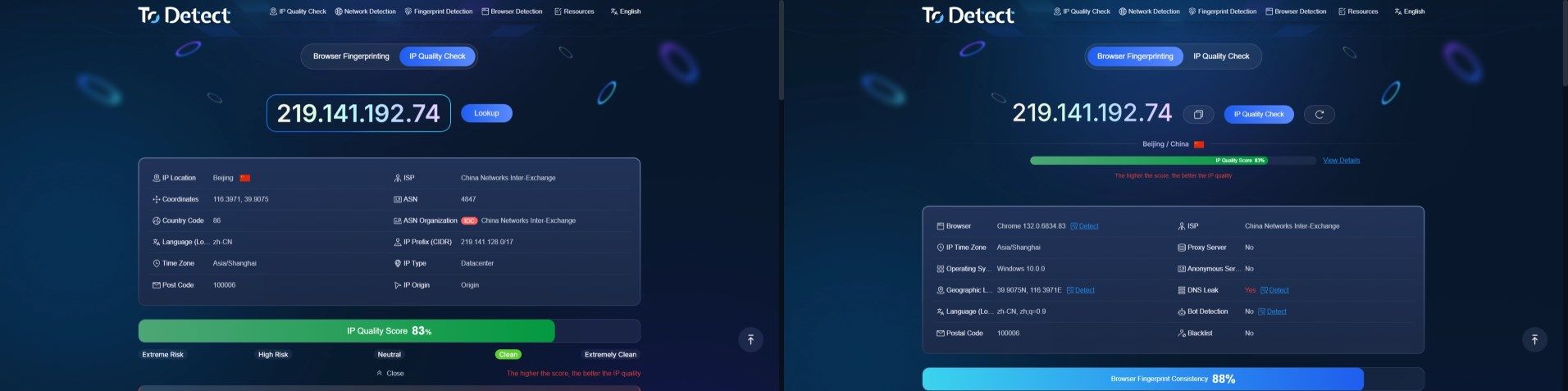
Before formal deployment, use professional detection tools like ToDetect to check the IP's quality score, geographic location data, and risk type.
An IP with a low risk rating, clean blacklist status, and stable network attributes is generally more suitable for long-term use.
Frequently Asked Questions (FAQ)
Q1: Why do test results for the same proxy vary significantly at different times?
This is typically caused by peak-hour node congestion, dynamic changes in proxy server load, or fluctuations in target website response speeds.
We recommend using a "72-hour segmented testing method" to record data across different time blocks and calculate an average.
Q2: The proxy test shows high speed, but actual webpage loading is very slow. Why?
This might happen because the test node is close to the proxy server, but the proxy server itself is far from your actual target server (such as Amazon's US marketplace).
It is recommended to run targeted speed tests specifically against your business target websites.
Q3: Is there a speed difference between static residential IPs and datacenter IPs?
Because datacenter IPs are deployed directly in server rooms, their single-point peak speeds can often be faster, but they are more susceptible to bans and risk control triggers.
Although residential IP speeds are constrained by home broadband limits, they are much better suited for long-term, stable operational scenarios.
Q4: How can I minimize the risk of account association caused by IP issues?
For operations requiring environmental isolation, you should follow the "one IP per account" principle, use anti-detect browsers to isolate device fingerprints, and ensure that every account is assigned an exclusive, geographically stable static residential IP.