



 Resources
 Feature overview

 Ganesh
 2026-07-03 11:22
Accounts getting restricted right after registration, or data scraping tasks being blocked shortly after starting—at first glance these situations seem random, but if you carefully investigate, you’ll often find that the quality of the IP itself may be a hidden risk factor.
That’s why in cross-border e-commerce, social media account warming, or data collection tasks, people are increasingly paying attention to whether the IP being used is clean, flagged, or from a high-risk source.
Next, we’ll explain how to properly check IPs, what “clean IP” really means, what IP purity detection actually measures, and how to choose high-quality static IPs.

1. Why do we need online IP lookup?
An IP address is your “identity card” on the internet. Whether it is clean or not directly affects whether your operations run smoothly.
For example, when registering accounts, one user with a “clean IP” may pass instantly, while another using a “contaminated IP” may trigger risk control immediately.
That’s why more and more people rely on online IP lookup tools to quickly understand IP status instead of using them blindly.
2. What is IP purity detection? Key factors explained
When people first hear “IP purity detection,” it may sound complex, but in essence it simply evaluates whether an IP has a “bad history.”
• Whether it has been flagged by spam systems
• Whether it appears in blacklist databases
• Whether it is frequently shared by many users (proxy risk)
• Whether it is a data center IP or a residential IP
• Whether there are abnormal login or attack records
If all indicators are normal, the IP can generally be considered “clean”; otherwise, the risk is higher. That’s why many users rely on IP purity detection tools to avoid issues in advance.
3. Are free IP lookup tools reliable?
There are many free IP lookup websites that can show location, ISP, and even risk scores. However, they cannot be fully relied upon.
• Data may not be updated frequently
• Limited coverage of risk databases
• Only basic info is provided, not real “purity” assessment
Free tools are useful for basic checks (like whether it is a data center IP or abnormal region), but for serious use cases such as advertising or account operations, more professional tools are recommended.
4. IP selection guide for different scenarios
| Use Case | Recommended IP Type | Risk Level | Recommendation |
|---|---|---|---|
| Social media account registration (TikTok / Instagram, etc.) | Residential IP preferred | Low | Use stable long-term residential IPs and avoid frequent switching |
| Advertising (Google Ads / Meta Ads) | High-quality clean residential IP | Low | Ensure IP history is clean; avoid shared IPs |
| Cross-border e-commerce store operations | Dedicated residential IP | Low | Fixed IP usage is safer; avoid changing login environments |
| Data scraping / crawling tasks | Data center IP + proxy pool | Medium | Control request frequency to avoid anti-bot detection |
| Multi-account matrix management | Separate residential IP allocation | Low | One account per IP reduces linkage risk |
| Temporary access / testing | Free proxy IP | High | Only for testing; not recommended for long-term use |
5. What does IP quality detection actually measure?
• IP risk score: evaluates overall safety based on historical behavior and blacklist records
• Blacklist status: checks whether the IP has been banned by email systems or security organizations
• Proxy identification: determines whether the IP comes from a proxy or VPN rather than a residential network
• Data center IP detection: identifies whether the IP originates from a server farm (often higher risk)
• Historical behavior: analyzes spam, fraud, or attack-related activity
• Shared usage level: checks how many users have used the IP to avoid contamination risk
• Geolocation consistency: verifies whether location matches expected network behavior
• Platform ban correlation: checks whether the IP is linked to banned accounts
Especially for platforms like TikTok, Facebook, and Google Ads, IP quality directly impacts account stability.
6. ToDetect: an all-in-one online IP detection tool
If you don’t want to switch between multiple websites, you can try tools like ToDetect, which focuses on unified IP lookup and purity detection.
1. Open the tool page
2. Enter an IP address or auto-detect your current IP
3. Run one-click IP quality detection
4. Get a full risk report
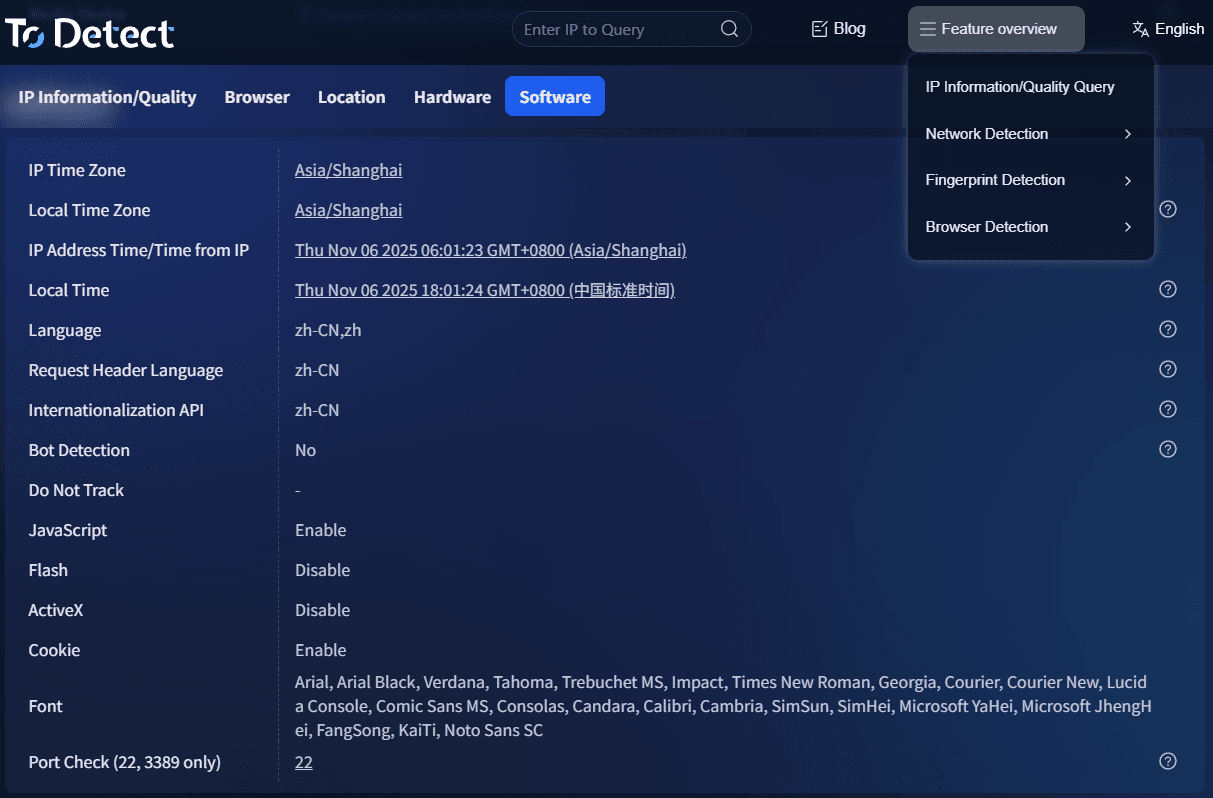
Compared to traditional tools, it focuses more on readability and usability, giving you direct insights instead of overwhelming technical parameters.
7. IP lookup FAQ
1. Why does an IP look normal but accounts still get flagged?
A “normal” result only means the IP is not currently blacklisted—it does not guarantee a clean historical record.
👉 It is recommended to combine IP purity detection with basic lookup results.
2. Are free IP lookup tools reliable?
They are useful for basic information (location, ISP, type), but cannot deeply evaluate safety or contamination.
👉 Suitable for casual use; not recommended for advertising or account operations.
3. Why do results differ across platforms?
Different databases, risk models, and dynamic IP assignment or proxy switching cause inconsistencies.
👉 Use multi-source validation (type, history, risk score).
4. What is a safe IP purity score?
No universal standard exists, but commonly:
• 90%–100%: low risk, safe
• 70%–90%: medium risk, use cautiously
• Below 70%: high risk, not recommended
👉 Always consider usage context (e-commerce, ads, social media have different requirements).
Conclusion: don’t ignore the “invisible threshold” of IP quality
Many failures come from focusing only on whether something works, while ignoring the IP’s historical status and risk level.
Using a contaminated IP often costs far more to fix later than to detect in advance.Tools like ToDetect simplify this technical problem and make IP quality assessment more intuitive.
An IP is not just about “working”—it must be clean and reliable. If you are involved in cross-border e-commerce, advertising, or multi-account operations, it’s worth checking your IP before anything else.
