



 Resources
 Feature overview
 Ganesh
 2026-07-28 11:21
In today's internet-driven world, whether you are using a smartphone or a computer, an IP address serves as the device's "digital identity" on the network.
It not only enables devices to identify and communicate with each other but also carries important information such as network type, geographical location, and security risks.
However, many users often wonder during network security checks or cross-border business operations: Why do mobile IP detection and computer IP detection produce different results?
This article explores the core differences between mobile IP detection and computer IP detection from four perspectives: network access methods, CGNAT sharing mechanisms, IP geolocation logic, and risk assessment, based on underlying network technologies.

Network Access and IP Attributes: Mobile Networks vs Fixed Broadband
The way IP addresses are assigned differs significantly between smartphones and computers, mainly due to their different network access methods:
Mobile Network (Cellular Network): Smartphones typically connect to 4G/5G networks provided by mobile carriers.
In mobile networks, carriers commonly use CGNAT (Carrier-Grade Network Address Translation) technology.
This means the device is usually assigned a private IP address first (within a specific internal network range), and then accesses the internet through large carrier gateways that are shared by many users through one or a limited number of public IP addresses.
Computer Network (Fixed Broadband / Enterprise Network): Computers typically access broadband networks through wired Ethernet or Wi-Fi connections.
In a home broadband environment, the modem or router usually obtains a dynamic public IP address through dialing authentication (or a relatively stable public/private broadband IP assigned by the carrier);
Enterprise networks or server environments typically use fixed and dedicated public IP addresses.
IP Address Stability: Dynamic Changes vs Network Environment
The stability of an IP address does not depend on the device itself, but rather on the network environment it is connected to:
Why Mobile IPs Change Frequently: Smartphones often move between different cellular coverage areas and may switch between different carrier network gateways.
Combined with mobile carriers' frequent IP recycling and reassignment mechanisms, mobile public exit IPs are generally more dynamic and may change frequently.
Computer IP Stability Depends on the Network: The stability of a computer's IP address mainly depends on the network environment it uses.
Home broadband connections usually maintain the same dynamic public IP for relatively long periods (stable in the short term), while enterprise dedicated lines, servers, and cloud hosts typically use fixed static public IP addresses.
The Truth About Location Accuracy: IP Databases vs Physical Location
When it comes to geographic location detection, many users have a common misconception:
they believe that "mobile IP location is more accurate." In reality, IP geolocation is not the same as GPS or cellular positioning technology.
The Nature of IP Geolocation: Whether using a smartphone or computer, when accessing an IP detection website through a browser or application, the detection system only sees the device's "public exit IP address."
Limitations of Location Accuracy: IP geolocation mainly relies on IP address databases, ASN (Autonomous System Number) information, and ISP (Internet Service Provider) registration data.
Mobile IP Location: Since mobile networks use large-scale CGNAT shared gateways, their exit nodes may cover large regions or even entire cities.
Therefore, mobile IP location results usually reflect the location of the carrier's gateway rather than the user's actual location, and may sometimes be less accurate than home broadband IPs.
Computer IP Location: Fixed broadband IP registration data is also based on databases,
but because IP ranges are often more closely associated with broadband installation areas (such as residential communities or carrier service locations), they may provide relatively more stable city-level location results in some cases.
Truly precise geographic positioning (such as navigation or food delivery services) relies on GPS, Wi-Fi hotspot detection, or cellular triangulation, not IP addresses.
Security Detection and Risk Assessment
Because mobile and computer IPs differ fundamentally in terms of network exits and sharing mechanisms, they also show different characteristics in security and reputation assessments:
Shared Network Exit and Reputation Scores: Mobile network IPs often use CGNAT technology, meaning hundreds or even thousands of users may share the same public exit IP.
If that exit IP has previously been abused (for example, used for spam requests, automated crawling, or abnormal login activities), its reputation score may be affected.
Security Protection Methods: Computers can enhance security through advanced firewalls, customized browser fingerprints, and IP filtering settings, while mobile devices mainly rely on the underlying security mechanisms provided by mobile carriers.
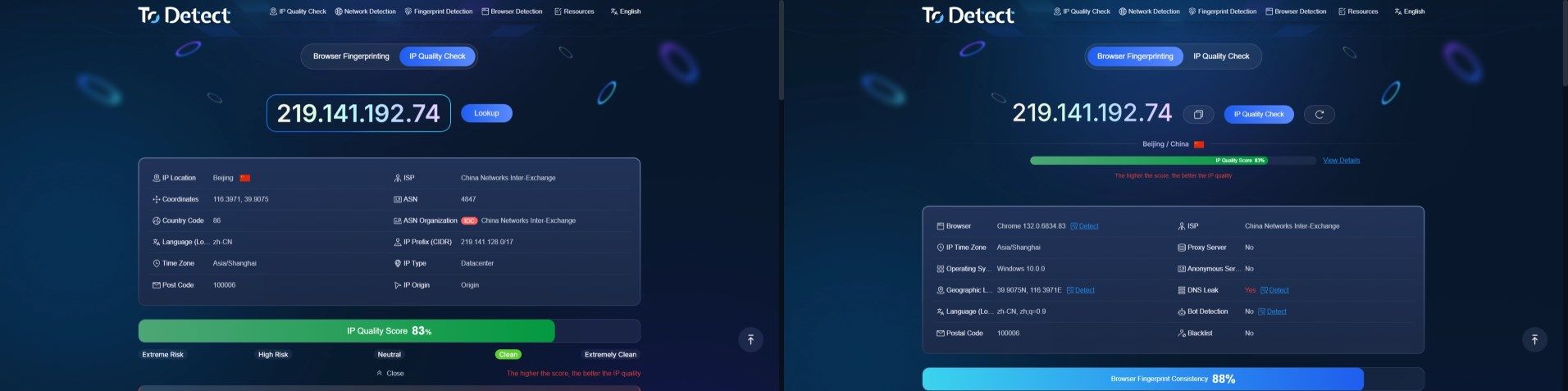
By visiting ToDetect, users can obtain detailed IP quality scores, check whether an IP address appears in major blacklist databases, and identify potential risks such as DNS leaks, WebRTC leaks, or abnormal proxy attributes.
FAQ
Q1: Will my smartphone and computer have the same IP address?
This depends on whether you are referring to a "private IP address" or a "public exit IP address."
If your smartphone and computer are connected to the same home Wi-Fi:
Their private IP addresses (local network IPs) will be different (for example, computer: 192.168.1.5, smartphone: 192.168.1.6), but they will share the same public exit IP when accessing the internet.
If your smartphone uses mobile data while your computer uses broadband:
Their private IP addresses and public exit IP addresses will both be different.
Q2: Why do I see different IP locations on my phone and computer?
This happens because their network exits and IP database mappings are different.
Mobile devices use carrier NAT shared gateways, where IP databases often record the location of the carrier's core network exit facility;
Computers connected through fixed broadband may be mapped based on the broadband installation area, so the detected city or region may differ.
Q3: How can I check whether my IP is a native IP or a data center IP?
You can visit ToDetect IP Detection Tool. It analyzes ASN information, ISP sources, and IP reputation data to help determine whether an IP is a native residential IP, mobile network IP, or IDC data center IP.
Q4: Does checking an IP address expose my privacy?
Standard IP detection tools only display your current public exit IP, approximate location, and basic browser environment information, which are necessary publicly available data during normal internet communication.
However, if you are involved in cross-border business or require a higher level of privacy protection, it is recommended to use professional detection platforms to continuously monitor network environment consistency.
Browser Fingerprint Detection Tool
Efficiently solve multi-account management, environment isolation, and account security