



 Resources
 Feature overview
 Alani
Alani 2026-06-11 10:33
In cross-border business, some people work hard for months only to have their stores restricted due to account linking issues; others see their ad accounts perform well, only to suddenly face reviews or even bans.
In fact, many cross-border business problems are not caused by products, operations, or traffic acquisition, but by the often-overlooked “account environment.”
Today we will talk about how fingerprint browsers help reduce account association risks, improve operational efficiency, and increase the success rate of cross-border businesses.

1. What is a Fingerprint Browser ?
A fingerprint browser is a tool that can simulate and isolate different browser environments.
Many overseas platforms use browser fingerprinting technology to identify users. Once multiple accounts are detected using the same or highly similar browser fingerprints, they may be flagged as linked, triggering risk control mechanisms.
The core function of a fingerprint browser is to create independent, secure, and realistic browser environments for each account, achieving isolation and reducing association risks.
2. Why Cross-Border Business Increasingly Relies on Fingerprint Browsers
Whether it is Amazon, TikTok Shop, Facebook ad accounts, Google ad accounts, or independent store operations, any account issue can affect marketing performance or even lead to significant financial and customer losses.
Traditional browsers have a major limitation: even when switching accounts, the device environment remains unchanged. Platforms can easily detect that multiple accounts originate from the same device through fingerprinting.
With fingerprint browsers, each account runs in an isolated environment with independent identity information, as if operating on different computers, significantly improving account security.
3. Comparison: Normal Browser vs Fingerprint Browser
| Comparison Item | Normal Browser Operation | Fingerprint Browser Operation |
|---|---|---|
| Multi-account management | Accounts are easily linked | Each account runs in an isolated environment |
| Browser fingerprint | Fingerprint data is mostly identical | Independent device fingerprints can be generated |
| Risk control trigger rate | Relatively high | Significantly reduced |
| Store matrix operations | Complex management and higher risk | Supports batch management of multiple accounts |
| Ad account security | Frequent abnormal reviews | More stable environment |
| Team collaboration efficiency | Account handover is cumbersome | Supports permission management and sharing |
| Independent site marketing | Data easily mixed | Each project is isolated |
| IP environment management | Difficult to configure | Supports flexible proxy IP binding |
| Account warming effectiveness | Easily triggers risk control due to environment changes | Environment remains stable long-term |
| Applicable scenarios | Single-account daily use | Cross-border business, multi-account operations, overseas marketing |
4. How Fingerprint Browsers Improve Cross-Border Business Success
1. Reduce account association risk
For cross-border e-commerce sellers, multi-store operations are common, such as:
• Multiple Amazon stores
• Multiple TikTok account matrices
• Facebook ad account management
• Independent brand website matrices
If multiple accounts are logged in using a normal browser, platforms can easily detect associations. Fingerprint browsers isolate environments so each account runs independently.
2. Improve ad delivery stability
During overseas ad campaigns, many operators face ad account restrictions. Platforms not only review ad content but also analyze login environments.
If multiple ad accounts use the same browser environment for a long time, abnormal behavior may be suspected. Fingerprint browsers help create isolated ad environments, reducing review risks.
3. Support team collaboration
Traditional account sharing often leads to login conflicts, data confusion, and permission issues. Modern fingerprint browsers support cloud sync and team collaboration features.
Teams can share environment configurations while setting different permissions, improving efficiency and security.
4. Improve account warming success rate
Many platforms value account authenticity. New accounts with unstable environments or frequent device changes may be flagged.
Fingerprint browsers help maintain consistent device info, time zone, language, and network settings, simulating real user behavior and improving account growth.
5. Why Fingerprint Browser Detection Matters More Than Ever
As platform risk control systems evolve, simple UA changes or cookie clearing are no longer sufficient. Platforms now perform advanced fingerprint detection.
Detection includes: Canvas fingerprint, WebRTC info, AudioContext parameters, GPU rendering features, font libraries, and hardware characteristics.
If inconsistencies are detected, accounts may be flagged. Bit Browser generates realistic fingerprints and ensures parameter consistency for natural environments.
6. Growing Attention on Fingerprint Browsers
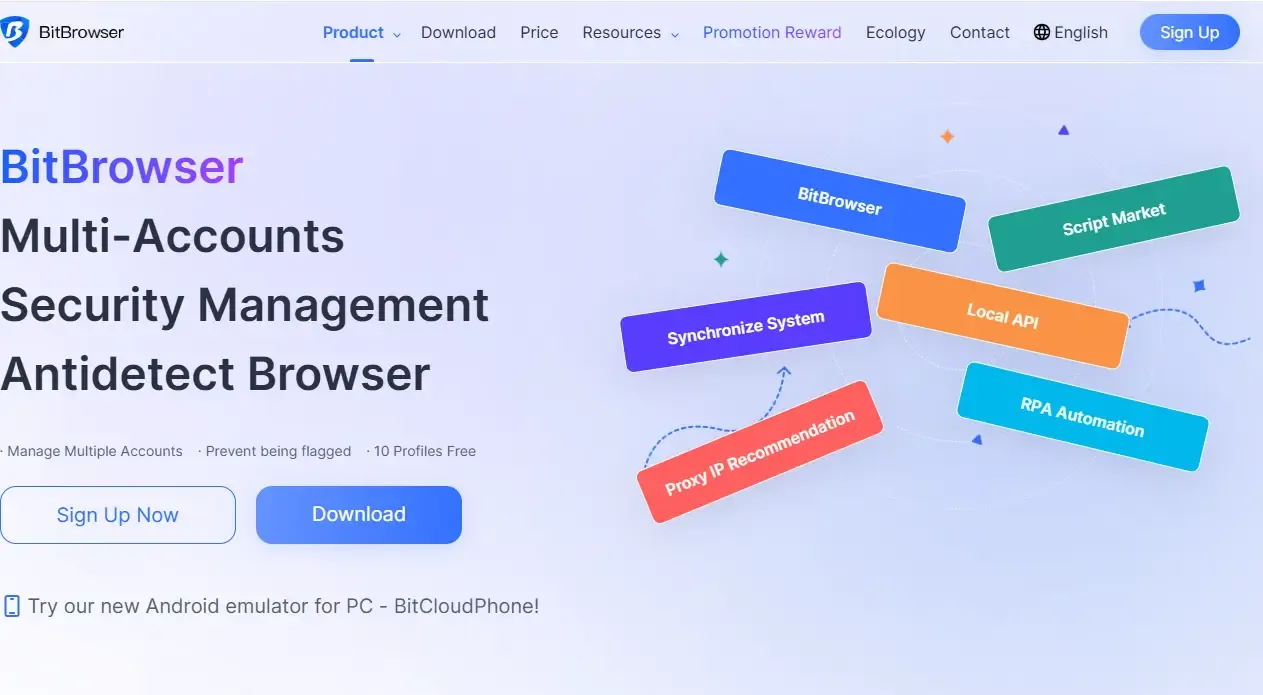
Among fingerprint browser products, Bit Browser has gained recognition among cross-border sellers and overseas marketing teams.
□ Strong environment isolation
Creates independent browser profiles for each account, ensuring true isolation.
□ More realistic fingerprint simulation
Generates consistent and realistic device parameters for safer environments.
□ Proxy IP support
Supports mainstream proxy integration for synchronized IP and browser isolation.
□ Efficient team collaboration
Supports account authorization, environment sharing, and permission management.
7. What to Consider When Choosing a Fingerprint Browser
1. Environment isolation capability
Ensure each account has a fully independent environment.
2. Ability to pass platform fingerprint detection
Choose tools that can handle advanced detection systems.
3. Realistic fingerprint simulation
Device parameters must be logically consistent.
4. Proxy IP flexibility
Must support mainstream proxy services.
5. Multi-account management features
Batch management, grouping, and one-click launch improve efficiency.
6. Team collaboration capabilities
Permissions, sharing, and logs are essential for teams.
7. Stability and performance
Stable performance reduces account anomalies.
8. Data security protection
Encryption and secure storage of cookies and profiles are important.
Conclusion
Cross-border business competition is no longer just about products and traffic, but about account security, operational efficiency, and risk control capabilities.
Fingerprint browsers, as an essential environment management tool, can reduce association risks, improve ad stability, increase account warming success, and enhance team efficiency.
For businesses and individuals aiming for long-term overseas growth, using tools like ToDetect fingerprint browser detection provides a more stable and secure foundation.