



 Resources
 Feature overview

 Ganesh
 2026-08-21 11:02
When doing IP quality checks for the first time, many people simply open a website to look up their IP address, location, and ISP. If the results look normal, they assume everything is fine.
In reality, the factors affecting IP quality go far beyond these basic details. With the growing prevalence of proxy IPs, static residential IPs, and various network resources, relying solely on standard IP lookups is no longer enough to determine whether an IP is truly reliable.
Let's break down how IP quality testing should actually be done, key metrics to evaluate during online IP checks, and the most practical IP detection tools available in 2026.

1. What is IP Quality Check? What Should Be Tested?
IP quality checking involves multi-dimensional analysis of a public IP address to evaluate its network ownership, IP type, risk logs, proxy attributes, and overall network reputation.
Many people confuse "IP lookup" with "IP quality checking." However, there is a distinct difference. Standard IP lookup mainly answers "where is this IP located," whereas professional IP quality checking digs deeper to determine whether the IP belongs to a data center, residential, or mobile network, and whether proxy attributes are present.
If you simply want to check your public IP address, a basic lookup is sufficient. But if you plan to buy proxy IPs, test static residential IPs, or verify network environment stability, conducting a comprehensive IP quality check is strongly recommended.
2. Practical IP Quality Checking Steps for 2026
When acquiring a new IP, avoid using it immediately without initial verification. Follow these basic testing steps first:
Step 1: Perform an online IP check to confirm the public IP address and inspect foundational parameters like country, city, ISP, and ASN.
Step 2: Identify the IP type. Determine whether it is classified as Residential, Mobile, Data Center, or another network type. If you purchased a residential IP but test results consistently classify it as data center-hosted, you should re-evaluate the source provider.
Step 3: Review proxy flags and risk scores. Focus on fields like Proxy, Tor, Risk, Blacklist, and Abuse. Scoring formulas vary across platforms, so do not draw conclusions based solely on a single "High Risk" label—evaluate metrics holistically.
Step 4: Run DNS and WebRTC leak tests. This step is essential when inspecting an active browsing environment, as a clean IP address does not guarantee that browser and DNS configurations match seamlessly.
Finally: Cross-validate across multiple services. Databases differ in update frequencies, data sources, and analytical logic, making slight discrepancies across platforms normal. Professional detection tools advise treating results as risk indicators rather than absolute verdicts.
3. Comparison of IP Quality Check Tools
| IP Check Tool | Core Detection Features | IP Location / ASN | Proxy Detection | Risk Scoring | DNS / WebRTC | Overall Rating |
|---|---|---|---|---|---|---|
| ToDetect | Multi-dimensional checks: Quality, Type, Risk, Proxy, DNS, etc. | ✓ | ✓ | ✓ | ✓ | ★★★★★ Top Pick |
| IPQualityScore | IP reputation, fraud scoring, proxy detection | ✓ | ✓ | ✓ | Partial | ★★★★ |
| IPinfo | IP address, ASN, ISP, geolocation data | ✓ | Partial | Partial | — | ★★★★ |
| IP2Location | IP geolocation, network type, proxy database | ✓ | ✓ | ✓ | — | ★★★★ |
| AbuseIPDB | IP blacklists, abuse records, historical reports | ✓ | — | ✓ | — | ★★★ |
| IP138 | Basic IP address, region, and ISP information | ✓ | — | Partial | — | ★★★ |
4. Featured Tool Recommendation: Hands-On with ToDetect
Among mainstream online IP detection services, ToDetect offers one of the most comprehensive feature sets.
Unlike basic IP lookup websites that only display "where the IP is located," ToDetect goes further by analyzing IP quality grade, network categorization, proxy attributes, and risk levels, alongside DNS leak, WebRTC leak, and browser fingerprint testing.
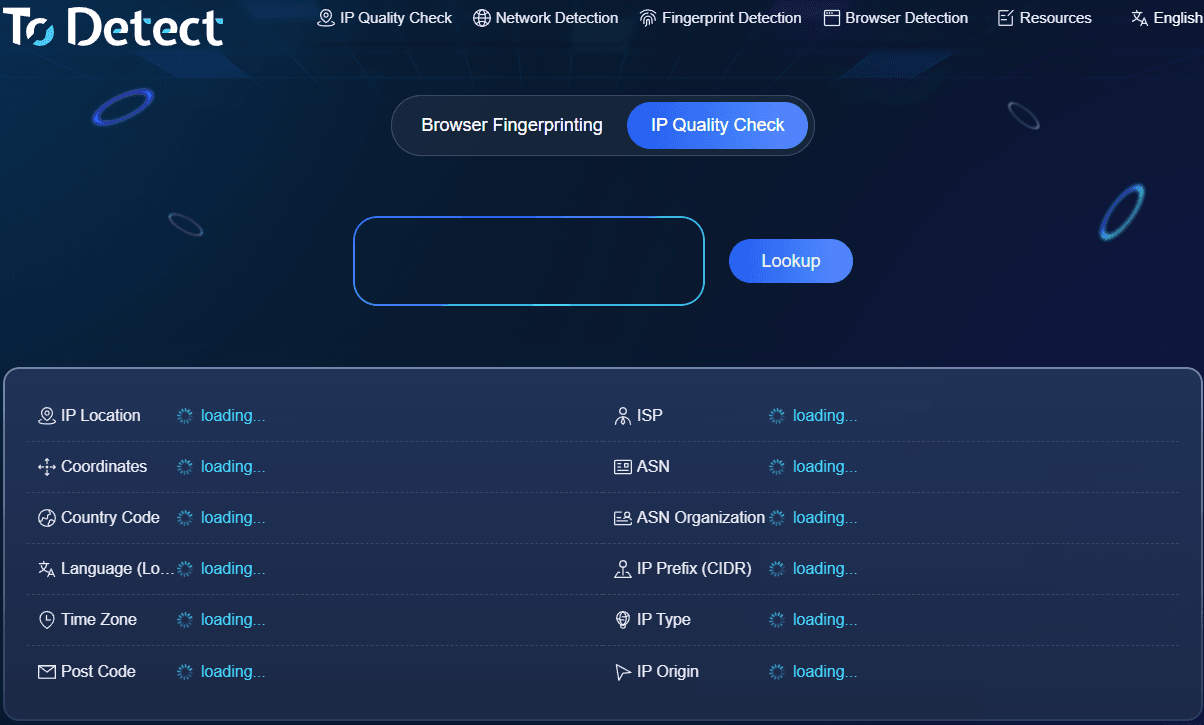
The user interface is straightforward: opening ToDetect automatically analyzes your current public network IP. Alternatively, entering a target IP lets you review detailed parameters across risk indicators and network classifications.
If your workflow involves checking IP quality, inspecting proxy nodes, testing IP purity, or auditing risk factors, ToDetect covers all necessary angles. When evaluating a new proxy node, you can verify location and ASN first, check network type and proxy tags next, and complete the check with DNS/WebRTC leak testing.
5. How to Choose Other IP Testing Tools
Beyond ToDetect, several other tools excel in specific use cases.
If you primarily need geographic location, ISP, and ASN data, IP database providers are ideal. These databases excel in raw network details, though evaluating IP risk scores may require complementary services.
If your primary goal is fraud prevention, proxy identification, and reputation scoring, specialized risk assessment services work best. For occasional casual checks, simple lookup tools are enough; however, if you manage proxy fleets or test IP quality routinely, using an all-in-one platform saves significant time.
6. Why Do Results Vary Across Different Checkers?
The primary reason is database variation. Each platform relies on distinct data feeds, update cycles, and risk classification algorithms. Therefore, an IP flagged as low risk on Site A might show medium risk on Site B without either platform necessarily being "wrong."
Furthermore, individual tools prioritize different metrics. Some focus heavily on geographic accuracy, others emphasize proxy detection, while others specialize in abuse history tracking. Avoid comparing raw score numbers directly across different platforms.
Additionally, residential IPs are not automatically risk-free. Modern risk engine algorithms evaluate complex behavioral signals beyond simple ASN or "residential vs. data center" labels.
Summary: How to Perform IP Quality Checks
In 2026, evaluating IP quality requires more than basic IP lookups. To ensure an IP is reliable for long-term use, evaluate at least seven dimensions: IP Location, ISP/ASN, Network Type, Proxy Flags, Risk History, IP Reputation, and DNS/WebRTC configuration.
Considering ease of use, feature scope, and analysis depth, ToDetect serves as a well-rounded tool for both general users and professionals, eliminating the hassle of hopping between multiple checking sites.
Final Tip: Always treat IP check scores as reference points rather than absolute rules ("high score = perfectly safe, low score = completely unusable"). A thorough evaluation must consider IP type, historical reputation, network setup, and your specific application context.
