



 Resources
 Feature overview
 Charles
 2026-09-22 10:41
Before we open a website, devices usually need to resolve domain names into their corresponding server addresses through DNS. If a DNS request is routed to an unintended resolution server, the DNS information may become inconsistent with the current network environment.
There are quite a few websites available online for DNS leak testing, but the differences in practical use are quite noticeable. Some can only display a few DNS addresses simply, while others allow you to further inspect IPv4, IPv6, DNS providers, regions, and browser network details.
Today, we will review and compare common free DNS leak detection tools, focusing mainly on whether the test items are sufficiently comprehensive, whether the DNS server information is clear, and whether everyday users can easily understand the results.

1. ToDetect: Convenient for Beginners Performing DNS Leak Detection
If you don't want to open multiple pages and compare them back and forth, ToDetect saves a lot of hassle. Instead of listing just a few DNS addresses, it presents the DNS results alongside your current IP, network location, WebRTC, and other details in a unified view.
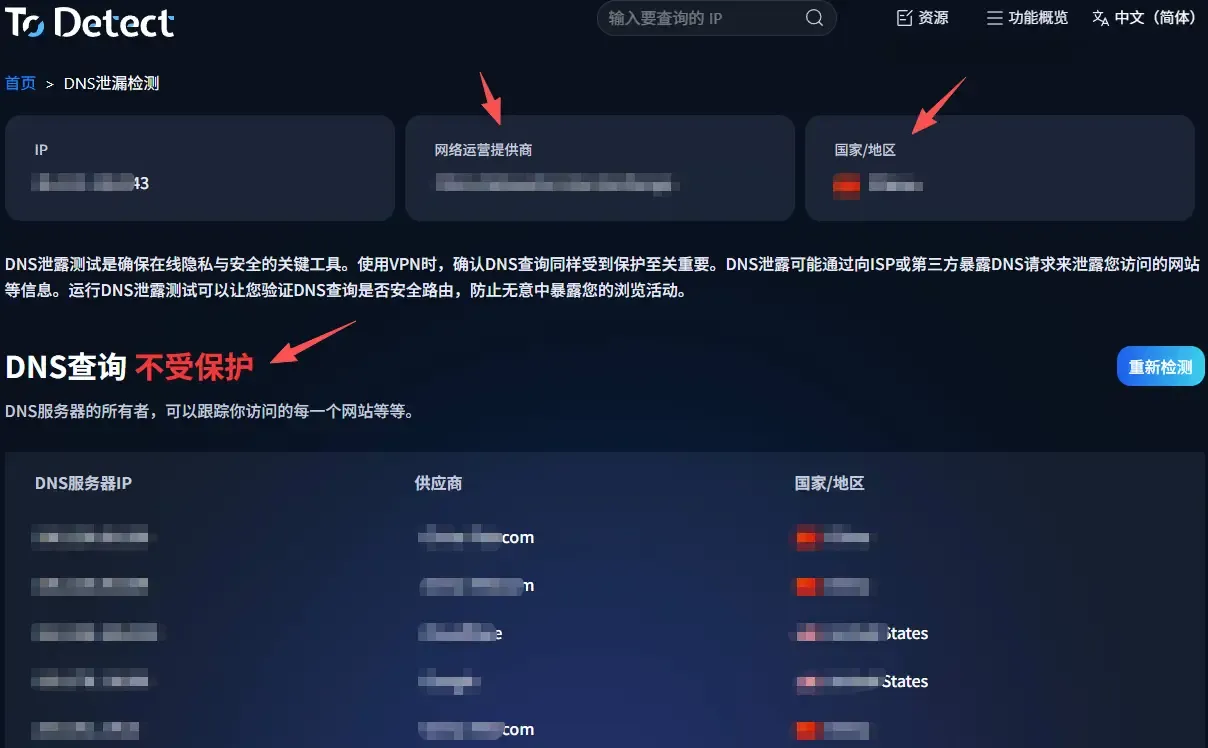
When running actual DNS leak testing, pay close attention to the DNS server location, provider, and network details of your current public IP. If there is a noticeable discrepancy between the two, it is worth inspecting further.
Currently, ToDetect's detection scope covers traditional DNS, DoH, DoT, and IPv6 items. Therefore, beyond standard DNS server checks, it is also well-suited for troubleshooting IPv6 DNS leaks and encrypted DNS configurations.
For users trying online DNS leak testing for the first time, this layout is very friendly: no need to decipher complex technical parameters—simply check the overall overview first and investigate any anomalous items step by step.
2. BrowserLeaks: Detailed DNS Server Information
BrowserLeaks' DNS Leak Test leans more technical. While its page layout isn't as basic or simplified, its testing process is exceptionally thorough.
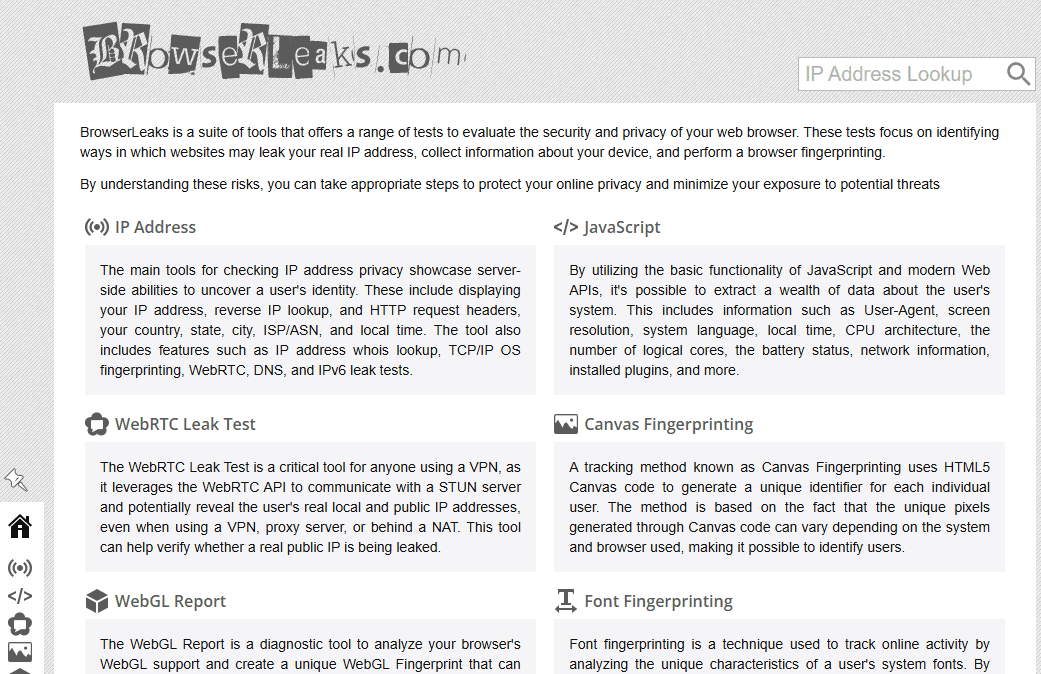
It attempts to resolve 50 randomly generated domain names (25 over IPv4 only and 25 over IPv6 only), displaying the actual DNS servers queried by your browser based on the returned responses.
This functionality is highly practical for IPv6 DNS leak detection. If you want to know precisely which DNS nodes your browser is querying, or if you want a secondary platform for cross-verification after running a ToDetect test, BrowserLeaks is an excellent option.
Although the results page contains extensive data, you do not need to study all of it. Focusing on three key aspects is enough: total number of DNS servers, organization ownership, and server region—then cross-check these with your current DNS settings.
3. DNSLeakTest: Simple and Direct for Quick Re-checks
DNSLeakTest is a classic DNS leak detection platform, best known for its simplicity.
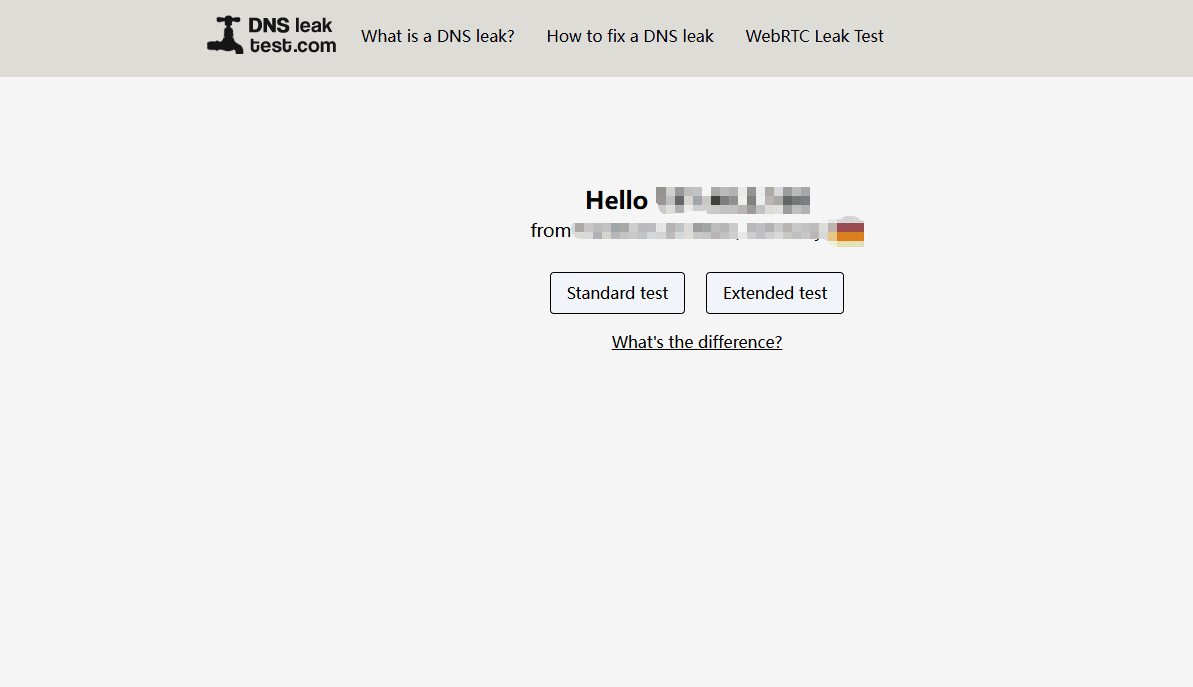
Upon opening the site, you can choose between a Standard Test and an Extended Test. The Standard Test performs one round with a total of 6 DNS queries, delivering fast results. The Extended Test runs 6 rounds totaling 36 queries, revealing a broader range of DNS servers involved in domain resolution.
Therefore, if you just want to run a quick DNS leak test, the Standard Test is usually sufficient. If the initial test looks normal but you want further confirmation, running an Extended Test is recommended.
While it doesn't offer extensive network environment details like ToDetect, nor deep technical items like BrowserLeaks, its streamlined process is its strength. For users who simply want to verify "Is DNS leaking?" or "Is my DNS server functioning normally?", it is very convenient.
4. Comparison of 3 Free DNS Leak Detection Tools
| DNS Leak Detection Tool | Main Detection Scope | IPv6 Detection | Readability | Target Audience | Recommended Use |
|---|---|---|---|---|---|
| ToDetect | DNS servers, IP info, location, WebRTC, etc. | Supported | High | Beginners, General Users | All-in-one view of DNS and network environment |
| BrowserLeaks | DNS servers, IPv4, IPv6, server ownership info | Supported | Moderate | Users with network background | Detailed DNS node analysis & cross-verification |
| DNSLeakTest | DNS servers, resolution nodes, Standard/Extended tests | Supported | High | Users seeking quick tests | Fast DNS leak testing & secondary verification |
5. What to Check First When DNS Leak Detection Shows Anomalies?
If your DNS leak detection results differ significantly from your expectations, start troubleshooting via your system and browser settings.
• Step 1: Check your active network adapter's DNS settings to see if previously manual DNS entries remain. When switching networks, lingering old settings can cause different DNS servers to appear during tests.
• Step 2: Check whether features like Secure DNS or DNS over HTTPS (DoH) are enabled in your browser. Many modern browsers support independent DNS resolution configurations, meaning browser DNS queries may differ even if system DNS settings remain unchanged.
• Step 3: Verify your IPv6 configuration. If your network supports IPv6 but DNS configuration was applied only to IPv4, IPv6 DNS leak tests may reveal a separate set of resolution servers.
This is why you shouldn't focus on a single IP address during a DNS leak test—evaluate DNS providers, node locations, IPv4, and IPv6 together for an accurate picture.
Summary
In practice, ToDetect, BrowserLeaks, and DNSLeakTest all serve well as daily DNS leak detection tools, each excelling in different areas.
ToDetect is best for users wanting quick, easily understandable results; BrowserLeaks excels at displaying granular DNS node details; and DNSLeakTest is ideal for rapid testing and re-verification. If you closely monitor your network security, bookmarking these free DNS leak test sites is highly recommended.
Running a DNS test is simple in itself; what truly matters is interpreting the results correctly rather than relying solely on a generic "Normal" status label. Combining DNS servers, IP details, IPv6, and browser DNS settings will yield far more meaningful insights.
Browser Fingerprint Detection Tool
Efficiently solve multi-account management, environment isolation, and account security